
8.2.6. Jenkins Warnings Plugin
8.2.6.1. Background
You have a running Axivion Dashboard Server.
Additionally, you want to integrate Axivion violations into the Jenkins Warnings Plugin.
8.2.6.2. What needs to be done?
Install the Warnings plugin.
Configure the Axivion Suite tool via the configuration user interface …
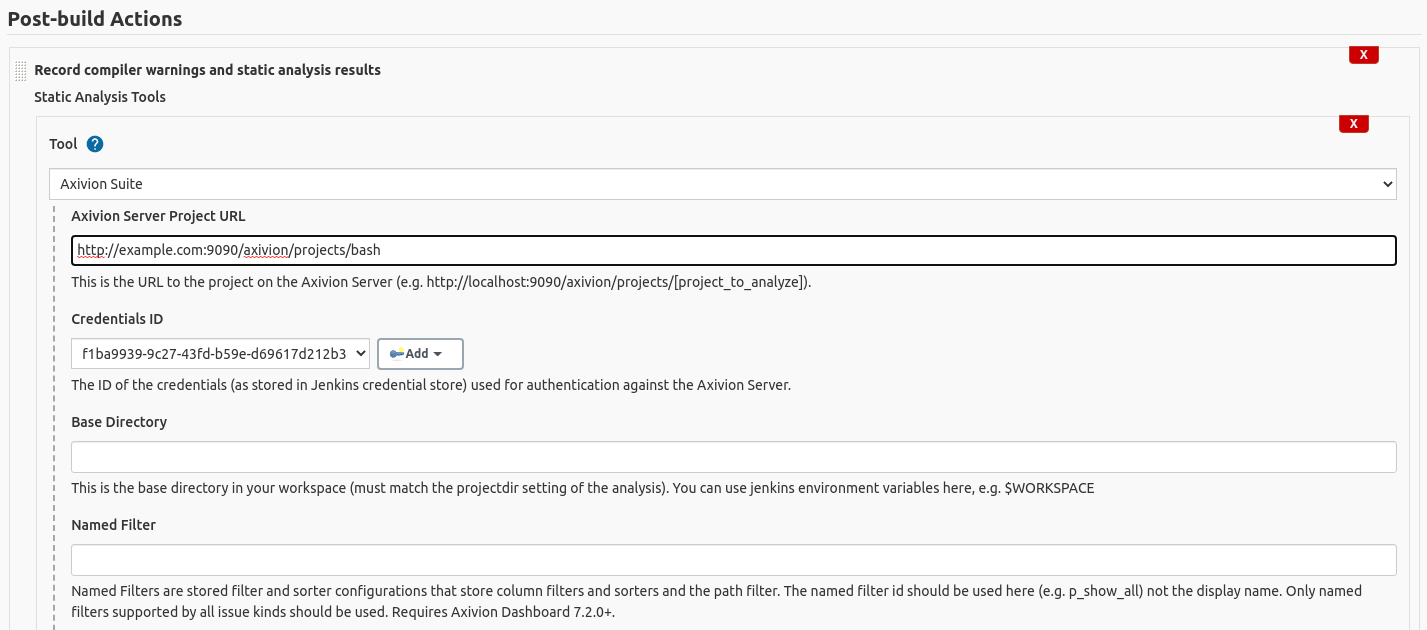
Configurating the Axivion Suite tool as a post-build action.
… or configure the Axivion Suite tool via a Jenkinsfile.
recordIssues(tools: [
  axivionSuite(
    credentialsId: 'f1ba9939-9c27-43fd-b59e-d69617d212b3',
    projectUrl: 'http://example.com:9090/axivion/projects/bash',
  ),
])
The credentials id points to a credential you have to create in Jenkins to talk to the dashboard. The username and password of the credential must belong to a valid dashboard user. A Axivion Dashboard Server ApiToken can be used as the password.
After a successful job run, Jenkins will now import violations from the Axivion Dashboard Server.
On the project page clicking at the new navigation entry ‘Axivion Suite Warnings’, will lead you to the Warnings summary page.
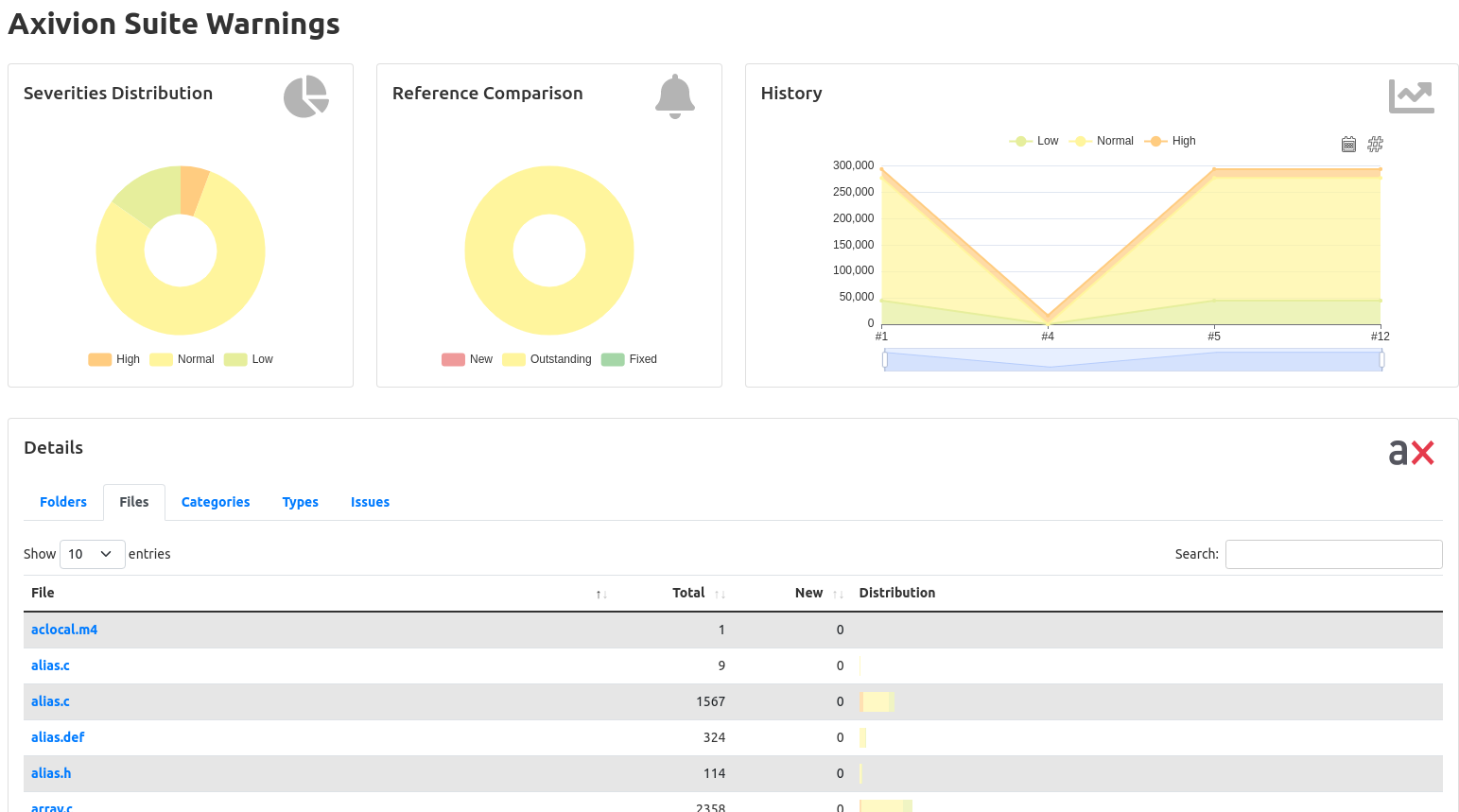
Warnings summary and trends page.