
vcpkgを使ったWindowsへのインストール例
vcpkg を使って Protobuf と\gRPC パッケージを Windows にインストールできます。
Windowsインストールの前提条件
vcpkg はクロスプラットフォームの C/C++ パッケージ・マネージャです。Protobuf,\gRPC およびその依存関係のインストールにはvcpkg を使用できます:
.\vcpkg.exe install protobuf protobuf:x64-windows
.\vcpkg.exe install grpc:x64-windows
注: マニフェスト・モードの使用をお勧めします。このモードでは、宣言型 JSON ファイルを使用してプロジェクトに関するメタデータを記述します。マニフェスト・ファイルにはvcpkg.jsonという名前が必要です。
最後に、Protobuf と\gRPC をサポートする Qt ベースのプロジェクトをビルドして実行することができます。例えば、インストールしたバージョンのQtからMagic 8 Ballを実行します。この例では、両方のパッケージがインストールされている必要があります。Magic 8 Ball は、アプリケーションのサーバー部分にネイティブ C++ ソースコード・ジェネレーター・プラグインを使用しているからです。Magic 8 Ball のサンプルを開始するには、以下の手順が必要です:
ExamplesセクションでMagic 8 Ball を見つけてください: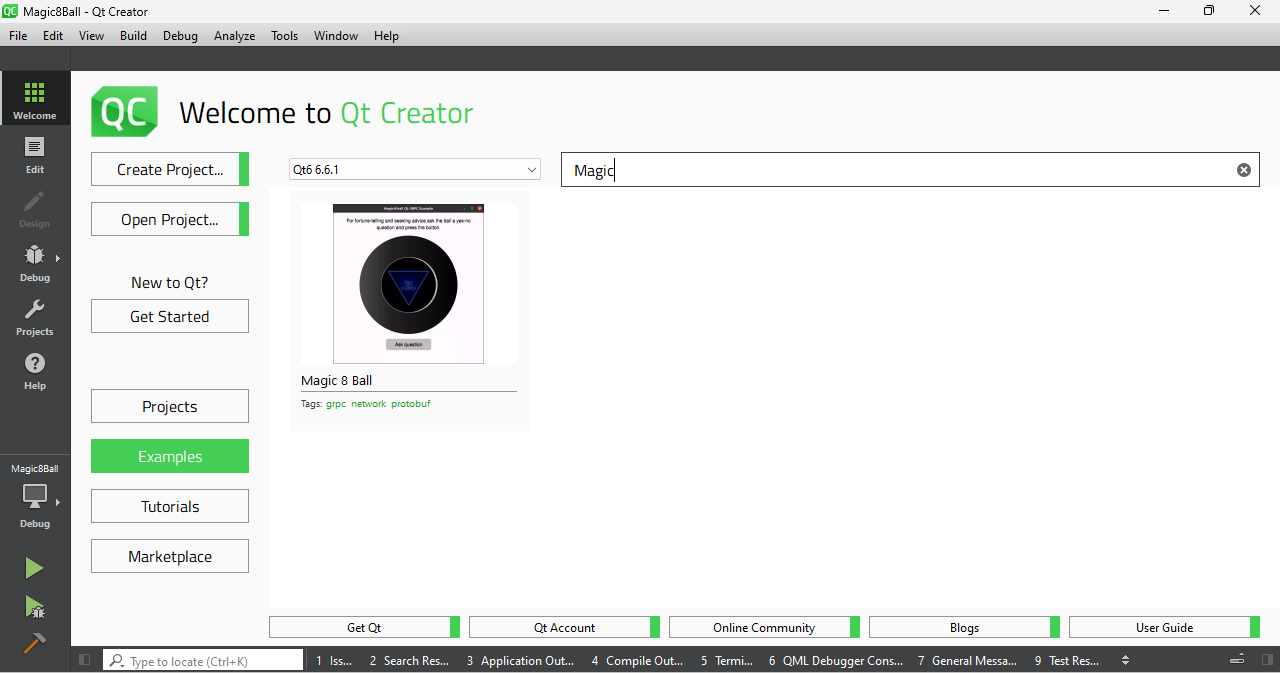
メニューのexamplesセクションで、検索バーに "magic "と入力し、この名前の例を表示する}。
- Qt-creatorの設定からMSVCベースのビルドキットを選択します:
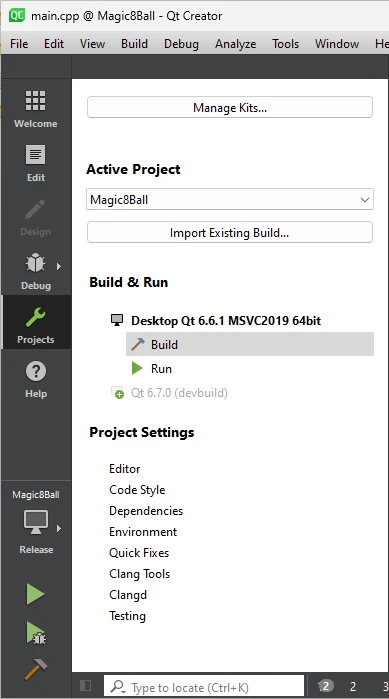
プロジェクトをビルド}。
- インストールした Protobuf と gRPC™パッケージへのパスを
Initial Configurationsettings ブロック内のCMAKE_PREFIX_PATH環境変数に追加します: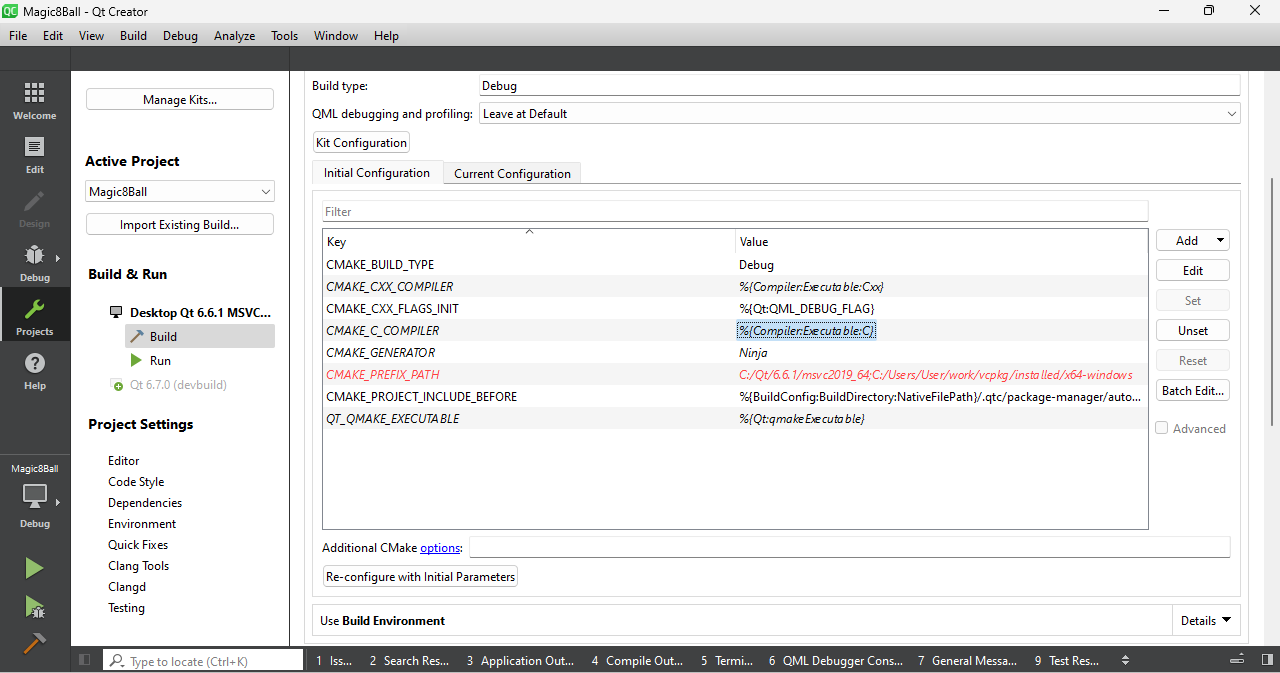
Qt Creator から msvc キットのオプションを選択}。
- ビルドして実行します。
© 2026 The Qt Company Ltd. Documentation contributions included herein are the copyrights of their respective owners. The documentation provided herein is licensed under the terms of the GNU Free Documentation License version 1.3 as published by the Free Software Foundation. Qt and respective logos are trademarks of The Qt Company Ltd. in Finland and/or other countries worldwide. All other trademarks are property of their respective owners.
