
简单 HTTP 服务器
如何设置 HTTP 服务器的简单示例。
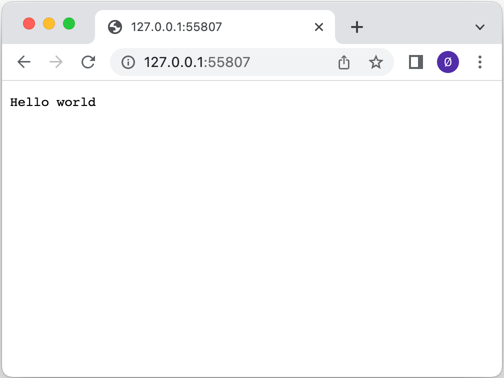
本例展示了如何使用QHttpServer 类设置服务器。使用 bind() 函数将服务器绑定到监听端口的QTcpServer ,并使用route() 函数为几个不同的传入 URL 分别添加一个处理程序。其中一个 URL"/auth "使用的是基本 HTTP 验证。
QSslConfigurationconf=QSslConfiguration::defaultConfiguration();const autosslCertificateChain=QSslCertificate::fromPath(QStringLiteral(":/assets/certificate.crt"));if(sslCertificateChain.empty()) {    qWarning() << QCoreApplication::translate("QHttpServerExample",
                                             "无法从文件中检索 SSL 证书。");return-1; }QFileprivateKeyFile(QStringLiteral(":/assets/private.key"));if(!privateKeyFile.open(QIODevice::ReadOnly)) {    qWarning() << QCoreApplication::translate("QHttpServerExample",
                                             "Couldn't open file for reading:%1") .arg(privateKeyFile.errorString());return-1; } conf.setLocalCertificate(sslCertificateChain.front()); conf.setPrivateKey(QSslKey(&privateKeyFile、 QSsl::Rsa)); privateKeyFile.close();autosslserver=std::make_unique<QSslServer>(); sslserver->setSslConfiguration(conf);if(!sslserver->listen()|| !httpServer.bind(sslserver.get())){    qWarning() << QCoreApplication::translate("QHttpServerExample",
                                             "服务器侦听端口失败。");return-1; }quint16sslPort=  sslserver->serverPort(); sslserver.release();
在上述示例中,QSslConfiguration 用于展示如何为QHttpServer 创建 SSL 配置,以提供 HTTPS 流量。
httpServer.addAfterRequestHandler(&httpServer, [](const QHttpServerRequest &, QHttpServerResponse &resp) {
    auto h = resp.headers();
    h.append(QHttpHeaders::WellKnownHeader::Server, "Qt HTTP Server");
    resp.setHeaders(std::move(h));
});
上例展示了如何在route() 函数处理QHttpServerResponse 对象后,使用QHttpServer 的addAfterRequestHandler() 函数更改 对象。它演示了如何在响应中添加 HTTP 标头。
文件:
图像
© 2026 The Qt Company Ltd. Documentation contributions included herein are the copyrights of their respective owners. The documentation provided herein is licensed under the terms of the GNU Free Documentation License version 1.3 as published by the Free Software Foundation. Qt and respective logos are trademarks of The Qt Company Ltd. in Finland and/or other countries worldwide. All other trademarks are property of their respective owners.

