
使用 vcpkg 安装 Windows 软件包的示例
您可以使用vcpkg 在 Windows 上安装Protobuf 和\gRPC 软件包。
Windows 安装前提条件:
vcpkg 是跨平台的 C/C++ 软件包管理器。您可以使用vcpkg 进行Protobuf 、\gRPC 及其依赖项的安装:
.\vcpkg.exe install protobuf protobuf:x64-windows
.\vcpkg.exe install grpc:x64-windows
注意: 我们建议使用 Manifest 模式。该模式使用声明式 JSON 文件来描述项目的元数据。Manifest 文件必须以 vcpkg.json 命名。
最后,您可以通过Protobuf 和\gRPC 支持来构建和执行基于 Qt XML 的项目。例如,从已安装的 Qt 版本运行Magic 8 Ball。该示例需要安装这两个软件包,因为Magic 8 Ball 在应用程序的服务器部分使用了本地 C++ 源代码生成器插件。启动Magic 8 Ball 示例需要以下步骤:
- 在
Examples部分找到Magic 8 Ball: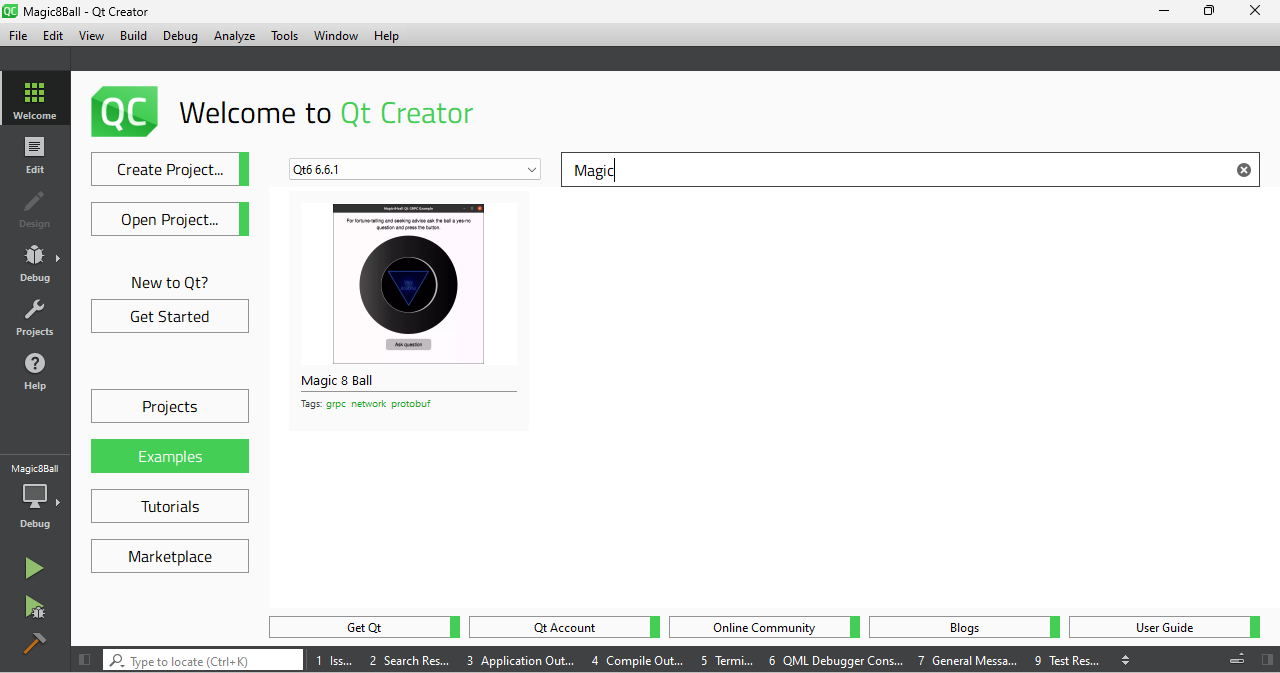
菜单,在示例部分的搜索栏中输入 "magic "并显示带有此名称的示例}。
- 从 Qt Creator 配置设置中选择基于 MSVC 的构建工具包:
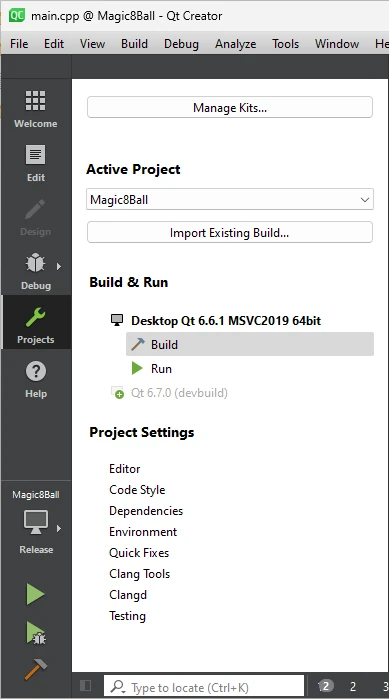
构建项目}
- 将已安装的 Protobuf 和 gRPC™
Initial Configuration包的路径到CMAKE_PREFIX_PATH环境变量: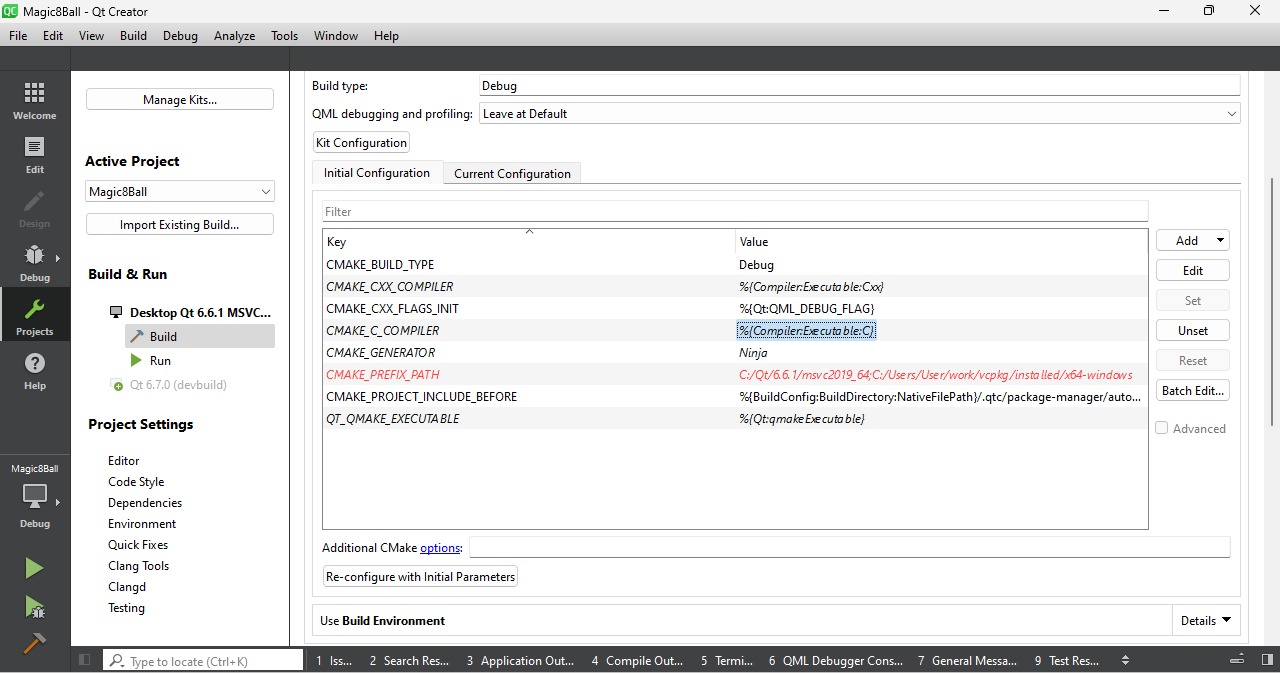
来自 Qt Creator 的 msvc 工具包的选项}。
- 构建并运行
© 2026 The Qt Company Ltd. Documentation contributions included herein are the copyrights of their respective owners. The documentation provided herein is licensed under the terms of the GNU Free Documentation License version 1.3 as published by the Free Software Foundation. Qt and respective logos are trademarks of The Qt Company Ltd. in Finland and/or other countries worldwide. All other trademarks are property of their respective owners.
