
Beispiel für Audiogeräte
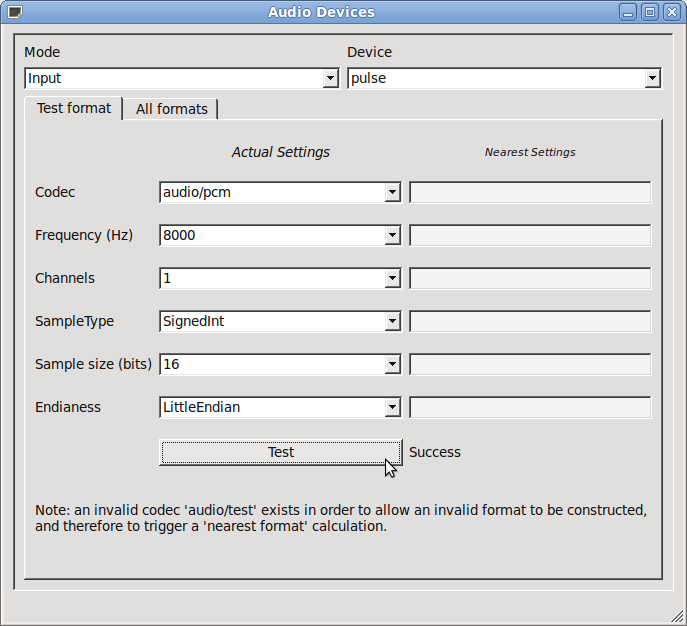
Liste der verfügbaren Audiogeräte und deren Konfiguration.
Das Beispiel „Audiogeräte“ zeigt, wie man eine einfache Anwendung erstellt, um die Konfiguration der verschiedenen auf dem Zielgerät oder Desktop-PC verfügbaren Audiogeräte aufzulisten.
Ausführen des Beispiels
Sie können das Beispiel wie folgt ausführen:
- Qt Creator
Öffnen Sie den Modus „ Welcome “ und wählen Sie das Beispiel unter „ Examples “ aus. Weitere Informationen finden Sie unter Qt Creator: Tutorial: Erstellen und Ausführen.
- Qt Extension for Visual Studio Code
Führen Sie den Befehl „ Qt: Open Qt examples “ über „ Command Palette “ aus und wählen Sie das Beispiel aus der Liste aus. Weitere Informationen finden Sie unter Qt Extension for Visual Studio Code: Tutorial: Erstellen und Ausführen.
© 2026 The Qt Company Ltd. Documentation contributions included herein are the copyrights of their respective owners. The documentation provided herein is licensed under the terms of the GNU Free Documentation License version 1.3 as published by the Free Software Foundation. Qt and respective logos are trademarks of The Qt Company Ltd. in Finland and/or other countries worldwide. All other trademarks are property of their respective owners.
