
Ejemplo de línea de zoom
El ejemplo muestra cómo crear su propio efecto de zoom personalizado.
El ejemplo muestra cómo crear su propio efecto de zoom personalizado con QRubberBand utilizando un ratón y cómo utilizar gestos táctiles para la panorámica y el zoom.
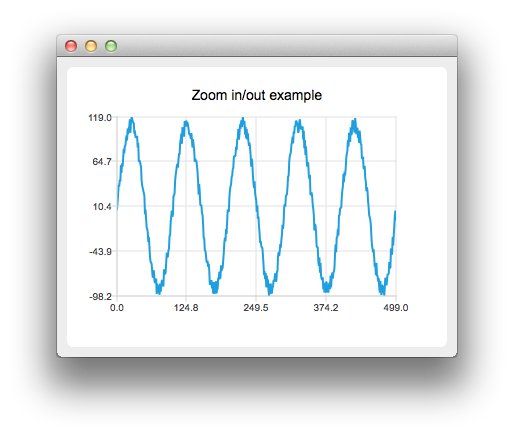
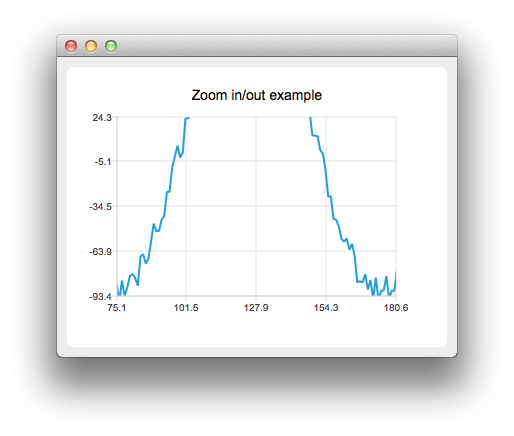
Ejecución del ejemplo
Para ejecutar el ejemplo desde Qt Creatorabra el modo Welcome y seleccione el ejemplo de Examples. Para más información, consulta Qt Creator: Tutorial: Construir y ejecutar.
Personalizando los Efectos del Zoom
Primero vamos a crear una serie de líneas con algunos datos de ejemplo.
    auto series = new QLineSeries;
    for (int i = 0; i < 500; i++) {
        QPointF p((qreal) i, qSin(M_PI / 50 * i) * 100);
        p.ry() += QRandomGenerator::global()->bounded(20);
        *series << p;
    }
A continuación, creamos una vista de gráfico personalizada derivando de QChartView:
class ChartView : public QChartView
Reemplazamos el manejo de eventos de ratón y tecla
protected:
    bool viewportEvent(QEvent *event);
    void mousePressEvent(QMouseEvent *event);
    void mouseMoveEvent(QMouseEvent *event);
    void mouseReleaseEvent(QMouseEvent *event);
    void keyPressEvent(QKeyEvent *event);
Luego implementamos una lógica personalizada para los eventos del ratón y de las teclas. Por ejemplo, al pulsar la tecla "+" se acercará la imagen y al pulsar la tecla "-" se alejará.
void ChartView::keyPressEvent(QKeyEvent *event)
{
    switch (event->key()) {
    case Qt::Key_Plus:
        chart()->zoomIn();
        break;
    case Qt::Key_Minus:
        chart()->zoomOut();
        break;
También creamos nuestro propio QChart:
class Chart : public QChart
Donde podemos manejar los gestos:
bool Chart::sceneEvent(QEvent *event)
{
    if (event->type() == QEvent::Gesture)
        return gestureEvent(static_cast<QGestureEvent *>(event));
    return QChart::event(event);
}

bool Chart::gestureEvent(QGestureEvent *event)
{
    if (QGesture *gesture = event->gesture(Qt::PanGesture)) {
        auto pan = static_cast<QPanGesture *>(gesture);
        QChart::scroll(-(pan->delta().x()), pan->delta().y());
    }

    if (QGesture *gesture = event->gesture(Qt::PinchGesture)) {
        auto pinch = static_cast<QPinchGesture *>(gesture);
        if (pinch->changeFlags() & QPinchGesture::ScaleFactorChanged)
            QChart::zoom(pinch->scaleFactor());
    }

    return true;
}
Ten en cuenta que tendrás que llamar a grabGesture() tanto a QMainWindow como a QChart.
© 2026 The Qt Company Ltd. Documentation contributions included herein are the copyrights of their respective owners. The documentation provided herein is licensed under the terms of the GNU Free Documentation License version 1.3 as published by the Free Software Foundation. Qt and respective logos are trademarks of The Qt Company Ltd. in Finland and/or other countries worldwide. All other trademarks are property of their respective owners.
