
Qt Graphs Integración con Qt Quick 3D
Dado que Qt Graphs para 3D se basa en Qt Quick 3D, es posible integrar escenas Qt Quick 3D en los gráficos.
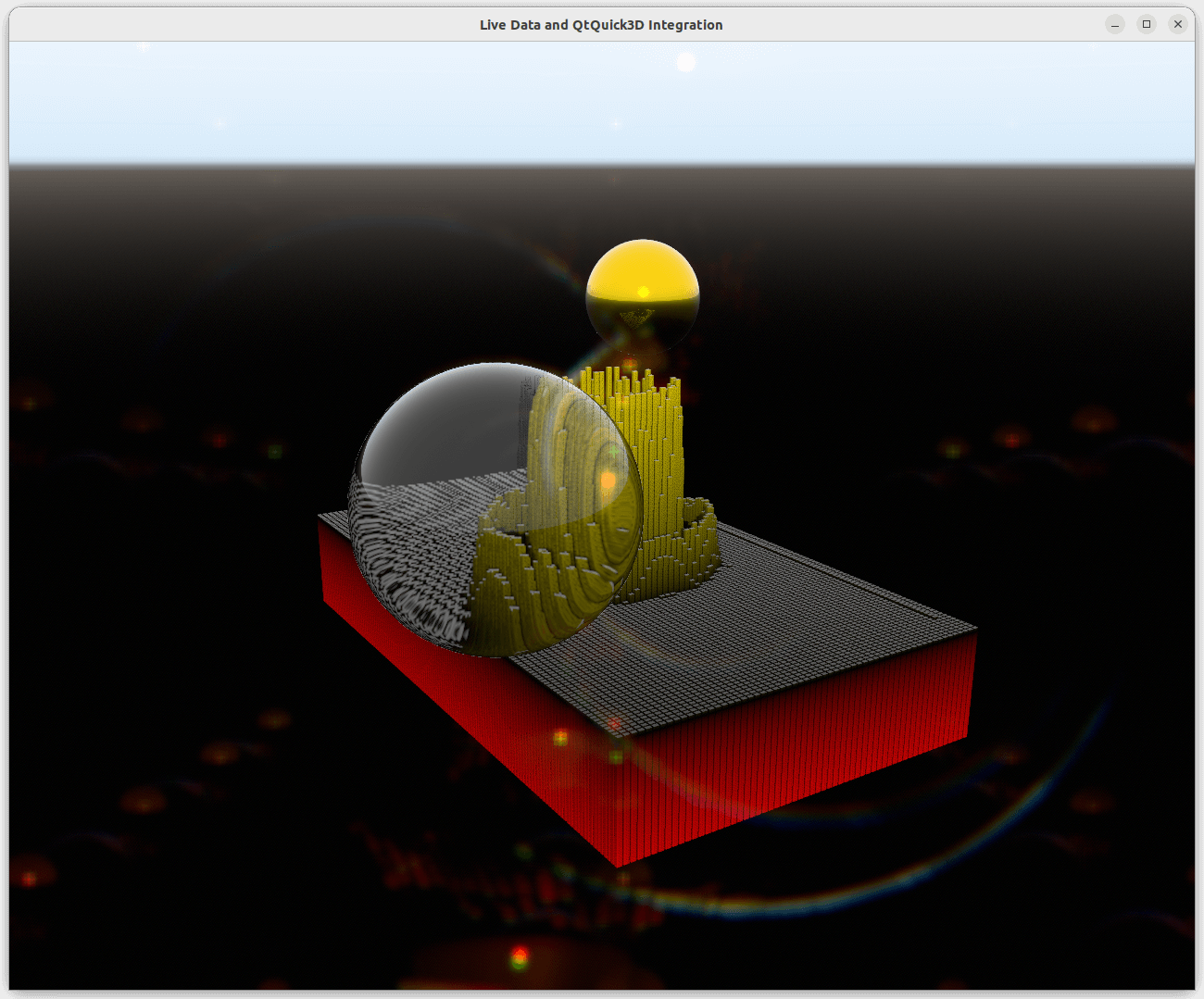
Entorno de escena
Para ajustar un entorno de escena Qt Quick 3D en un gráfico, defina SceneEnvironment o ExtendedSceneEnvironment en la propiedad environment del gráfico como se indica a continuación:
environment: ExtendedSceneEnvironment {
    aoEnabled: true
    aoDither: true
    ditheringEnabled: true
    lightProbe: Texture {
        textureData: ProceduralSkyTextureData {
            groundBottomColor: "black"
            skyTopColor: "white"
        }
    }
    backgroundMode: SceneEnvironment.SkyBox
    lensFlareEnabled: true
    lensFlareGhostCount: 10
    lensFlareApplyStarburstTexture: true
    lensFlareBloomBias: 0.4
}
Funciones no compatibles
Anular el modo de antialiasing o el color claro de la escena no funciona, lo que significa que establecer el valor de SceneEnvironment.antialiasingMode y SceneEnvironment.clearColor no sirve de nada. Sin embargo, si backgroundMode no está ajustado a SceneEnvironment.Color, el fondo se verá afectado por los ajustes.
Integración de escenas
Para integrar una escena 3D Qt Quick en un gráfico, establezca la propiedad importScene del gráfico en Node con la siguiente configuración:
importScene: Node {
    Model {
        scale: Qt.vector3d(0.01, 0.01, 0.01)
        source: "#Sphere"
        x: 2.5
        z: 2
        y: 1
        castsReflections: false
        receivesReflections: true
        materials: [
            PrincipledMaterial {
                baseColor: "gold"
                metalness: 1.0
                roughness: 0.1
            }
        ]
        ReflectionProbe {
            boxSize: Qt.vector3d(6, 3, 5)
            boxOffset: Qt.vector3d(-1.5, -1, -1.5)
            parallaxCorrection: true
            quality: ReflectionProbe.High
        }
    }
    Model {
        scale: Qt.vector3d(0.01, 0.01, 0.01)
        source: "#Sphere"
        x: -2.5
        z: -2
        y: 1
        castsReflections: false
        receivesReflections: true
        materials: [
            PrincipledMaterial {
                baseColor: "white"
                metalness: 0.0
                roughness: 0.0
                transmissionFactor: 1.0
                thicknessFactor: 50
            }
        ]
    }
}
Añadir Nodes directamente como hijos al gráfico no funcionará, porque el hijo por defecto de un gráfico es la serie correspondiente.
© 2026 The Qt Company Ltd. Documentation contributions included herein are the copyrights of their respective owners. The documentation provided herein is licensed under the terms of the GNU Free Documentation License version 1.3 as published by the Free Software Foundation. Qt and respective logos are trademarks of The Qt Company Ltd. in Finland and/or other countries worldwide. All other trademarks are property of their respective owners.
