
Servidor HTTP simple
Ejemplo sencillo de cómo configurar un servidor HTTP.
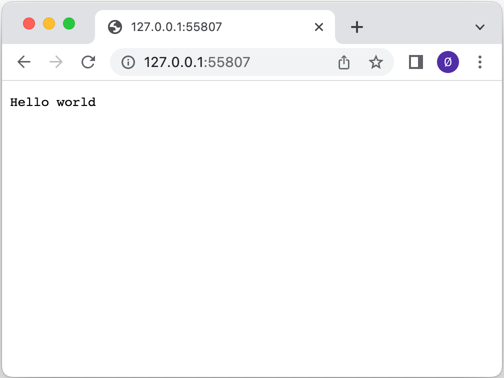
El Servidor HTTP Simple muestra cómo configurar un servidor HTTP utilizando la clase QHttpServer. Escucha dos sockets: un socket TCP y un socket SSL. Se establecen diferentes callbacks para demostrar cómo utilizar la función route().
Se crea un objeto QHttpServer, y un simple route() maneja la ruta "/" devolviendo Hello world:
QCoreApplication app(argc, argv);

QHttpServer httpServer;
httpServer.route("/", []() {
    return "Hello world";
});
Luego se registra un callback que sirve los activos del servidor al cliente:
httpServer.route("/assets/<arg>", [] (const QUrl &url) {
    return QHttpServerResponse::fromFile(u":/assets/"_s + url.path());
});
Aquí usamos el objeto QHttpServerRequest para devolver la dirección IP del cliente:
httpServer.route("/remote_address", [](const QHttpServerRequest &request) {
    return request.remoteAddress().toString();
});
Para una de las rutas, "/auth", se utiliza la autenticación HTTP básica:
httpServer.route("/auth", [](const QHttpServerRequest &request) {
    auto auth = request.value("authorization").simplified();

    if (auth.size() > 6 && auth.first(6).toLower() == "basic ") {
        auto token = auth.sliced(6);
        auto userPass = QByteArray::fromBase64(token);

        if (auto colon = userPass.indexOf(':'); colon > 0) {
            auto userId = userPass.first(colon);
            auto password = userPass.sliced(colon + 1);

            if (userId == "Aladdin" && password == "open sesame")
                return QHttpServerResponse("text/plain", "Success\n");
        }
    }
    QHttpServerResponse resp("text/plain", "Authentication required\n",
                             QHttpServerResponse::StatusCode::Unauthorized);
    auto h = resp.headers();
    h.append(QHttpHeaders::WellKnownHeader::WWWAuthenticate,
             R"(Basic realm="Simple example", charset="UTF-8")");
    resp.setHeaders(std::move(h));
    return std::move(resp);
});
Entonces usamos la función addAfterRequestHandler() para cambiar el objeto QHttpServerResponse después de que haya sido manejado por las llamadas de retorno registradas por route() añadiendo cabeceras HTTP a la respuesta:
httpServer.addAfterRequestHandler(&httpServer, [](const QHttpServerRequest &, QHttpServerResponse &resp) {
    auto h = resp.headers();
    h.append(QHttpHeaders::WellKnownHeader::Server, "Qt HTTP Server");
    resp.setHeaders(std::move(h));
});
Un QTcpServer a la escucha de un puerto se vincula al servidor HTTP utilizando la función bind():
auto tcpserver = std::make_unique<QTcpServer>();if (!tcpserver->listen() || !httpServer.bind(tcpserver.get())) {    qWarning() << QCoreApplication::translate("QHttpServerExample",
                                             "Server failed to listen on a port."); return-1; }quint16 port =  tcpserver->serverPort(); tcpserver.release();
Y luego QSslConfiguration se utiliza para crear una configuración SSL para un QHttpServer para servir tráfico HTTPS:
QSslConfiguration conf = QSslConfiguration::defaultConfiguration();const auto sslCertificateChain =QSslCertificate::fromPath(QStringLiteral(":/activos/certificado.crt"));if (sslCertificateChain.empty()) {    qWarning() << QCoreApplication::translate("QHttpServerExample",
                                             "No se pudo recuperar el certificado SSL del archivo"); return-1; }QFile privateKeyFile(QStringLiteral(":/assets/private.key"));if (!privateKeyFile.open(QIODevice::ReadOnly)) {    qWarning() << QCoreApplication::translate("QHttpServerExample",
                                             "No se pudo abrir el archivo para lectura: %1") . arg(privateKeyFile.errorString()); return-1; } conf.setLocalCertificate(sslCertificateChain.front()); conf.setPrivateKey(QSslKey(&privateKeyFile, QSsl::Rsa)); conf.setAllowedNextProtocols({ QSslConfiguration::ALPNProtocolHTTP2 }); // Añadir soporte HTTP/2privateKeyFile.close();auto sslserver = std::make_unique<QSslServer>();  sslserver->setSslConfiguration(conf);if (!sslserver->listen() || !httpServer.bind(sslserver.get())) {    qWarning() << QCoreApplication::translate("QHttpServerExample",
                                             "Server failed to listen on a port."); return-1; }quint16 sslPort =  sslserver->serverPort(); sslserver.release();
Una vez que todo está configurado, sólo queda empezar a gestionar las peticiones entrantes:
return app.exec();
Archivos:
Imágenes:
© 2026 The Qt Company Ltd. Documentation contributions included herein are the copyrights of their respective owners. The documentation provided herein is licensed under the terms of the GNU Free Documentation License version 1.3 as published by the Free Software Foundation. Qt and respective logos are trademarks of The Qt Company Ltd. in Finland and/or other countries worldwide. All other trademarks are property of their respective owners.

