
Cliente WebSocket Echo
Muestra cómo escribir una aplicación cliente WebSocket sencilla.
El Cliente Eco muestra cómo utilizar la API WebSocket para enviar un mensaje a un servidor y procesar cualquier respuesta que el servidor devuelva - en este caso, simplemente informando de la respuesta.
Por defecto, el cliente abre una conexión WebSocket a un servidor que escucha en el puerto local 1234. Cuando el intento de conexión tiene éxito, el cliente enviará un mensaje al servidor e imprimirá cualquier respuesta que el servidor envíe. A continuación, el cliente cierra la conexión.
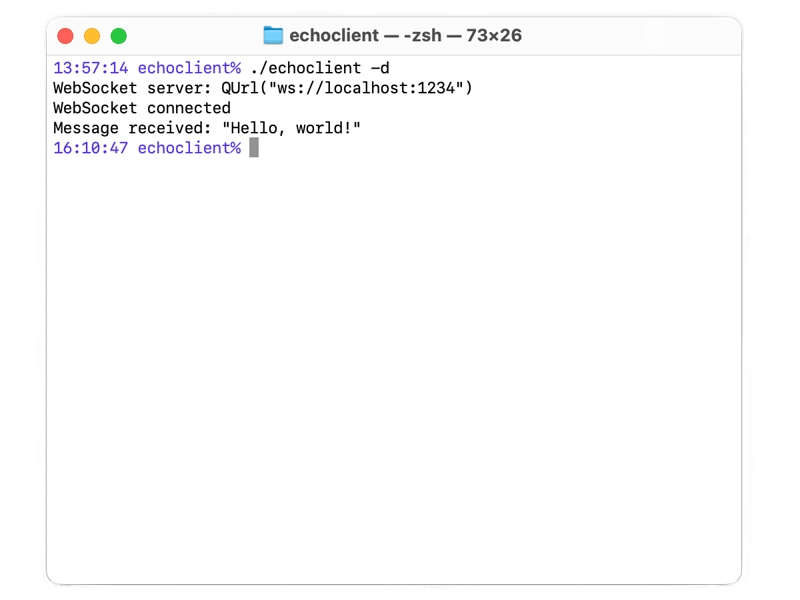
A modo de ilustración, utilizamos el WebSocket Echo Server, cuya respuesta es simplemente el mensaje que se envió.
Véase también WebSocket Echo Server.
© 2026 The Qt Company Ltd. Documentation contributions included herein are the copyrights of their respective owners. The documentation provided herein is licensed under the terms of the GNU Free Documentation License version 1.3 as published by the Free Software Foundation. Qt and respective logos are trademarks of The Qt Company Ltd. in Finland and/or other countries worldwide. All other trademarks are property of their respective owners.
