
Ejemplo de asistente trivial
El ejemplo de Asistente trivial ilustra cómo crear un asistente de registro lineal de tres páginas utilizando tres instancias de QWizardPage y una instancia de QWizard.
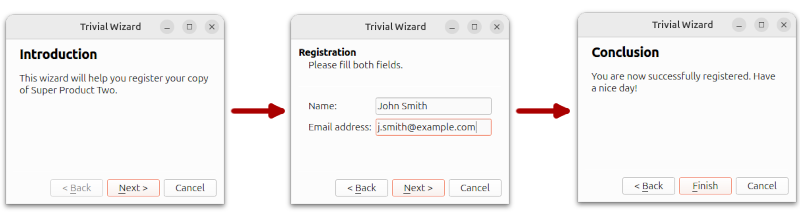
Página de introducción
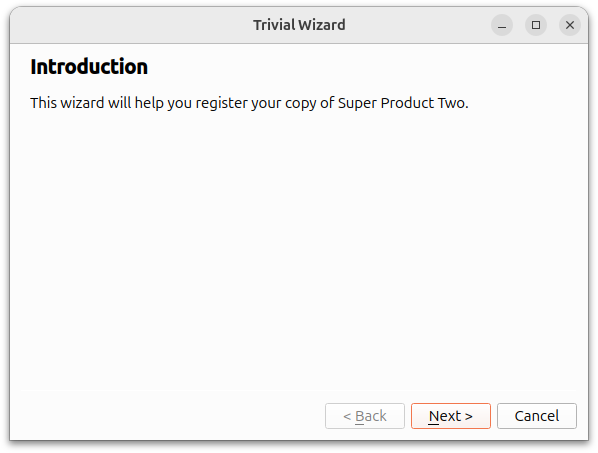
La página de introducción se crea con la función createIntroPage() donde se crea un QWizardPage y su título se establece en "Introducción". Se utiliza un QLabel para contener la descripción de page. Se utiliza un QVBoxLayout para contener el label. Este page se devuelve cuando se llama a la función createIntroPage().
QWizardPage *createIntroPage()
{
    QWizardPage *page = new QWizardPage;
    page->setTitle("Introduction");

    QLabel *label = new QLabel("This wizard will help you register your copy "
                               "of Super Product Two.");
    label->setWordWrap(true);

    QVBoxLayout *layout = new QVBoxLayout;
    layout->addWidget(label);
    page->setLayout(layout);

    return page;
}
Página de registro
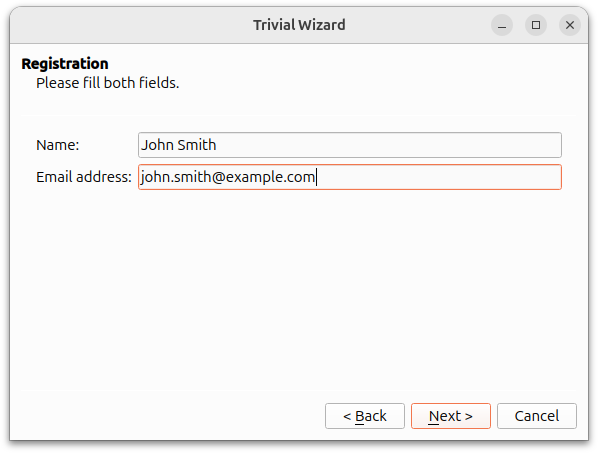
La página de registro se crea con la función createRegistrationPage(). Los objetos QLineEdit se utilizan para permitir al usuario introducir un nombre y una dirección de correo electrónico. Los objetos QLabel y QLineEdit se almacenan en QGridLayout.
QWizardPage *createRegistrationPage()
{
    QWizardPage *page = new QWizardPage;
    page->setTitle("Registration");
    page->setSubTitle("Please fill both fields.");

    QLabel *nameLabel = new QLabel("Name:");
    QLineEdit *nameLineEdit = new QLineEdit;

    QLabel *emailLabel = new QLabel("Email address:");
    QLineEdit *emailLineEdit = new QLineEdit;

    QGridLayout *layout = new QGridLayout;
    layout->addWidget(nameLabel, 0, 0);
    layout->addWidget(nameLineEdit, 0, 1);
    layout->addWidget(emailLabel, 1, 0);
    layout->addWidget(emailLineEdit, 1, 1);
    page->setLayout(layout);

    return page;
}
Página de conclusiones
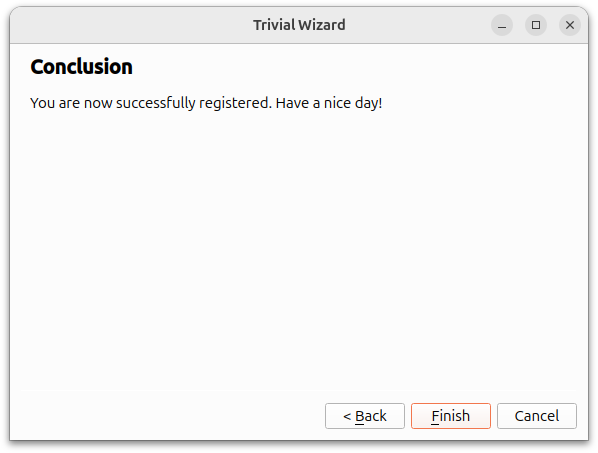
La página de conclusiones se crea con la función createConclusionPage(). El contenido de esta función es similar al de createIntroPage(). Se utiliza QLabel para informar al usuario de que el proceso de registro ha finalizado correctamente.
QWizardPage *createConclusionPage()
{
    QWizardPage *page = new QWizardPage;
    page->setTitle("Conclusion");

    QLabel *label = new QLabel("You are now successfully registered. Have a "
                               "nice day!");
    label->setWordWrap(true);

    QVBoxLayout *layout = new QVBoxLayout;
    layout->addWidget(label);
    page->setLayout(layout);

    return page;
}
main() Función
La función main() instancia un objeto QWizard, wizard, y le añade los tres objetos QWizardPage. El título de la ventana wizard se establece en "Trivial Wizard" y se invoca su función show() para mostrarla.
int main(int argc, char *argv[])
{
    QApplication app(argc, argv);

#ifndef QT_NO_TRANSLATION
    QString translatorFileName = QLatin1String("qtbase_");
    translatorFileName += QLocale::system().name();
    QTranslator *translator = new QTranslator(&app);
    if (translator->load(translatorFileName, QLibraryInfo::path(QLibraryInfo::TranslationsPath)))
        app.installTranslator(translator);
#endif

    QWizard wizard;
    wizard.addPage(createIntroPage());
    wizard.addPage(createRegistrationPage());
    wizard.addPage(createConclusionPage());

    wizard.setWindowTitle("Trivial Wizard");
    wizard.show();

    return app.exec();
}
© 2026 The Qt Company Ltd. Documentation contributions included herein are the copyrights of their respective owners. The documentation provided herein is licensed under the terms of the GNU Free Documentation License version 1.3 as published by the Free Software Foundation. Qt and respective logos are trademarks of The Qt Company Ltd. in Finland and/or other countries worldwide. All other trademarks are property of their respective owners.
