
Tutorial de Widgets - Widgets hijos
Podemos añadir un widget hijo a la ventana creada en el ejemplo anterior pasando window como padre a su constructor. En este caso, añadimos un botón a la ventana y lo colocamos en una ubicación específica:
#include <QtWidgets> int main(int argc, char *argv[]) { QApplication app(argc, argv); QWidget window; window.resize(320, 240); window.setWindowTitle (QApplication::translate("childwidget", "Child widget")); window.show(); QPushButton *button = new QPushButton( QApplication::translate("childwidget", "Press me"), &window); button->move(100, 100); button->show(); return app.exec(); } |
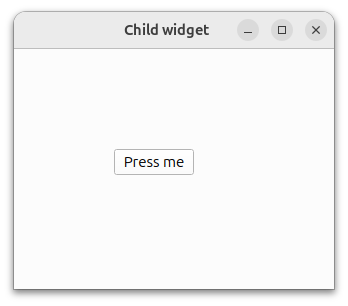 |
El botón es ahora hijo de la ventana y se borrará cuando ésta se destruya. Tenga en cuenta que ocultar o cerrar la ventana no la destruye automáticamente. Se destruirá cuando se cierre el ejemplo.
© 2026 The Qt Company Ltd. Documentation contributions included herein are the copyrights of their respective owners. The documentation provided herein is licensed under the terms of the GNU Free Documentation License version 1.3 as published by the Free Software Foundation. Qt and respective logos are trademarks of The Qt Company Ltd. in Finland and/or other countries worldwide. All other trademarks are property of their respective owners.
