
Tutorial de Widgets - Crear una ventana
Si un widget se crea sin un objeto padre, se trata como una ventana, o widget de nivel superior, cuando se muestra. Dado que no tiene un objeto padre que garantice que se elimina cuando ya no se necesita, depende del desarrollador llevar un registro de los widgets de nivel superior en una aplicación.
En el siguiente ejemplo, utilizamos QWidget para crear y mostrar una ventana con un tamaño predeterminado:
#include <QtWidgets> int main(int argc, char *argv[]) { QApplication app(argc, argv); QWidget window; window.resize(320, 240); window.show(); window.setWindowTitle( QApplication::translate("toplevel", "Top-level widget")); return app.exec(); } | 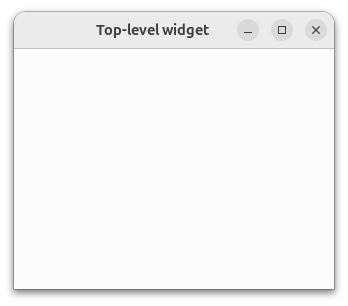 |
Para crear una GUI real, necesitamos colocar widgets dentro de la ventana. Para ello, pasamos una instancia de QWidget al constructor de un widget, como demostraremos en la siguiente parte de este tutorial.
© 2026 The Qt Company Ltd. Documentation contributions included herein are the copyrights of their respective owners. The documentation provided herein is licensed under the terms of the GNU Free Documentation License version 1.3 as published by the Free Software Foundation. Qt and respective logos are trademarks of The Qt Company Ltd. in Finland and/or other countries worldwide. All other trademarks are property of their respective owners.
