
Thermostat
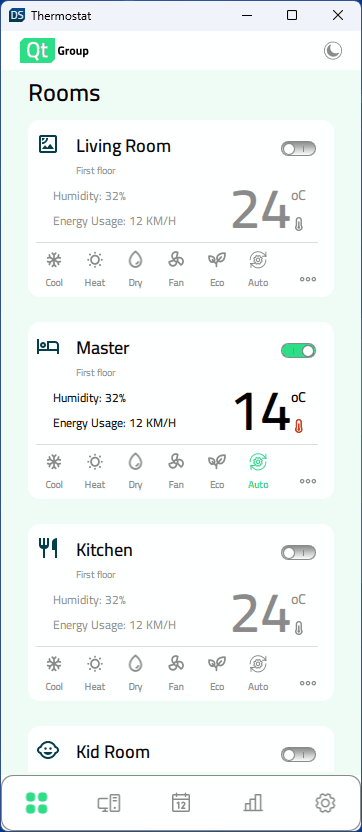
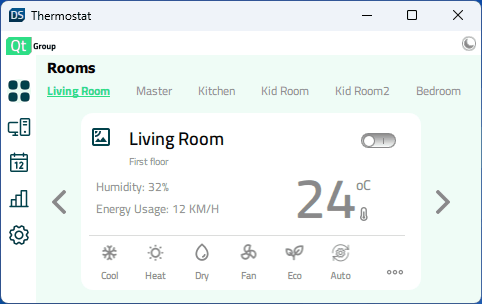
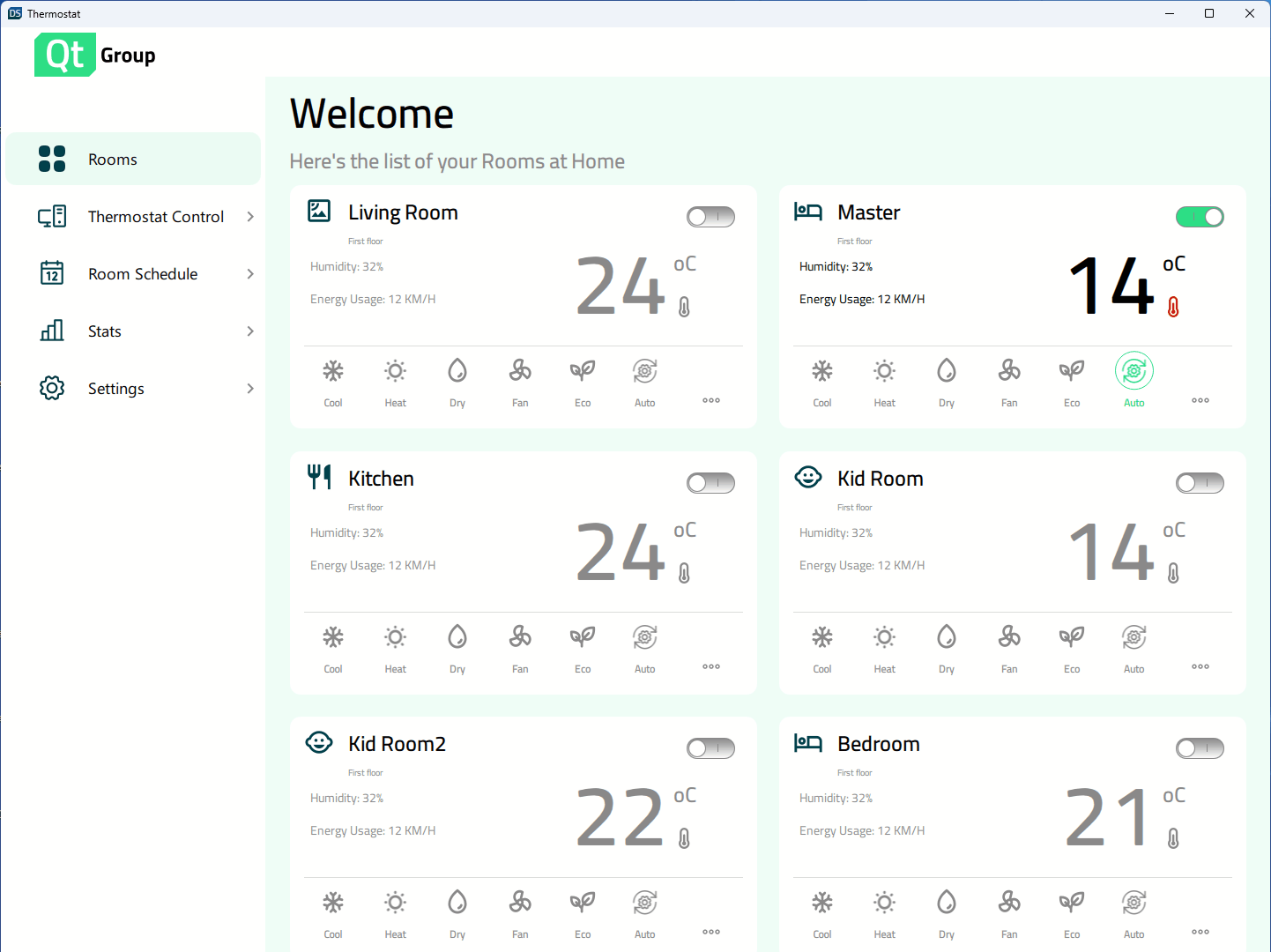
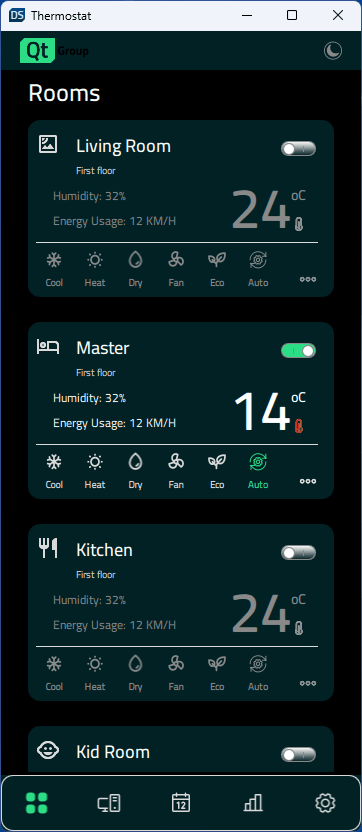
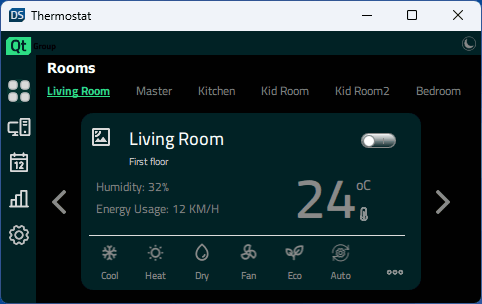
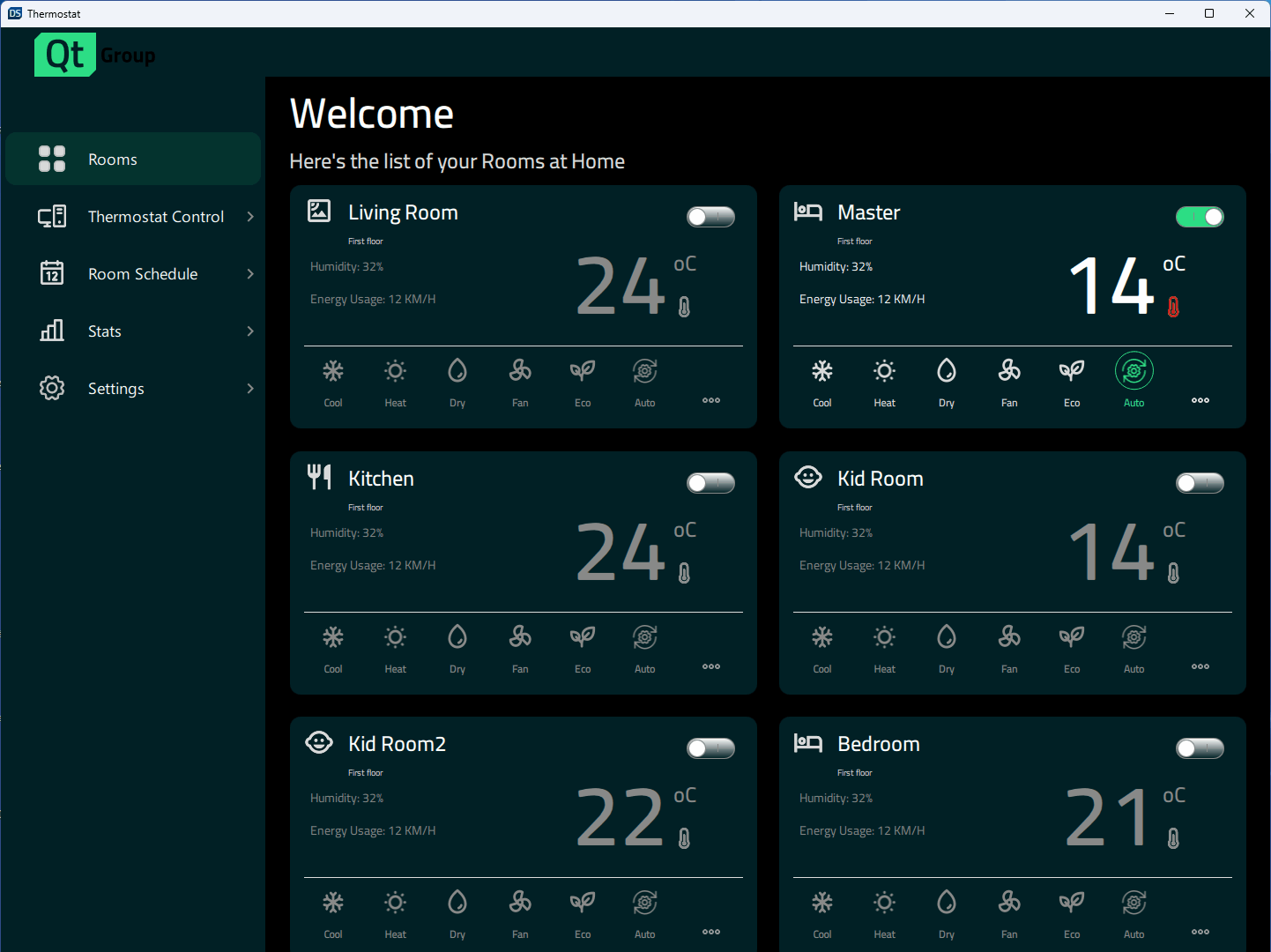
L'exemple « Thermostat » montre comment mettre en œuvre différentes conceptions en fonction de la taille de la fenêtre.
Une interface utilisateur pour un thermostat domestique, illustrant comment créer des applications réactives dans l'Qt Quick, capables de s'adapter aussi bien aux grands écrans d'ordinateurs de bureau qu'aux écrans mobiles et aux petits écrans embarqués.
Exécution de l'exemple
Vous pouvez exécuter l'exemple à partir de :
- Qt Creator
Ouvrez le mode « Welcome » et sélectionnez l'exemple à l'adresse Examples. Pour plus d'informations, consultez Qt Creator: Tutoriel : Compiler et exécuter.
- Qt Extension for Visual Studio Code
Exécutez la commande « Qt: Open Qt examples » à partir de Command Palette, puis sélectionnez l'exemple dans la liste. Pour plus d'informations, consultez Qt Extension for Visual Studio Code: Tutoriel : Compiler et exécuter.
Conception adaptative
L’application prend en charge diverses tailles d’affichage. Elle peut s’adapter dynamiquement lorsque l’utilisateur modifie la taille de la fenêtre, ou bien l’application sélectionnera les tailles appropriées en fonction de l’affichage disponible sur les cibles mobiles. Constants.qml contient des propriétés qui spécifient la taille d’affichage et contrôlent la mise en page actuellement utilisée :
    property bool isBigDesktopLayout: layout === Constants.Layout.Desktop
    property bool isSmallDesktopLayout: layout === Constants.Layout.SmallDesktop
    property bool isMobileLayout: layout === Constants.Layout.Mobile
    property bool isSmallLayout: layout === Constants.Layout.Small
Dans ` App.qml`, les propriétés sont liées à la hauteur et à la largeur de la fenêtre au démarrage de l’application :
    Component.onCompleted: {
        Constants.layout = Qt.binding(() => {
            let tall = window.height >= window.width
            if (window.width >= 1440 && window.height >= 520)
                return Constants.Layout.Desktop
            if (window.width >= 1024 && window.height >= 768)
                return Constants.Layout.SmallDesktop
            if (tall || (window.width >= 600 && window.height >= 380))
                return Constants.Layout.Mobile
            return Constants.Layout.Small
        })
    }
Ces états sont ensuite utilisés pour contrôler les propriétés des composants, telles que la largeur, la hauteur, la taille de police, la position et la disposition (en colonnes ou en lignes).
    states: [
        State {
            name: "bigDesktopLayout"
            when: Constants.isBigDesktopLayout
            PropertyChanges {
                target: statistics
                leftPadding: 53
                rightPadding: 53
                topPadding: 23
                bottomPadding: 43
            }
            PropertyChanges {
                target: scrollView
                isBackgroundVisible: false
                delegateWidth: 350
                delegateHeight: 182
                statisticsChartWidth: grid.width
                statisticsChartHeight: 647
            }
            PropertyChanges {
                target: grid
                width: 1100
            }
        },
        State {
            name: "smallDesktopLayout"
            when:  Constants.isSmallDesktopLayout
            PropertyChanges {
                target: statistics
                leftPadding: 53
                rightPadding: 53
                topPadding: 23
                bottomPadding: 43
            }
            PropertyChanges {
                target: scrollView
                isBackgroundVisible: false
                delegateWidth: 290
                delegateHeight: 182
                statisticsChartWidth: grid.width
                statisticsChartHeight: 541
            }
            PropertyChanges {
                target: grid
                width: 918
            }
        },
        State {
            name: "mobileLayout"
            when: Constants.isMobileLayout
            PropertyChanges {
                target: statistics
                leftPadding: 0
                rightPadding: 0
                topPadding: 0
                bottomPadding: 0
            }
            PropertyChanges {
                target: scrollView
                isBackgroundVisible: false
                delegateWidth: 327
                delegateHeight: 110
                statisticsChartWidth: 346
                statisticsChartHeight: 383
            }
        },
        State {
            name: "smallLayout"
            when: Constants.isSmallLayout
            PropertyChanges {
                target: statistics
                leftPadding: 0
                rightPadding: 0
                topPadding: 0
                bottomPadding: 0
            }
            PropertyChanges {
                target: scrollView
                isBackgroundVisible: true
                delegateWidth: 332
                delegateHeight: 90
                statisticsChartWidth: 420
                statisticsChartHeight: 240
            }
        }
    ]
Fichiers source
Voir également Tous les exemples Qt et Exemples et tutorielsQt Quick .
© 2026 The Qt Company Ltd. Documentation contributions included herein are the copyrights of their respective owners. The documentation provided herein is licensed under the terms of the GNU Free Documentation License version 1.3 as published by the Free Software Foundation. Qt and respective logos are trademarks of The Qt Company Ltd. in Finland and/or other countries worldwide. All other trademarks are property of their respective owners.
