
Exemple de Trivial Wizard
L'exemple « Trivial Wizard » illustre comment créer un assistant d'inscription linéaire de trois pages à l'aide de trois instances de QWizardPage et d'une instance de QWizard.
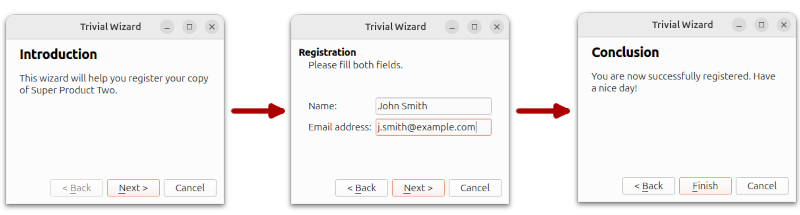
Page d'introduction
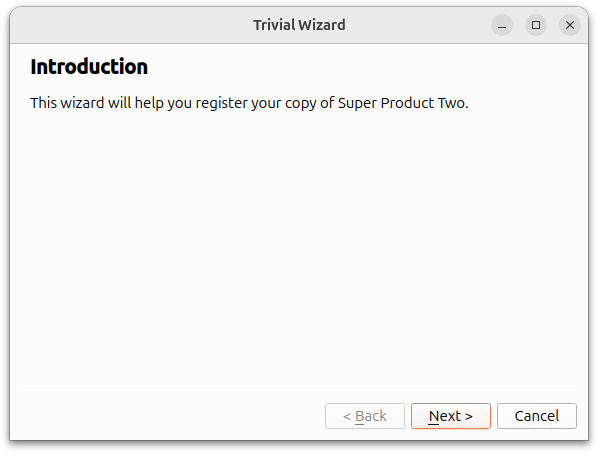
La page d’introduction est créée à l’aide de la fonction ` createIntroPage() `, qui crée un ` QWizardPage ` et définit son titre sur « Introduction ». Un ` QLabel ` est utilisé pour contenir la description de ` page`. Un ` QVBoxLayout ` est utilisé pour contenir le lien ` label`. Ce ` page ` est renvoyé lorsque la fonction ` createIntroPage() ` est appelée.
QWizardPage *createIntroPage()
{
    QWizardPage *page = new QWizardPage;
    page->setTitle("Introduction");

    QLabel *label = new QLabel("This wizard will help you register your copy "
                               "of Super Product Two.");
    label->setWordWrap(true);

    QVBoxLayout *layout = new QVBoxLayout;
    layout->addWidget(label);
    page->setLayout(layout);

    return page;
}
Page d’inscription
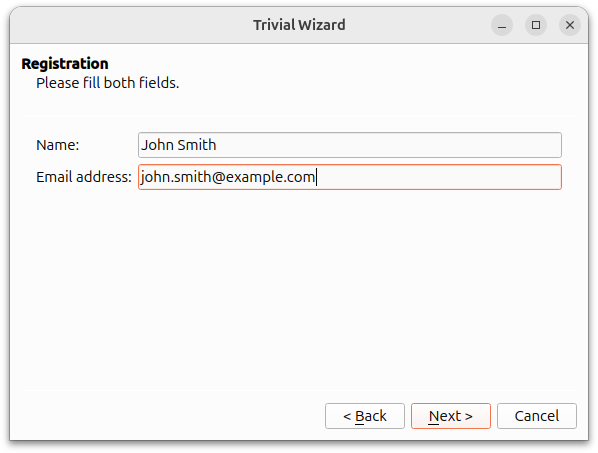
La page d’inscription est créée à l’aide de la fonction createRegistrationPage(). Des objets QLineEdit sont utilisés pour permettre à l’utilisateur de saisir un nom et une adresse e-mail. Un objet QGridLayout est utilisé pour contenir les objets QLabel et QLineEdit.
QWizardPage *createRegistrationPage()
{
    QWizardPage *page = new QWizardPage;
    page->setTitle("Registration");
    page->setSubTitle("Please fill both fields.");

    QLabel *nameLabel = new QLabel("Name:");
    QLineEdit *nameLineEdit = new QLineEdit;

    QLabel *emailLabel = new QLabel("Email address:");
    QLineEdit *emailLineEdit = new QLineEdit;

    QGridLayout *layout = new QGridLayout;
    layout->addWidget(nameLabel, 0, 0);
    layout->addWidget(nameLineEdit, 0, 1);
    layout->addWidget(emailLabel, 1, 0);
    layout->addWidget(emailLineEdit, 1, 1);
    page->setLayout(layout);

    return page;
}
Page de conclusion
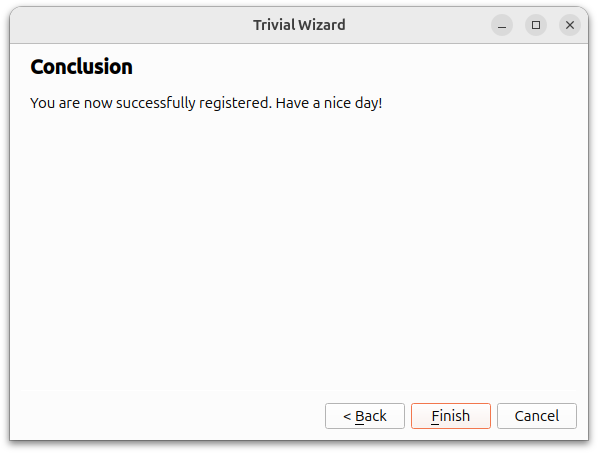
La page de conclusion est créée dans la fonction createConclusionPage(). Le contenu de cette fonction est similaire à celui de createIntroPage(). Un objet QLabel est utilisé pour informer l'utilisateur que le processus d'inscription s'est déroulé avec succès.
QWizardPage *createConclusionPage()
{
    QWizardPage *page = new QWizardPage;
    page->setTitle("Conclusion");

    QLabel *label = new QLabel("You are now successfully registered. Have a "
                               "nice day!");
    label->setWordWrap(true);

    QVBoxLayout *layout = new QVBoxLayout;
    layout->addWidget(label);
    page->setLayout(layout);

    return page;
}
main() Fonction
La fonction main() instancie un objet QWizard, wizard, et y ajoute les trois objets QWizardPage. Le titre de la fenêtre wizard est défini sur « Trivial Wizard » et sa fonction show() est appelée pour l'afficher.
int main(int argc, char *argv[])
{
    QApplication app(argc, argv);

#if QT_CONFIG(translation)
    QTranslator translator;
    for (const QString &trPath : QLibraryInfo::paths(QLibraryInfo::TranslationsPath)) {
        if (translator.load(QLocale(), u"qtbase"_s, u"_"_s, trPath)) {
            app.installTranslator(&translator);
            break;
        }
    }
#endif

    QWizard wizard;
    wizard.addPage(createIntroPage());
    wizard.addPage(createRegistrationPage());
    wizard.addPage(createConclusionPage());

    wizard.setWindowTitle("Trivial Wizard");
    wizard.show();

    return app.exec();
}Voir également QWizard et l’exemple « License Wizard ».
© 2026 The Qt Company Ltd. Documentation contributions included herein are the copyrights of their respective owners. The documentation provided herein is licensed under the terms of the GNU Free Documentation License version 1.3 as published by the Free Software Foundation. Qt and respective logos are trademarks of The Qt Company Ltd. in Finland and/or other countries worldwide. All other trademarks are property of their respective owners.
