
Qt Quick 3D - XR 物理ベースのテレポートデモ
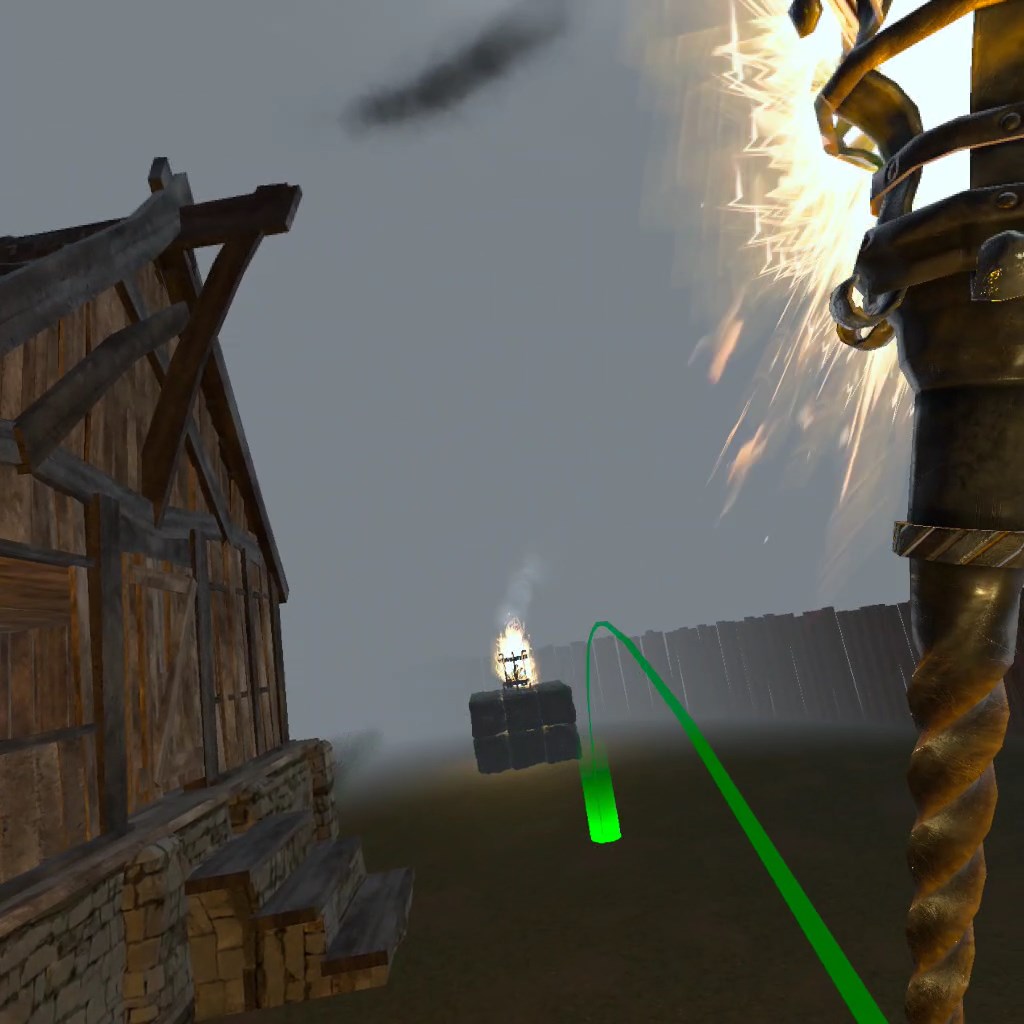
Qt Quick の3D XR環境で、物理演算の影響を受ける移動を実現する方法を紹介します。
概要
このデモでは、物理演算の影響を受ける移動を用いて、仮想環境内を移動し、オブジェクトとインタラクションを行う方法を示します。
操作方法
サンプルを実行する際は、以下の操作方法に従って移動してください。
| 回転 | 右コントローラーの左スティックおよび右スティック |
| 照準とテレポート | 右コントローラーの前方スティック |
| オブジェクトとのインタラクション | 右コントローラーを握る |
例の動作
以下の手順でサンプルを実行できます:
- Qt Creator
Welcome モードを開き、Examples からサンプルを選択します。詳細については、Qt Creator の「チュートリアル: ビルドと実行」を参照してください。
- Qt Extension for Visual Studio Code
Command Palette から `Qt: Open Qt examples ` コマンドを実行し、リストからサンプルを選択します。詳細については、Qt Extension for Visual Studio Code: チュートリアル「ビルドと実行」を参照してください。
「QMLアプリケーション」も参照してください 。
© 2026 The Qt Company Ltd. Documentation contributions included herein are the copyrights of their respective owners. The documentation provided herein is licensed under the terms of the GNU Free Documentation License version 1.3 as published by the Free Software Foundation. Qt and respective logos are trademarks of The Qt Company Ltd. in Finland and/or other countries worldwide. All other trademarks are property of their respective owners.
