
StyleKit クイックコントロールの例
StyleKit を使用してQt Quick コントロールのスタイルを設定する方法を示します。
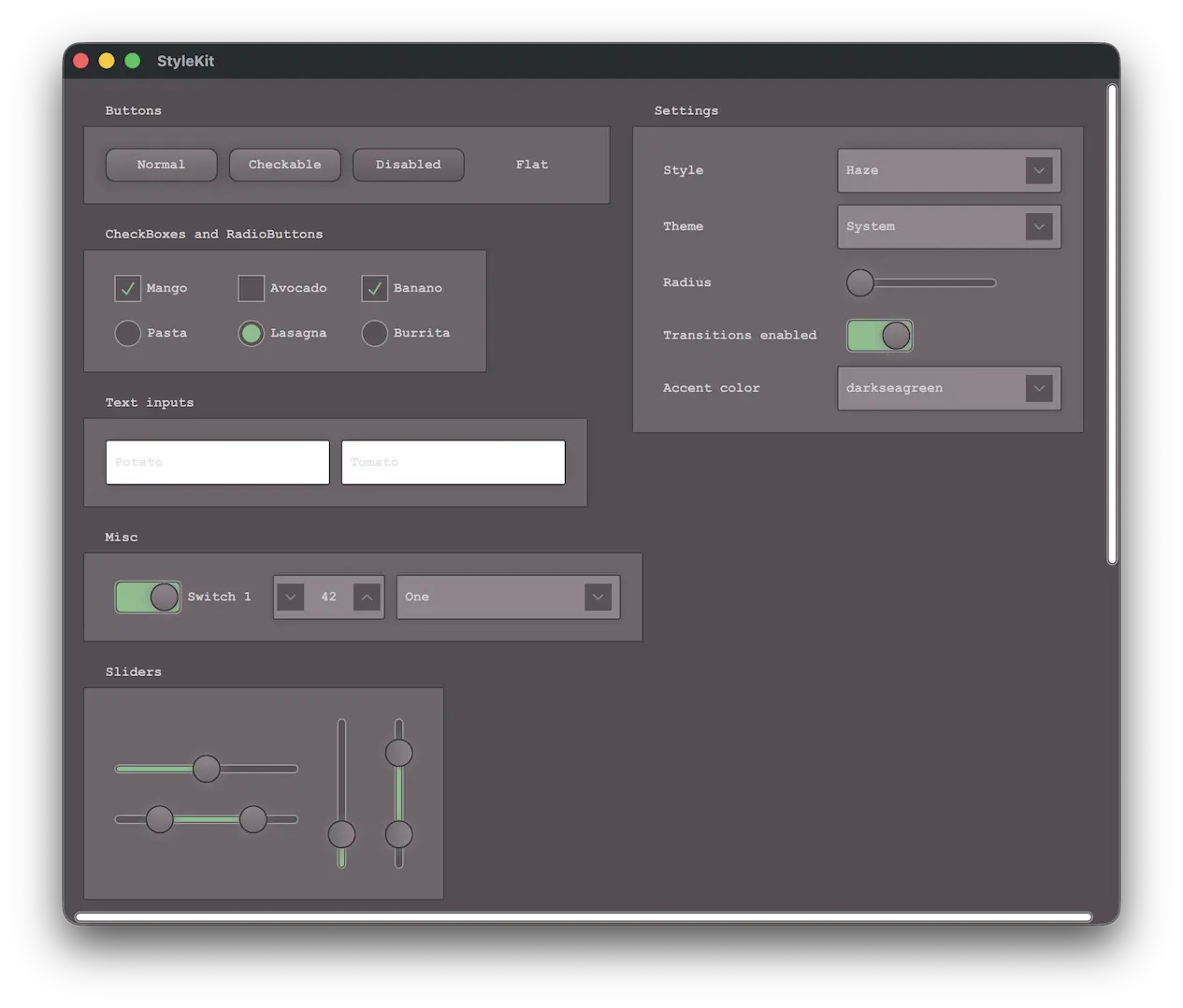
この例では、StyleKit を使用してアプリケーションのスタイルを設定する方法を示します。ここでは、スタイル設定のさまざまな側面をそれぞれ示すいくつかのスタイルが含まれています:
- Plain- 基本要素のみを備えたシンプルなスタイル
- Haze- 複数のテーマを備えた高度なスタイル
- Vitrum- VR環境向けのスタイル
- Fusion- クラシックなデスクトップ用Fusionスタイル
この例では、とりわけ以下の方法について解説しています:
- 異なるスタイルの実装および切り替え方法。
- ライトテーマやダークテーマ、および高コントラストなどの追加テーマへの対応を実装する方法。
- StyleVariation を使用して、アプリケーションの一部に代替のスタイルを適用する方法。
- CustomControl およびStyleReader を使用してカスタムコントロールを構築する方法。
- 実行時にスタイルを操作する方法(テーマの変更や、背景の半径などのスタイルプロパティの調整など)。
例の動作確認
サンプルは次の手順で実行できます。
- Qt Creator
Welcome モードを開き、Examples からサンプルを選択します。詳細については、Qt Creator の「チュートリアル: ビルドと実行」を参照してください。
- Qt Extension for Visual Studio Code
Command Palette から `Qt: Open Qt examples ` コマンドを実行し、リストからサンプルを選択します。詳細については、Qt Extension for Visual Studio Code の「チュートリアル: ビルドと実行」を参照してください。
Qt Labs StyleKit、Style 、およびThemeも参照してください 。
© 2026 The Qt Company Ltd. Documentation contributions included herein are the copyrights of their respective owners. The documentation provided herein is licensed under the terms of the GNU Free Documentation License version 1.3 as published by the Free Software Foundation. Qt and respective logos are trademarks of The Qt Company Ltd. in Finland and/or other countries worldwide. All other trademarks are property of their respective owners.
