
ウィジェットチュートリアル - レイアウトの使用
通常、子ウィジェットは、位置やサイズを明示的に指定するのではなく、レイアウトオブジェクトを使用してウィンドウ内に配置されます。ここでは、並べて配置したいラベルとラインエディットウィジェットを作成します。
|
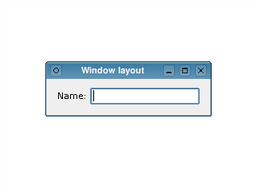 |
ここで作成するlayout オブジェクトは、addWidget()関数を通じて渡されたウィジェットの位置とサイズを管理します。レイアウト自体は、setLayout()の呼び出しを通じてウィンドウ本体に渡されます。レイアウトは、その管理対象であるウィジェット(および他のレイアウト)に及ぼす影響を通じてのみ認識されます。
上記の例では、各ウィジェットの所有関係が一見して明確ではありません。親オブジェクトなしでウィジェットとレイアウトを構築しているため、空のウィンドウと、ラベルとラインエディットを含む2つの別々のウィンドウが表示されることが予想されます。 しかし、レイアウトに対してラベルとラインエディットを管理するよう指示し、そのレイアウトをウィンドウに設定すると、ウィジェットとレイアウト自体の両方が「親の変更」を経て、ウィンドウの子要素となります。
© 2026 The Qt Company Ltd. Documentation contributions included herein are the copyrights of their respective owners. The documentation provided herein is licensed under the terms of the GNU Free Documentation License version 1.3 as published by the Free Software Foundation. Qt and respective logos are trademarks of The Qt Company Ltd. in Finland and/or other countries worldwide. All other trademarks are property of their respective owners.
