
SSL 서버 및 클라이언트
QSslSockets를 사용하여 보안 원격 객체 네트워크 설정하기.
완전히 제어할 수 없는 네트워크를 통해 데이터를 전송해야 할 때는 통신 암호화가 매우 중요합니다. 이 예제의 두 애플리케이션은 SSL 연결을 통해 원격 객체를 공유하는 방법과 이에 액세스하는 방법을 보여줍니다.
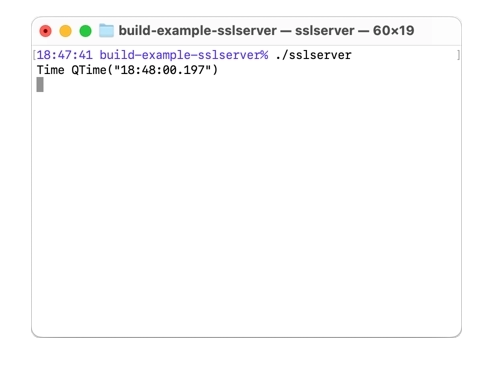
sslserver와 sslcppclient는 모두 sslserver/cert 디렉터리에 위치한 사용자 정의 루트 CA 인증서를 사용하여 서로의 인증서를 검증합니다.
SSL 서버
sslserver는 인증서와 개인 키로 구성됩니다.
auto config = QSslConfiguration::defaultConfiguration();
config.setCaCertificates(QSslCertificate::fromPath(QStringLiteral(":/sslcert/rootCA.pem")));
QFile certificateFile(QStringLiteral(":/sslcert/server.crt"));
if (certificateFile.open(QIODevice::ReadOnly | QIODevice::Text))
    config.setLocalCertificate(QSslCertificate(certificateFile.readAll(), QSsl::Pem));
else
    qFatal("Could not open certificate file");
QFile keyFile(QStringLiteral(":/sslcert/server.key"));
if (keyFile.open(QIODevice::ReadOnly | QIODevice::Text)) {
    QSslKey key(keyFile.readAll(), QSsl::Rsa, QSsl::Pem, QSsl::PrivateKey);
    if (key.isNull())
        qFatal("Key is not valid");
    config.setPrivateKey(key);
} else {
    qFatal("Could not open key file");
}
config.setPeerVerifyMode(QSslSocket::VerifyPeer);
QSslConfiguration::setDefaultConfiguration(config);
그런 다음 QRemoteObjectHost 객체와 QSslServer 객체를 생성합니다. QSslServer 객체는 포트 65511에서 수신 대기합니다. 그런 다음 QRemoteObjectHost 객체에 대해 QSslServer 객체의 URL을 인수로 전달하여 setHostUrl 메서드를 호출합니다.
QRemoteObjectHost host;
QSslServer server;
server.listen(QHostAddress::Any, 65511);
host.setHostUrl(server.serverAddress().toString(), QRemoteObjectHost::AllowExternalRegistration);
람다 함수를 사용하여 errorOccurred 신호를 처리하고, 오류를 터미널에 출력합니다. 두 번째 람다 함수는 pendingConnectionAvailable 신호에 연결되어 오류 핸들러를 연결하고, QRemoteObjectHost 객체에 대해 수신 소켓을 인수로 전달하여 addHostSideConnection을 호출함으로써 호스트 객체가 통신에 해당 소켓을 사용하도록 합니다.
QObject::connect(&server, &QSslServer::errorOccurred,
                 [](QSslSocket*socket, QAbstractSocket::SocketErrorerror) {
                     Q_UNUSED(socket);
                     qDebug() << "QSslServer::errorOccurred" << error;
                 });
QObject::connect(&server, &QSslServer::pendingConnectionAvailable, [&server, &host]() {
    qDebug() << "New connection available";
    QSslSocket*socket = qobject_cast<QSslSocket*>(server.nextPendingConnection());
    Q_ASSERT(socket);
    QObject::connect(socket, &QSslSocket::errorOccurred,
                     [](QAbstractSocket::SocketErrorerror) {
                         qDebug() << "QSslSocket::error" << error;
                     });
    host.addHostSideConnection(socket);
});
마지막으로, MinuteTimer 객체를 생성하고, QRemoteObjectHost 객체에 대해 MinuteTimer 객체를 인수로 전달하여 enableRemoting을 호출함으로써 해당 객체를 공유할 수 있도록 합니다.
MinuteTimer timer;
host.enableRemoting(&timer);
SSL 클라이언트
sslcppclient는 루트 CA 인증서를 설정한 다음 Tester 객체를 생성합니다.
int main(int argc, char *argv[])
{
    QCoreApplication a(argc, argv);

    auto config = QSslConfiguration::defaultConfiguration();
    config.setCaCertificates(QSslCertificate::fromPath(QStringLiteral(":/sslcert/rootCA.pem")));
    QSslConfiguration::setDefaultConfiguration(config);

    Tester t;
    return a.exec();
}
Tester 생성자에서는 임시 QRemoteObjectNode 객체가 생성되며, setupConnection을 사용하여 QSslSocket 객체를 생성하고 구성합니다. 오류 핸들러가 연결되고, QRemoteObjectNode 객체는 addClientSideConnection을 호출하여 QSslSocket 를 사용합니다.
QRemoteObjectNode m_client;
auto socket = setupConnection();
connect(socket, &QSslSocket::errorOccurred,
        socket, [](QAbstractSocket::SocketErrorerror){
    qDebug() << "QSslSocket::error" << error;
}) ;
m_client.addClientSideConnection(socket);
그런 다음 Tester 클래스의 멤버인 세 개의 QScopedPointer 가 QRemoteObjectNode 객체에 대한 acquire를 사용하여 MinuteTimer의 세 개의 복제본에 연결됩니다. 마지막으로 QTimer::singleShot 를 네 번 사용하여 지연 시간 후 reset을 호출합니다.
ptr1.reset(m_client.acquire< MinuteTimerReplica >());
ptr2.reset(m_client.acquire< MinuteTimerReplica >());
ptr3.reset(m_client.acquire< MinuteTimerReplica >());
QTimer::singleShot(0, this, &Tester::clear);
QTimer::singleShot(1, this, &Tester::clear);
QTimer::singleShot(10000, this, &Tester::clear);
QTimer::singleShot(11000, this, &Tester::clear);
Tester::clear가 처음 세 번 호출될 때는 매번 다른 포인터에 대해 바인딩 여부를 확인한 후 리셋합니다. 네 번째로 호출되면 애플리케이션이 종료됩니다.
void clear()
{
    static int i = 0;
    if (i== 0) {
        i++;
        if (ptr1.isNull())
            qCritical() << "Pointer 1 was not set";
        ptr1.reset();
    } else if (i== 1) {
        i++;
        if (ptr2.isNull())
            qCritical() << "Pointer 2 was not set";
        ptr2.reset();
    } else if (i== 2) {
        i++;
        if (ptr3.isNull())
            qCritical() << "Pointer 3 was not set";
        ptr3.reset();
    } else {
        qApp->quit();
    }
}© 2026 The Qt Company Ltd. Documentation contributions included herein are the copyrights of their respective owners. The documentation provided herein is licensed under the terms of the GNU Free Documentation License version 1.3 as published by the Free Software Foundation. Qt and respective logos are trademarks of The Qt Company Ltd. in Finland and/or other countries worldwide. All other trademarks are property of their respective owners.
