
Qt Widgets 图库
Qt 对控件样式和主题的支持,使您的应用程序能够与原生桌面环境融为一体。
这些控件示例展示了当配置为使用特定样式时,Qt Widgets 中某些控件可能呈现的外观。每种样式仅在相应的平台上可用,并通过与平台主题的集成提供原生外观和感觉。因此,最终的外观会根据当前活动的主题而有所不同。
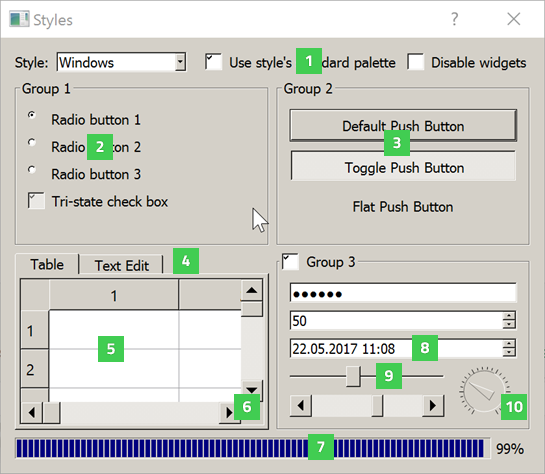
{采用“Windows”样式的控件图库}
Windows 样式(“windows”)由 QWindowsStyle 提供。
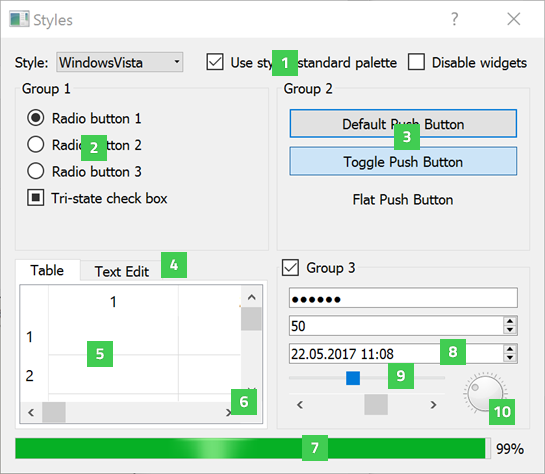
{采用 Windows “Vista” 样式的控件图库}
Windows Vista 样式(“windowsvista”)由 QWindowsVistaStyle 提供。
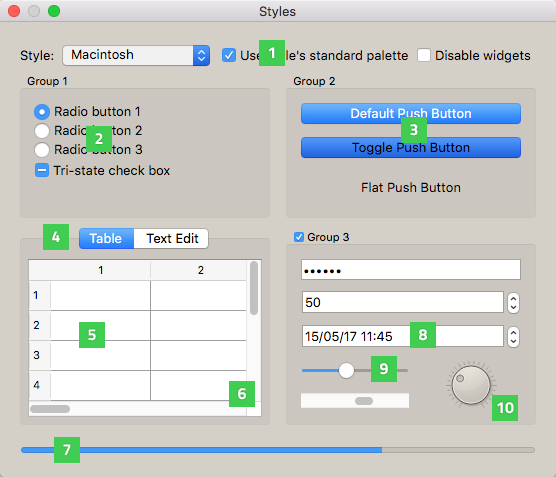
{采用“macOS”样式的控件图库}
macOS 样式(“macOS”)由 QMacStyle 提供。
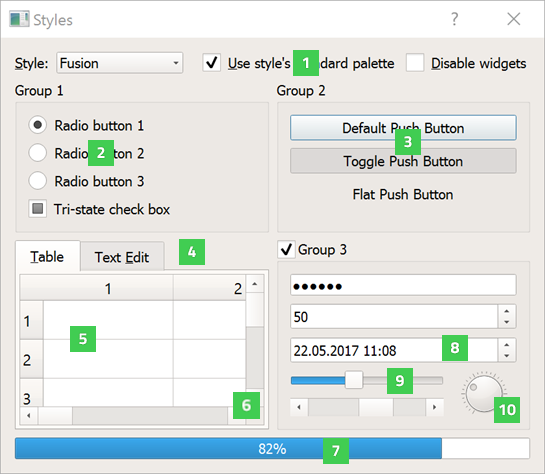
{使用“Fusion”样式的控件图库)
Fusion 样式(“fusion”)由 QFusionStyle 提供。
“样式”示例显示了以下小部件:
- QCheckBox (1) 提供一个带有文本标签的复选框。
- QRadioButton (2) 提供一个带有文本或位图标签的单选按钮。
- QPushButton (3) 提供一个命令按钮。
- QTabWidget (4) 提供一组带标签页的小部件。
- QTableWidget (5) 提供了一个经典的基于项的表格视图。
- QScrollBar (6) 提供垂直或水平滚动条。
- QProgressBar (7) 提供一个水平进度条。
- QDateTimeEdit (8) 提供一个用于编辑日期和时间的小部件。
- QSlider (9) 提供垂直或水平滑块。
- QDial (10) 提供了一个圆角范围控件(如速度表或电位计)。
“日历小部件”示例展示了一些额外的小部件,下图展示了其在 Windows 10 和 macOS 上的运行效果:
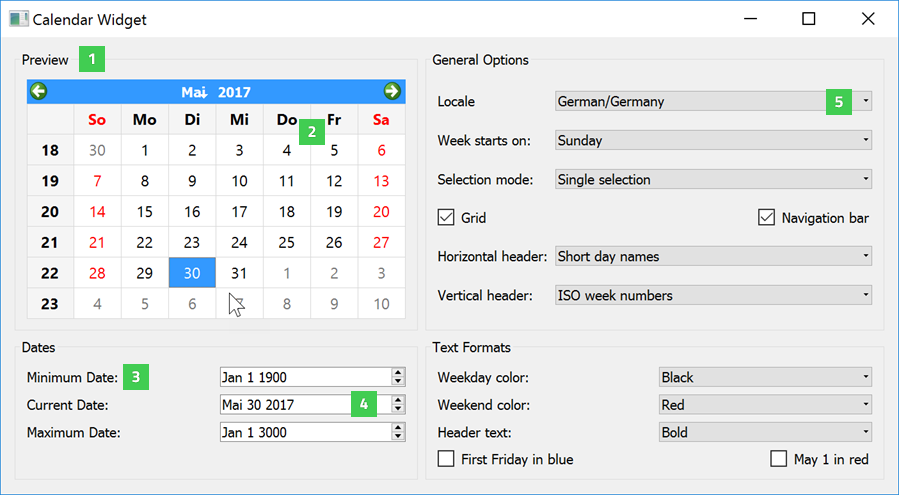
Windows 10 上的“日历控件”示例
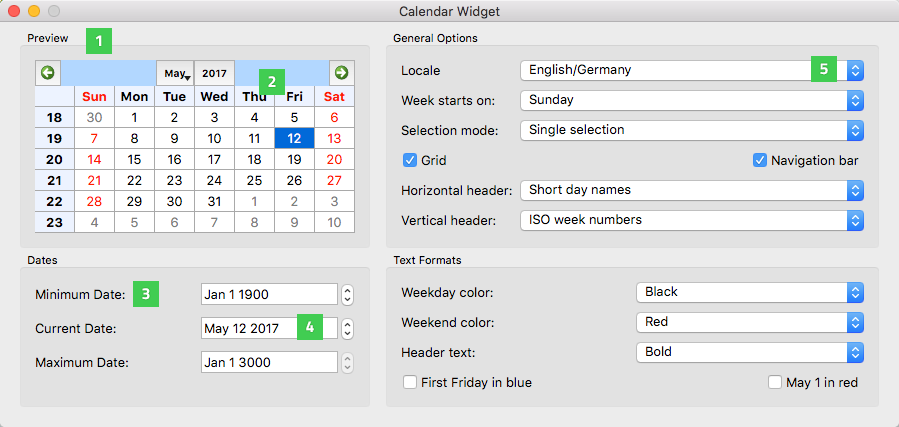
macOS 上的“日历控件”示例
- QGroupBox (1) 提供一个带有标题的组框。
- QCalendarWidget (2) 提供了一个可用于选择日期的月历控件。
- QLabel (3) 提供文本或图像显示功能。
- QDateEdit (4) 提供了一个用于编辑日期的控件。
- QComboBox (5) 提供一个结合了按钮和弹出列表的功能控件。
© 2026 The Qt Company Ltd. Documentation contributions included herein are the copyrights of their respective owners. The documentation provided herein is licensed under the terms of the GNU Free Documentation License version 1.3 as published by the Free Software Foundation. Qt and respective logos are trademarks of The Qt Company Ltd. in Finland and/or other countries worldwide. All other trademarks are property of their respective owners.
