
Hello Vulkan 控件示例
展示了在QWidget 应用程序中使用QVulkanWindow 的方法。
“Hello Vulkan”控件示例是“hellovulkantriangle”的一个变体,它通过QWidget::createWindowContainer()将QVulkanWindow 嵌入到基于QWidget 的用户界面中。
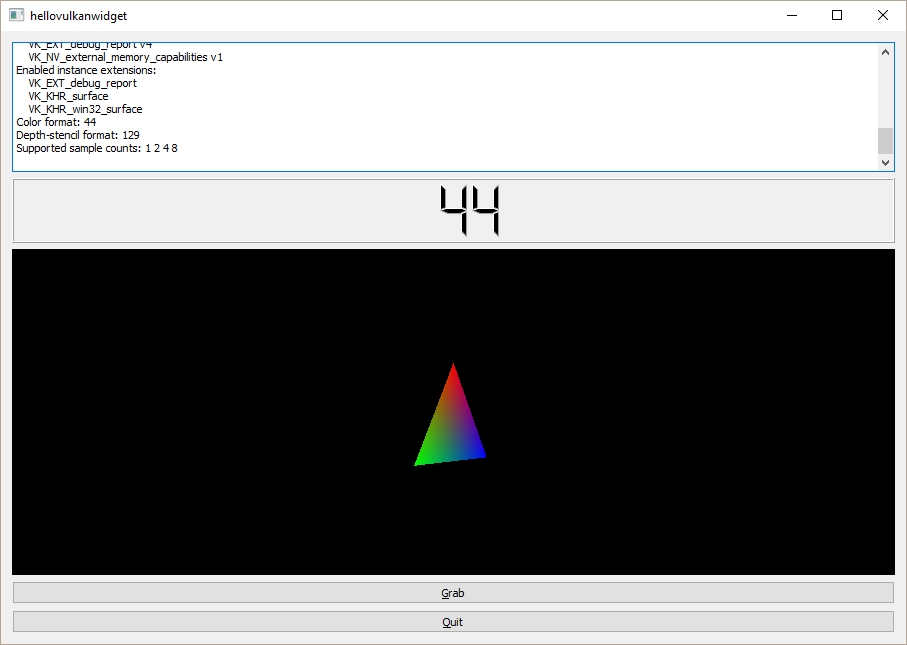
用于设置 Vulkan 管道和渲染三角形的代码与hellovulkantriangle 中的完全相同。 此外,本示例还演示了QVulkanWindow 的另一项功能:将图像内容从颜色缓冲区读回至QImage 。点击“抓取”按钮后,示例会渲染下一帧,并随后执行传输操作,将swapchain颜色缓冲区的内容复制到主机可访问的内存中。随后,通过QImage::save()将图像保存到磁盘。
运行示例
您可以通过以下方式运行该示例:
- Qt Creator
打开Welcome 模式,并从Examples 中选择该示例。有关更多信息,请参阅Qt Creator :教程:构建与运行。
- Qt Extension for Visual Studio Code
在Command Palette 中运行Qt: Open Qt examples 命令,并从列表中选择该示例。有关更多信息,请参阅Qt Extension for Visual Studio Code :教程:构建和运行。
© 2026 The Qt Company Ltd. Documentation contributions included herein are the copyrights of their respective owners. The documentation provided herein is licensed under the terms of the GNU Free Documentation License version 1.3 as published by the Free Software Foundation. Qt and respective logos are trademarks of The Qt Company Ltd. in Finland and/or other countries worldwide. All other trademarks are property of their respective owners.
