
StyleKit 快速控件示例
演示如何为 Qt Quick Controls 。
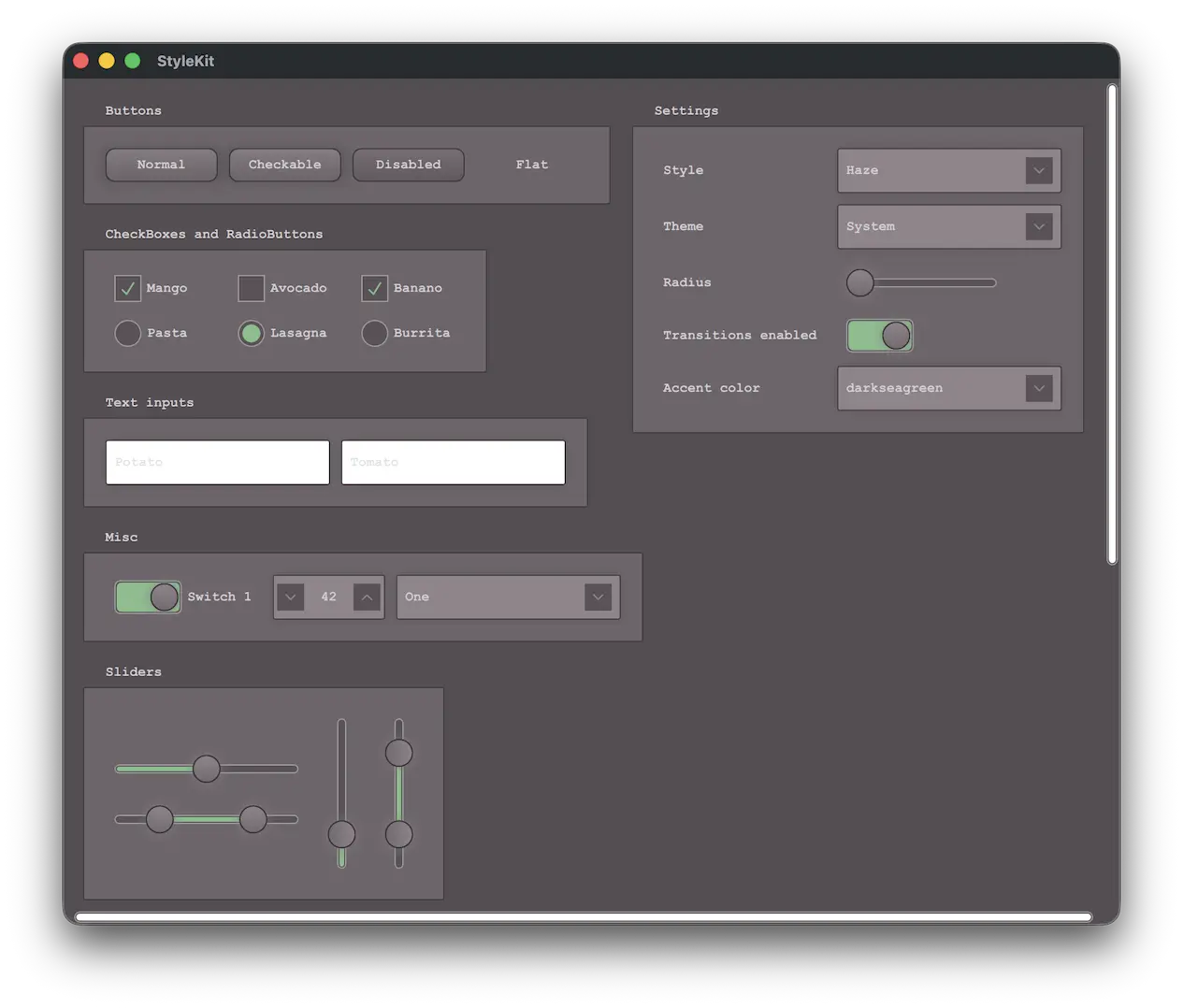
本示例演示了如何使用StyleKit 为应用程序设置样式。其中包含几种样式,每种样式都展示了样式设置的不同方面:
- Plain- 仅包含基础元素的极简样式
- Haze- 包含多种主题的高级样式
- Vitrum——专为 VR 环境设计的样式
- Fusion——经典的桌面 Fusion 样式
该示例主要演示了以下内容:
- 实现并切换不同的样式。
- 实现对浅色和深色主题的支持,以及高对比度等其他主题的支持。
- 使用StyleVariation 为应用程序的某些部分提供替代样式。
- 使用CustomControl 和StyleReader 构建自定义控件。
- 在运行时与样式进行交互,例如更改主题或调整样式属性(如背景圆角)。
运行示例
您可以通过以下方式运行示例:
- Qt Creator
打开“Welcome ”模式,并从“Examples ”中选择该示例。有关更多信息,请参阅Qt Creator :教程:构建和运行。
- Qt Extension for Visual Studio Code
在Command Palette 中运行Qt: Open Qt examples 命令,然后从列表中选择该示例。有关更多信息,请参阅Qt Extension for Visual Studio Code :教程:构建和运行。
另请参阅 Qt Labs StyleKit、Style 以及Theme 。
© 2026 The Qt Company Ltd. Documentation contributions included herein are the copyrights of their respective owners. The documentation provided herein is licensed under the terms of the GNU Free Documentation License version 1.3 as published by the Free Software Foundation. Qt and respective logos are trademarks of The Qt Company Ltd. in Finland and/or other countries worldwide. All other trademarks are property of their respective owners.
