
用户指南
本文档介绍了如何与虚拟键盘进行交互。
打开键盘
安装完成后,点击任意文本输入框即可打开虚拟键盘。
语言
按下标有“地球”图标的语言键即可切换语言:

当前语言显示在空格键上。
手写输入
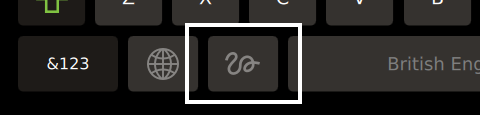
按下手写键即可激活手写模式:
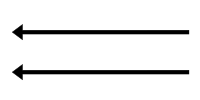
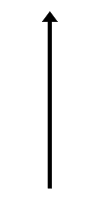
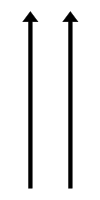
手势
| 手势 | T9 书写 | MyScript Text SDK | |
|---|---|---|---|
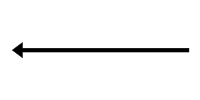
| 退格键 |
|
|
|
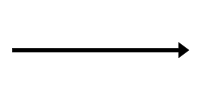
| 空格 |
|
|
|
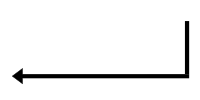
| 回车 | 手势不可用 |
|
|
| 重置单词 |
| 手势不可用 | 手势不可用 |
| 切换输入模式 |
| 手势不可用 | 手势不可用 |
| 切换文本大小写 |
| 手势不可用 | 该手势不可用 |
© 2026 The Qt Company Ltd. Documentation contributions included herein are the copyrights of their respective owners. The documentation provided herein is licensed under the terms of the GNU Free Documentation License version 1.3 as published by the Free Software Foundation. Qt and respective logos are trademarks of The Qt Company Ltd. in Finland and/or other countries worldwide. All other trademarks are property of their respective owners.
