
表示される最近使用したファイルの数を設定する
「File 」>「Recent Files 」で一覧表示するファイル数を設定するには:
- 「Preferences 」>「Environment 」>「System 」を選択します。
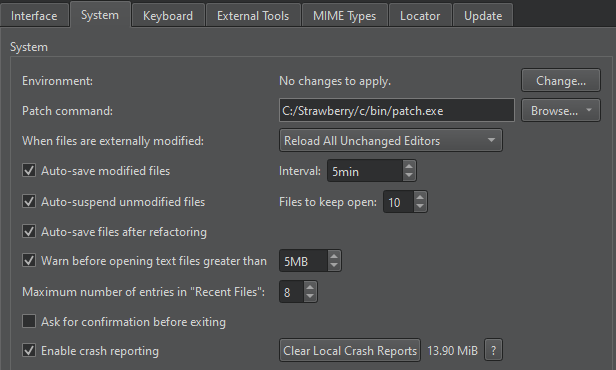
- 「Maximum number of entries in "Recent Files" 」で、表示するファイル数を設定します。
「操作方法:UIの調整」および「UIの調整」も参照してください 。
Copyright © The Qt Company Ltd. and other contributors. Documentation contributions included herein are the copyrights of their respective owners. The documentation provided herein is licensed under the terms of the GNU Free Documentation License version 1.3 as published by the Free Software Foundation. Qt and respective logos are trademarks of The Qt Company Ltd in Finland and/or other countries worldwide. All other trademarks are property of their respective owners.
