
Squish 테스트 스위트 생성
새 테스트 스위트를 생성하려면:
- File > New Project 로 이동합니다.
- Squish > Squish Test Suite > Choose 을 선택합니다.
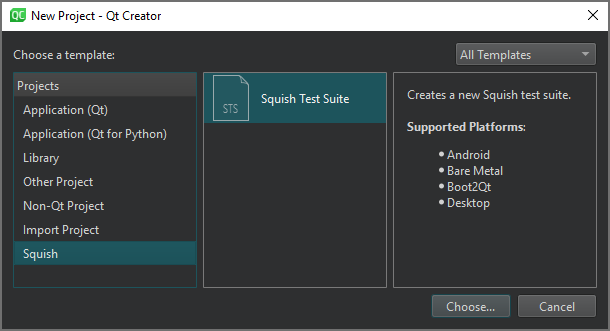
- Location 페이지의 Test Suite Name 에서 테스트 스위트 이름을 입력합니다.
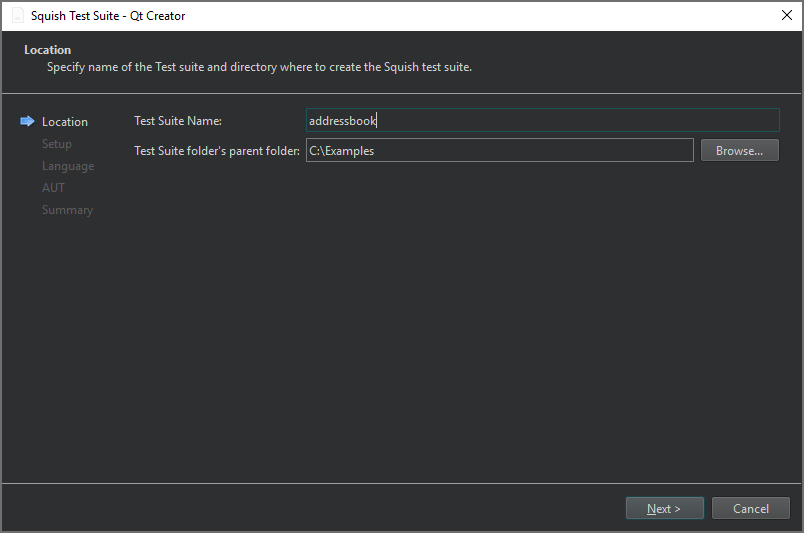
- ' Test Suite folder's parent folder'에서 테스트 스위트 폴더를 생성할 폴더의 경로를 입력한 다음, ' Next'를 선택합니다.
- Setup 페이지에서 테스트 대상 애플리케이션(AUT)에서 사용하는 GUI 툴킷을 선택한 다음, Next 을 선택합니다.
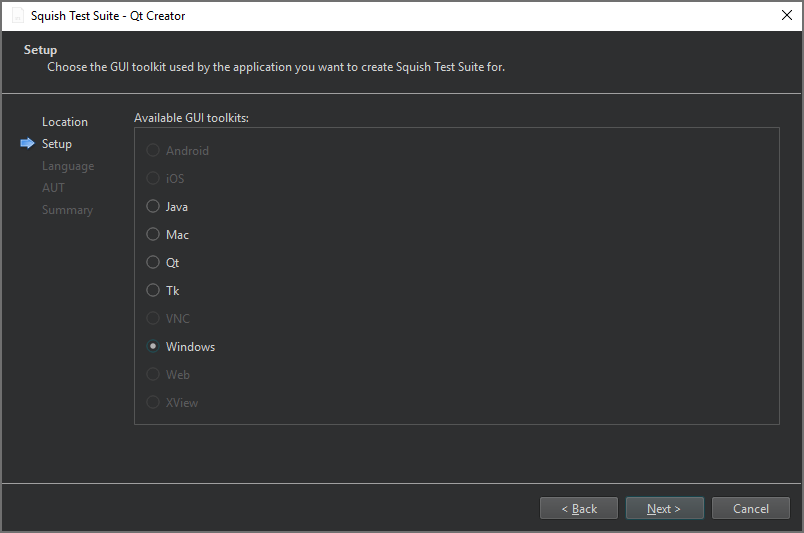
현재는 데스크톱 GUI 툴킷만 지원됩니다.
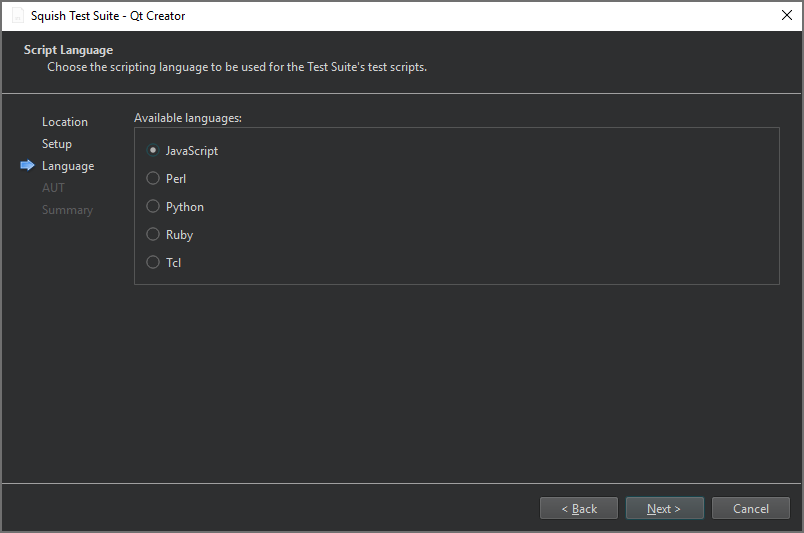
- ' Script Language ' 페이지에서 테스트 스위트의 테스트 스크립트에 사용할 스크립팅 언어를 선택한 다음, ' Next'를 선택하십시오.
- ' AUT ' 페이지에서 테스트할 AUT를 선택한 다음, ' Next'를 선택합니다.
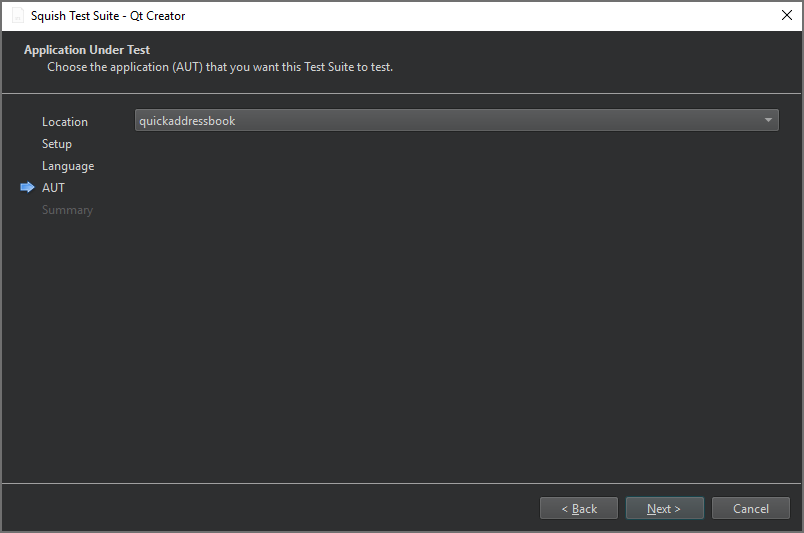
- ' Summary ' 페이지에서 테스트 스위트 설정을 검토한 다음, ' Finish '를 선택하여 테스트 스위트를 생성합니다.
테스트 스위트는 ‘ Test Suites ’의 ‘ Squish ’ 사이드바 보기에 나열됩니다.
‘Squish 서버에 연결하기’, ‘Squish 테스트 스위트 및 케이스 관리하기’, ‘플러그인 활성화 및 비활성화하기’, ‘Squish AUT 선택하기’ 및 ‘Squish’항목도 참조하십시오 .
Copyright © The Qt Company Ltd. and other contributors. Documentation contributions included herein are the copyrights of their respective owners. The documentation provided herein is licensed under the terms of the GNU Free Documentation License version 1.3 as published by the Free Software Foundation. Qt and respective logos are trademarks of The Qt Company Ltd in Finland and/or other countries worldwide. All other trademarks are property of their respective owners.
