
뷰 분리
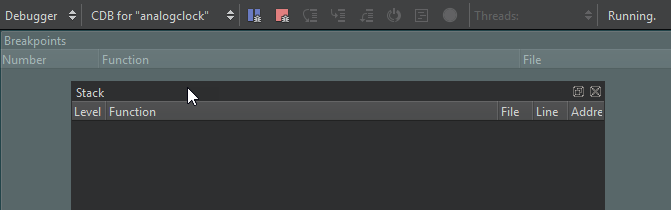
Qt Creator  ( ) 아이콘이 표시된 뷰는 분리할 수 있습니다. 분리한 후에는 화면의 다른 위치나 다른 화면으로 이동할 수 있습니다.
뷰 분리 방법:
- 뷰의 제목 표시줄을 두 번 클릭합니다.
- 마우스로 뷰의 제목 표시줄을 잡고 화면의 다른 위치로 이동시킵니다.
- ‘ ’을 선택합니다.
뷰의 제목 표시줄을 표시하려면 ‘ View ’ > ‘ Views ’를 선택하고, ‘ Automatically Hide Title Bars ’의 선택을 해제하십시오.
뷰 연결
뷰를 연결하려면, 강조 표시된 도크 영역으로 뷰를 드래그하십시오.
변경 내용 되돌리기
닫힌 뷰를 열려면, [ View ] > [ Views]을 선택하십시오.
변경 사항을 되돌리려면 View > Views > Reset to Default Layout 을 선택하십시오.
‘방법: UI 조정’ 및 ‘UI 조정’항목도 참조하십시오 .
Copyright © The Qt Company Ltd. and other contributors. Documentation contributions included herein are the copyrights of their respective owners. The documentation provided herein is licensed under the terms of the GNU Free Documentation License version 1.3 as published by the Free Software Foundation. Qt and respective logos are trademarks of The Qt Company Ltd in Finland and/or other countries worldwide. All other trademarks are property of their respective owners.
