
자산 추가
Assets 외부 자산 파일을 ‘ Qt Quick Designer’로 드래그하거나 ‘  ’를 선택하여 프로젝트 폴더에 추가한 이미지 및 기타 파일을 표시합니다.
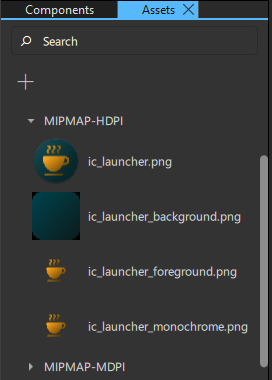
UI에 자산을 추가하려면 Assets 에서 Navigator 또는 2D 뷰로 자산을 드래그하십시오.
UI에 여러 자산을 동시에 추가하려면, 먼저 Ctrl 키를 누른 상태에서 선택할 자산 파일을 클릭하여 여러 개를 선택하십시오.
Assets 에서 Navigator 또는 2D 뷰로 자산을 드래그하면, 적절한 유형의 컴포넌트 인스턴스가 자동으로 생성됩니다. 예를 들어, 그래픽 파일의 경우 Image 컴포넌트의 인스턴스가 생성됩니다.
‘ Qt Quick UI 디자인 방법’, ‘Qt Quick UI 디자인’ 및 ‘ Qt Quick UI 디자인’항목도 참조하십시오 .
Copyright © The Qt Company Ltd. and other contributors. Documentation contributions included herein are the copyrights of their respective owners. The documentation provided herein is licensed under the terms of the GNU Free Documentation License version 1.3 as published by the Free Software Foundation. Qt and respective logos are trademarks of The Qt Company Ltd in Finland and/or other countries worldwide. All other trademarks are property of their respective owners.
