
将子项目添加到项目中
您可以将应用程序与 Qt 库及其他库(例如系统库或您自己的库)进行链接。此外,您自己的库也可能与其他库进行链接。若要编译项目并利用代码补全和语法高亮等服务,请将这些库添加到项目中。
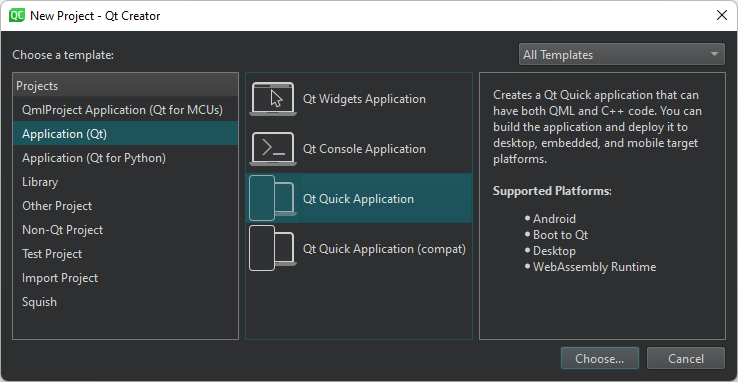
创建子项目
要创建子项目并将其添加到项目中:
- 在“项目”视图中右键单击项目名称以打开上下文菜单,然后选择“New Subproject ”。
- 按照向导的指示创建子项目。
将现有项目添加为子项目
要将现有项目添加为子项目:
- 在上下文菜单中选择“Add Existing Projects ”。
- 在文件浏览器对话框中,定位您的子项目。
为 qmake 创建 SUBDIRS 项目
当您创建新项目并选择 qmake 作为构建系统时,可以在“Project Management ”对话框中将其作为子项目添加到另一个项目中。但是,根项目必须指定 qmake 使用subdirs 模板来构建该项目。
要创建根项目:
- 选择“File ”>“New Project ”>“Other Project ”>“Subdirs Project ”>“Choose ”。
- 在“Summary ”页面上,选择“Finish & Add Subproject ”以创建根项目,并添加另一个项目(例如 C++ 库)。
向导将生成一个项目文件(.pro ),该文件定义了subdirs 模板,并将您添加的子项目作为SUBDIRS变量的值。它还会为该子项目添加所有必要的文件。
指定依赖关系
要指定依赖项,请使用Add Library 向导。
删除子项目
要删除子项目,请在“Projects ”视图中右键单击项目名称,然后在上下文菜单中选择“Remove Subproject ”。
另请参阅 《操作指南:创建项目》、《创建项目》以及《向 CMake 项目添加库》。
Copyright © The Qt Company Ltd. and other contributors. Documentation contributions included herein are the copyrights of their respective owners. The documentation provided herein is licensed under the terms of the GNU Free Documentation License version 1.3 as published by the Free Software Foundation. Qt and respective logos are trademarks of The Qt Company Ltd in Finland and/or other countries worldwide. All other trademarks are property of their respective owners.
