
添加翻译文件
创建新项目时,您可以为一种语言自动生成翻译源文件 (TS)。若要稍后添加其他语言,请使用文件向导。
要为某种语言创建翻译源(TS)文件:
- 转到“File ” > “New File ”。
- 选择“Qt ” > “Qt Translation File ” > “Choose ”。
- 在“Language ”中,选择一种语言和地区(区域设置)。
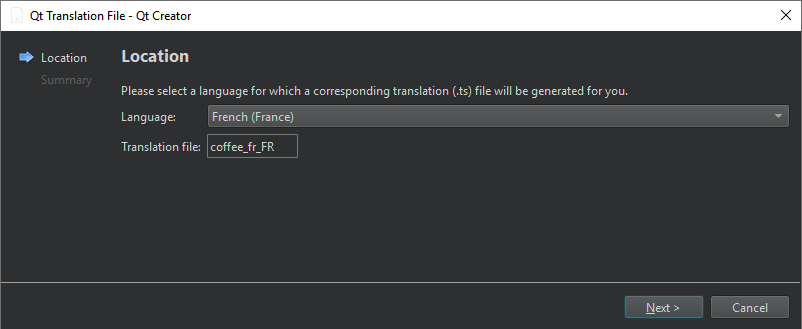
您可以在“Translation file ”中看到文件名。
另请参阅 “添加文件”、“使用项目向导”、“使用Qt Linguist ”、“使用 Qt XML 进行国际化”以及《Qt Linguist 手册》。
Copyright © The Qt Company Ltd. and other contributors. Documentation contributions included herein are the copyrights of their respective owners. The documentation provided herein is licensed under the terms of the GNU Free Documentation License version 1.3 as published by the Free Software Foundation. Qt and respective logos are trademarks of The Qt Company Ltd in Finland and/or other countries worldwide. All other trademarks are property of their respective owners.
