
git pull
要从远程仓库拉取更改,请访问Tools >Git >Remote Repository ,然后选择“Pull ”。
如果您修改了文件,系统会询问您如何处理这些文件。
管理未提交的更改
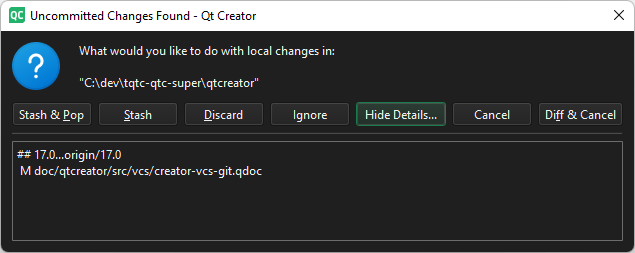
“发现未提交的更改”对话框
您可以对未提交的更改执行以下操作:
| 菜单项 | 说明 |
|---|---|
| Diff & Cancel | 查看更改的差异并取消“git pull ”操作。 |
| Discard | 重置本地更改并执行“git pull ”。这些更改将被丢弃。 |
| Ignore | 在工作目录中执行git pull ,并保留本地更改。 |
| Show/Hide Details | 显示或隐藏本地更改的详细信息。 |
| Stash | 将本地更改暂存,然后执行git pull 。 |
| Stash & Pop | 将本地更改暂存,执行git pull ,然后恢复这些更改。 |
使用 rebase 进行拉取
转到“Preferences ” > “Version Control ” > “Git ”,然后选择“Pull with rebase ”,以便在拉取时执行 rebase 操作。
另请参阅 《如何使用 Git》和《Git 入门》。
Copyright © The Qt Company Ltd. and other contributors. Documentation contributions included herein are the copyrights of their respective owners. The documentation provided herein is licensed under the terms of the GNU Free Documentation License version 1.3 as published by the Free Software Foundation. Qt and respective logos are trademarks of The Qt Company Ltd in Finland and/or other countries worldwide. All other trademarks are property of their respective owners.
