
记录笔记
若要记录笔记且无需担心日后误删文件,请创建一个新的空文本文件,并将其保存到计算机上的临时目录中。
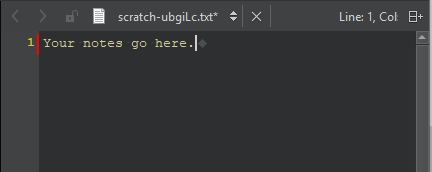
要创建一个临时文件并在文本编辑器中打开它:
- 选择“File ” > “New File ” > “General ” > “Scratch Buffer ”。
- 按Ctrl+N。
使用上下箭头键和 Tab 键在编辑器中进行导航。
操作系统最终会自动删除该文件。如需保留该文件,请将其另存为新文件并保存在其他位置。若不慎关闭了该文件,请在“File ” > “Recent Files ”中查找。
Copyright © The Qt Company Ltd. and other contributors. Documentation contributions included herein are the copyrights of their respective owners. The documentation provided herein is licensed under the terms of the GNU Free Documentation License version 1.3 as published by the Free Software Foundation. Qt and respective logos are trademarks of The Qt Company Ltd in Finland and/or other countries worldwide. All other trademarks are property of their respective owners.
