
Microsoft Edge
If your organization controls the related settings for your browser, contact the system administrator.
These instructions were written using Microsoft Edge Version 147.0.3912.60:
Check Edge settings
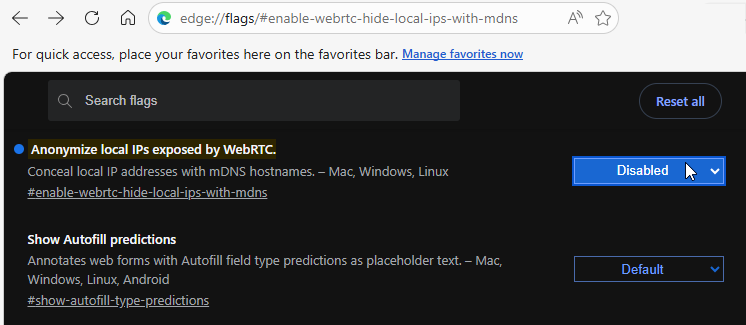
To show local IP addresses with mDNS hostnames:
- Go to
edge://flags/#enable-webrtc-hide-local-ips-with-mdns - The value you need in Anonymize local IPs exposed by WebRTC depends on how your environment is set up, so toggle the value from Enabled to Disabled, or from Disabled to Enabled.
To turn off local network access checks for WebRTC:
- Go to
edge://flags/#local-network-access-check - Set Local Network Access Checks to Disabled.
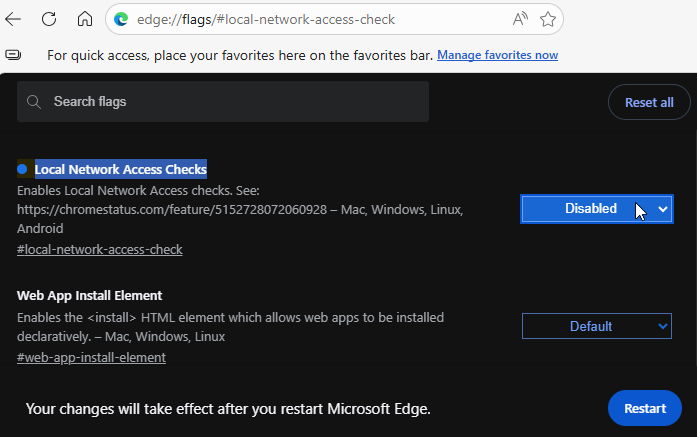
- Select Restart to restart Edge.
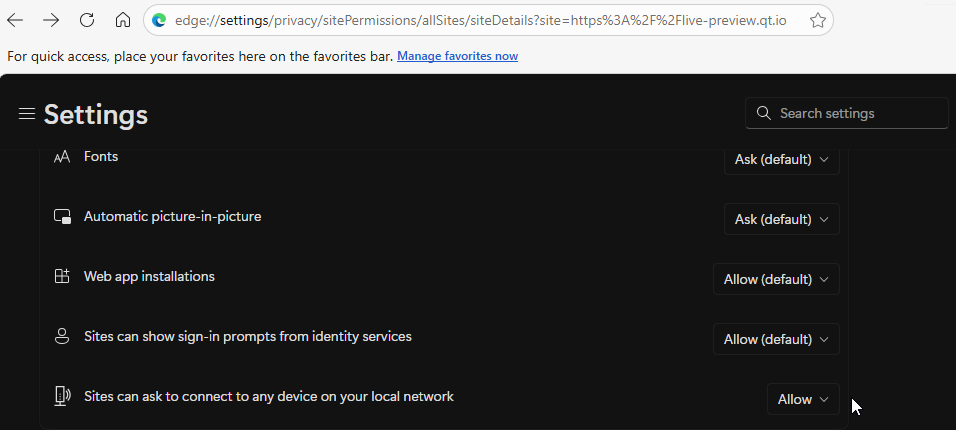
To automatically allow local network access:
- Go to
edge://settings/content/siteDetails?site=https%3A%2F%2Flive-preview.qt.io - Search for Sites can ask to connect to any device in your local network, and set it to Allow to automatically allow local network access without having to confirm it every time.
Disable extensions
To disable extensions that might block WebRTC:
- Go to
edge://extensions/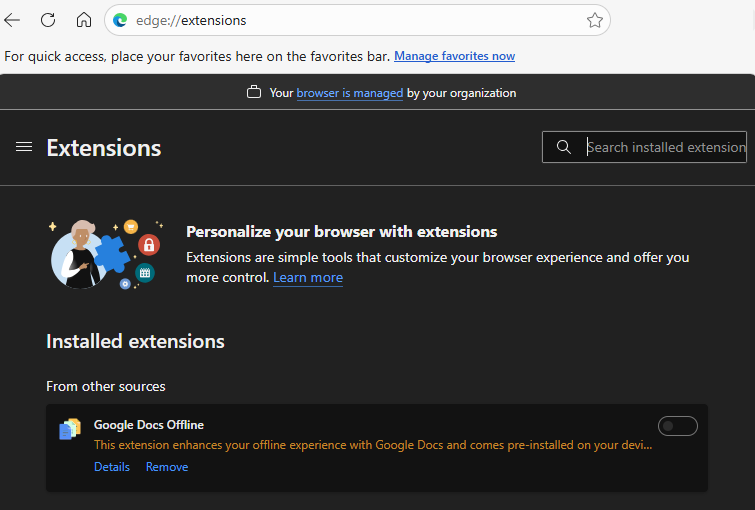
- Search for WebRTC extensions and VPN clients, and disable them.
Examples of widely-used WebRTC control extensions:
- WebRTC Control
- WebRTC Network Limiter
- WebRTC Protect - Protect IP Leak
- WebRTC Leak Prevent
Examples of widely-used VPN clients:
- NordVPN
- ProtonVPN
- PureVPN
- Windscribe
See also Solve connection issues and macOS.
© 2026 The Qt Company Ltd. Documentation contributions included herein are the copyrights of their respective owners. The documentation provided herein is licensed under the terms of the GNU Free Documentation License version 1.3 as published by the Free Software Foundation. Qt and respective logos are trademarks of The Qt Company Ltd in Finland and/or other countries worldwide. All other trademarks are property of their respective owners.
