
Qt Quick 3D - Ejemplo de asistente de nivel de detalle
Muestra el uso del ayudante de nivel de detalle.
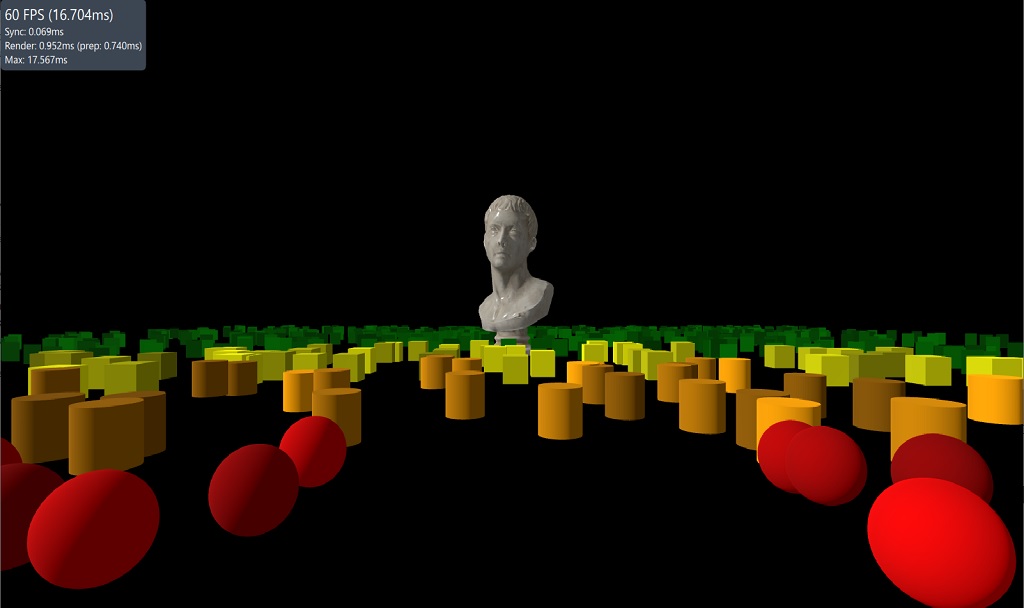
Este ejemplo muestra cómo utilizar el ayudante LODManager. El LODManager funciona cambiando la visibilidad de sus nodos hijos en función de la distancia a la cámara especificada. La propiedad «distances» es una lista de umbrales de distancia que determinan cuándo cambia la visibilidad de un hijo. El primer hijo se muestra cuando está más cerca y el último cuando está más lejos.
LodManager {
    camera: camera
    distances: [100, 140, 180]
    fadeDistance: 10

    Model {
        scale: Qt.vector3d(100, 100, 100);
        source: "meshes/marble_bust_01_LOD_0.mesh"
        materials: [ marbleMaterial ]
    }

    Model {
        scale: Qt.vector3d(100, 100, 100);
        source: "meshes/marble_bust_01_LOD_1.mesh"
        materials: [ marbleMaterial ]
    }

    Model {
        scale: Qt.vector3d(100, 100, 100);
        source: "meshes/marble_bust_01_LOD_2.mesh"
        materials: [ marbleMaterial ]
    }

    Model {
        scale: Qt.vector3d(100, 100, 100);
        source: "meshes/marble_bust_01_LOD_3.mesh"
        materials: [ marbleMaterial ]
    }
}© 2026 The Qt Company Ltd. Documentation contributions included herein are the copyrights of their respective owners. The documentation provided herein is licensed under the terms of the GNU Free Documentation License version 1.3 as published by the Free Software Foundation. Qt and respective logos are trademarks of The Qt Company Ltd. in Finland and/or other countries worldwide. All other trademarks are property of their respective owners.
