
サーモスタット
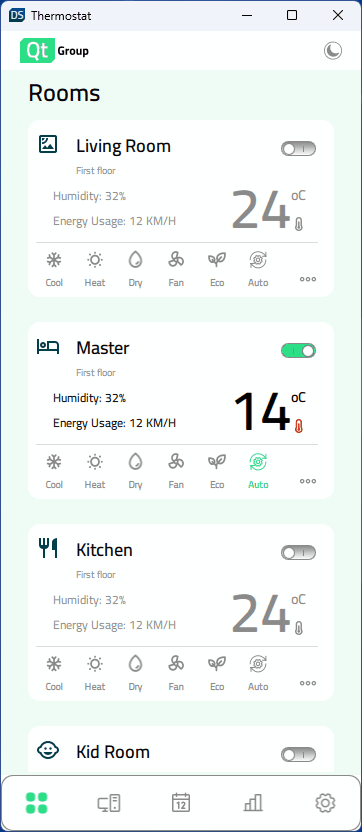
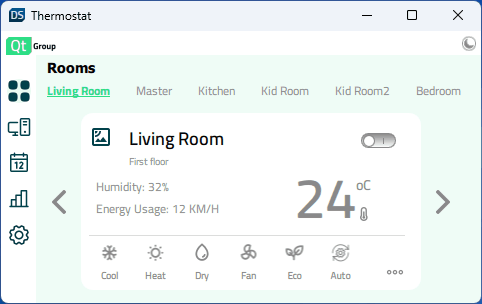
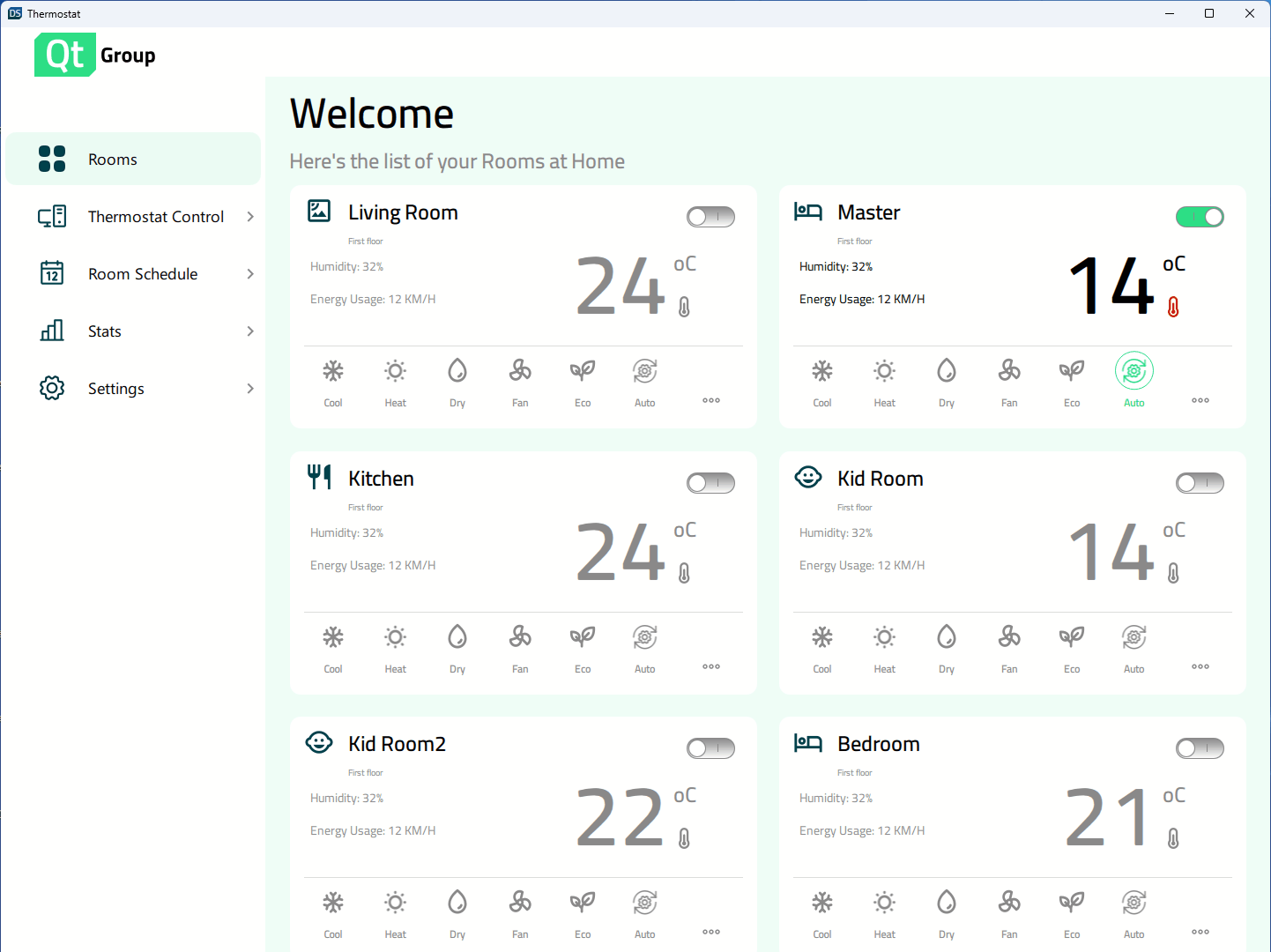
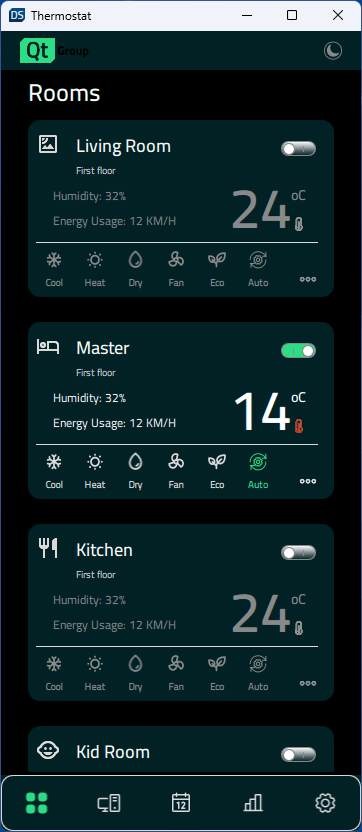
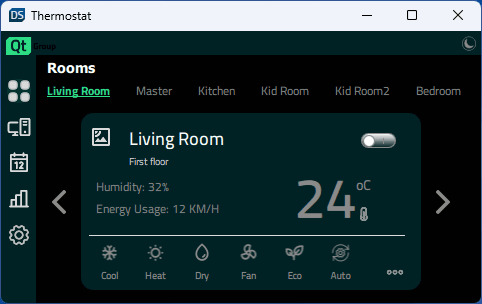
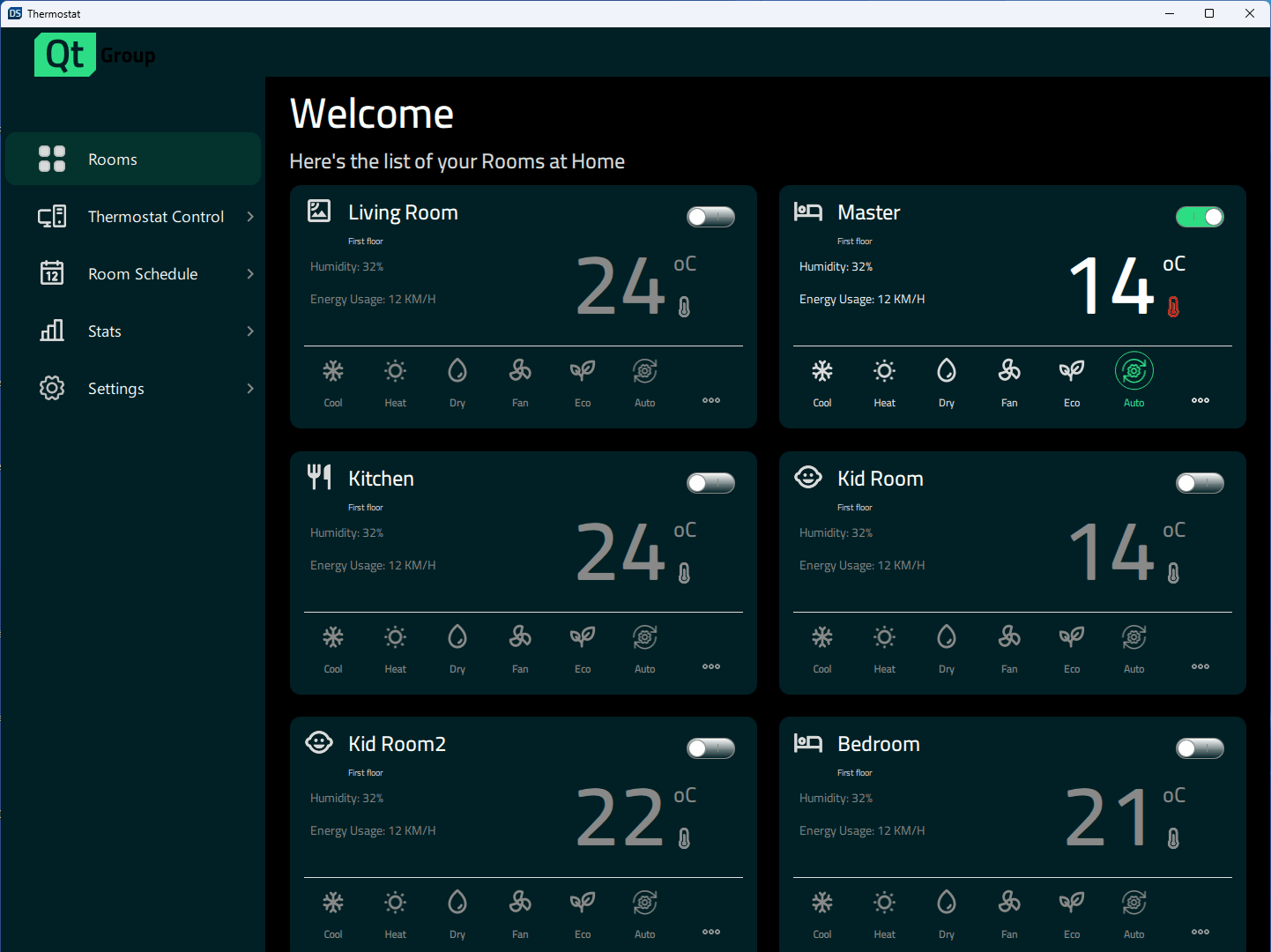
「サーモスタット」のサンプルでは、ウィンドウのサイズに応じて異なるデザインを実装する方法を示しています。
家庭用サーモスタットのユーザーインターフェース。Qt Quick を使用して、大型のデスクトップディスプレイからモバイル、さらには小型の組み込みディスプレイまで、画面サイズに合わせて表示を調整するレスポンシブアプリケーションを作成する方法を示しています。
例のプログラムの実行
以下の手順でサンプルを実行できます:
- Qt Creator
Welcome モードを開き、Examples からサンプルを選択します。詳細については、Qt Creator の「チュートリアル:ビルドと実行」を参照してください。
- Qt Extension for Visual Studio Code
Command Palette から `Qt: Open Qt examples ` コマンドを実行し、リストからサンプルを選択します。詳細については、Qt Extension for Visual Studio Code: チュートリアル: ビルドと実行を参照してください。
レスポンシブデザイン
このアプリケーションは、さまざまな表示サイズに対応しています。ユーザーがウィンドウサイズを変更すると動的に拡大縮小されるほか、モバイル端末では利用可能な表示領域に基づいて適切なサイズが自動的に選択されます。Constants.qml には、表示サイズを指定し、現在使用されているレイアウトを制御するプロパティが含まれています:
    property bool isBigDesktopLayout: layout === Constants.Layout.Desktop
    property bool isSmallDesktopLayout: layout === Constants.Layout.SmallDesktop
    property bool isMobileLayout: layout === Constants.Layout.Mobile
    property bool isSmallLayout: layout === Constants.Layout.Small
App.qml では、これらのプロパティはアプリケーションの起動時にウィンドウの高さと幅にバインドされます:
    Component.onCompleted: {
        Constants.layout = Qt.binding(() => {
            let tall = window.height >= window.width
            if (window.width >= 1440 && window.height >= 520)
                return Constants.Layout.Desktop
            if (window.width >= 1024 && window.height >= 768)
                return Constants.Layout.SmallDesktop
            if (tall || (window.width >= 600 && window.height >= 380))
                return Constants.Layout.Mobile
            return Constants.Layout.Small
        })
    }
その後、これらの状態を使用して、幅、高さ、fontSize、位置、レイアウト(列または行)などのコンポーネントのプロパティを制御します。
    states: [
        State {
            name: "bigDesktopLayout"
            when: Constants.isBigDesktopLayout
            PropertyChanges {
                target: statistics
                leftPadding: 53
                rightPadding: 53
                topPadding: 23
                bottomPadding: 43
            }
            PropertyChanges {
                target: scrollView
                isBackgroundVisible: false
                delegateWidth: 350
                delegateHeight: 182
                statisticsChartWidth: grid.width
                statisticsChartHeight: 647
            }
            PropertyChanges {
                target: grid
                width: 1100
            }
        },
        State {
            name: "smallDesktopLayout"
            when:  Constants.isSmallDesktopLayout
            PropertyChanges {
                target: statistics
                leftPadding: 53
                rightPadding: 53
                topPadding: 23
                bottomPadding: 43
            }
            PropertyChanges {
                target: scrollView
                isBackgroundVisible: false
                delegateWidth: 290
                delegateHeight: 182
                statisticsChartWidth: grid.width
                statisticsChartHeight: 541
            }
            PropertyChanges {
                target: grid
                width: 918
            }
        },
        State {
            name: "mobileLayout"
            when: Constants.isMobileLayout
            PropertyChanges {
                target: statistics
                leftPadding: 0
                rightPadding: 0
                topPadding: 0
                bottomPadding: 0
            }
            PropertyChanges {
                target: scrollView
                isBackgroundVisible: false
                delegateWidth: 327
                delegateHeight: 110
                statisticsChartWidth: 346
                statisticsChartHeight: 383
            }
        },
        State {
            name: "smallLayout"
            when: Constants.isSmallLayout
            PropertyChanges {
                target: statistics
                leftPadding: 0
                rightPadding: 0
                topPadding: 0
                bottomPadding: 0
            }
            PropertyChanges {
                target: scrollView
                isBackgroundVisible: true
                delegateWidth: 332
                delegateHeight: 90
                statisticsChartWidth: 420
                statisticsChartHeight: 240
            }
        }
    ]
ソースファイル
「すべての Qt サンプル」および「Qt Quick のサンプルとチュートリアル」も参照してください 。
© 2026 The Qt Company Ltd. Documentation contributions included herein are the copyrights of their respective owners. The documentation provided herein is licensed under the terms of the GNU Free Documentation License version 1.3 as published by the Free Software Foundation. Qt and respective logos are trademarks of The Qt Company Ltd. in Finland and/or other countries worldwide. All other trademarks are property of their respective owners.
