
WebSocket エコークライアント
簡単な WebSocket クライアントアプリケーションの書き方を紹介します。
このエコークライアントでは、WebSocketAPI を使用してサーバーにメッセージを送信し、サーバーから返された応答を処理する方法(この例では、単にその応答を出力するだけ)を示します。
このクライアントは、デフォルトでローカルポート 1234 でリスニングしているサーバーへの WebSocket 接続を開きます。接続に成功すると、クライアントはサーバーにメッセージを送信し、サーバーから返された応答をそのまま表示します。その後、クライアントは接続を閉じます。
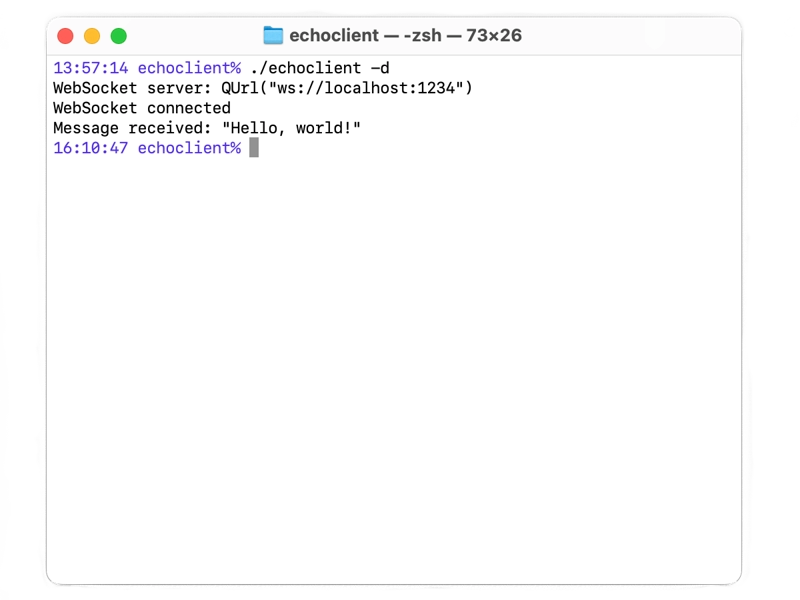
説明を分かりやすくするため、返信として送信されたメッセージそのものを返す「WebSocket Echo Server」を使用します。
「WebSocket Echo Server」も参照してください 。
© 2026 The Qt Company Ltd. Documentation contributions included herein are the copyrights of their respective owners. The documentation provided herein is licensed under the terms of the GNU Free Documentation License version 1.3 as published by the Free Software Foundation. Qt and respective logos are trademarks of The Qt Company Ltd. in Finland and/or other countries worldwide. All other trademarks are property of their respective owners.
