
Qt Widgets Designer 統合
Qt Widgets Designer は、スタイルシートをプレビューするための優れたツールです。Designer内の任意のウィジェットを右クリックし、「Change styleSheet... 」を選択することで、スタイルシートを設定できます。
Qt Widgets Designer でのフォームの編集" src="images/designer-stylesheet-options.webp" title="Qt Widgets Designer でのフォームの編集"/>
Qt Widgets Designer には、スタイルシートの構文ハイライト機能とバリデータも搭載されています。バリデータは、「Edit Style Sheet 」ダイアログの左下に、構文が有効か無効かを表示します。
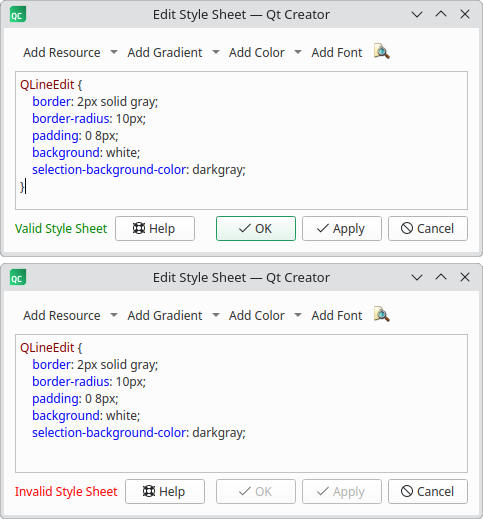
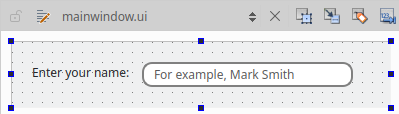
「OK 」または「Apply 」をクリックすると、Qt Widgets Designer は自動的に新しいスタイルシートが適用されたウィジェットを表示します。
© 2026 The Qt Company Ltd. Documentation contributions included herein are the copyrights of their respective owners. The documentation provided herein is licensed under the terms of the GNU Free Documentation License version 1.3 as published by the Free Software Foundation. Qt and respective logos are trademarks of The Qt Company Ltd. in Finland and/or other countries worldwide. All other trademarks are property of their respective owners.
