
QGraphicsDropShadowEffect Class
QGraphicsDropShadowEffect 类提供了一个阴影效果。更多内容...
| 头文件: | #include <QGraphicsDropShadowEffect> |
| CMake: | find_package(Qt6 REQUIRED COMPONENTS Widgets) target_link_libraries(mytarget PRIVATE Qt6::Widgets) |
| qmake: | QT += widgets |
| 继承自: | QGraphicsEffect |
属性
|
公共函数
| QGraphicsDropShadowEffect(QObject *parent = nullptr) | |
| virtual | ~QGraphicsDropShadowEffect() |
| qreal | blurRadius() const |
| QColor | color() const |
| QPointF | offset() const |
| qreal | xOffset() const |
| qreal | yOffset() const |
重新实现的公共函数
| virtual QRectF | boundingRectFor(const QRectF &rect) const override |
公共插槽
| void | setBlurRadius(qreal blurRadius) |
| void | setColor(const QColor &color) |
| void | setOffset(const QPointF &ofs) |
| void | setOffset(qreal dx, qreal dy) |
| void | setOffset(qreal d) |
| void | setXOffset(qreal dx) |
| void | setYOffset(qreal dy) |
信号
| void | blurRadiusChanged(qreal blurRadius) |
| void | colorChanged(const QColor &color) |
| void | offsetChanged(const QPointF &offset) |
重新实现的受保护函数
| virtual void | draw(QPainter *painter) override |
详细说明
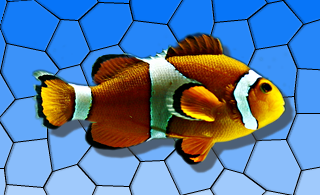
投影效果会在源对象上渲染出一个投影。可以通过setColor()函数修改投影的颜色。可以通过setOffset()函数修改投影的偏移量,并通过setBlurRadius()函数调整投影的模糊半径。
默认情况下,投影为半透明的深灰色(QColor(63, 63, 63, 180)),模糊半径为1,向右下方偏移8像素。投影偏移量以设备坐标指定。
另请参阅 QGraphicsBlurEffect 、QGraphicsColorizeEffect 和QGraphicsOpacityEffect 。
属性文档
blurRadius : qreal
此属性存储投影的模糊半径(单位为像素)。
使用较小的半径会产生更锐利的阴影,而使用较大的半径则会产生更模糊的阴影。
默认情况下,模糊半径为 1 像素。
访问函数:
| qreal | blurRadius() const |
| void | setBlurRadius(qreal blurRadius) |
通知信号:
| void | blurRadiusChanged(qreal blurRadius) |
color : QColor
该属性用于设置投影的颜色。
默认情况下,阴影颜色为半透明的深灰色(QColor (63, 63, 63, 180))。
访问函数:
| QColor | color() const |
| void | setColor(const QColor &color) |
通知信号:
| void | colorChanged(const QColor &color) |
另请参阅 offset() 和blurRadius()。
offset : QPointF
该属性存储以像素为单位的阴影偏移量。
默认情况下,偏移量为向右下方偏移 8 像素。
偏移量以设备坐标表示,这意味着它不受缩放比例的影响。
访问函数:
| QPointF | offset() const |
| void | setOffset(const QPointF &ofs) |
| void | setOffset(qreal dx, qreal dy) |
| void | setOffset(qreal d) |
通知信号:
| void | offsetChanged(const QPointF &offset) |
另请参阅 xOffset()、yOffset()、blurRadius() 和color()。
xOffset : qreal
该属性存储以像素为单位的水平阴影偏移量。
默认情况下,水平阴影偏移量为 8 像素。
访问函数:
| qreal | xOffset() const |
| void | setXOffset(qreal dx) |
通知信号:
| void | offsetChanged(const QPointF &offset) |
yOffset : qreal
该属性用于指定垂直阴影偏移量(以像素为单位)。
默认情况下,垂直阴影偏移量为 8 像素。
访问函数:
| qreal | yOffset() const |
| void | setYOffset(qreal dy) |
通知信号:
| void | offsetChanged(const QPointF &offset) |
成员函数文档
QGraphicsDropShadowEffect::QGraphicsDropShadowEffect(QObject *parent = nullptr)
创建一个新的 QGraphicsDropShadowEffect 实例。parent 参数将作为参数传递给QGraphicsEffect 的构造函数。
[virtual noexcept] QGraphicsDropShadowEffect::~QGraphicsDropShadowEffect()
消除该效果。
[signal] void QGraphicsDropShadowEffect::blurRadiusChanged(qreal blurRadius)
每当效果的模糊半径发生变化时,都会触发此信号。blurRadius 参数保存了效果的新模糊半径。
注意: 这是属性blurRadius的通知 信号。
[override virtual] QRectF QGraphicsDropShadowEffect::boundingRectFor(const QRectF &rect) const
重写了:QGraphicsEffect::boundingRectFor(const QRectF &rect) const。
[signal] void QGraphicsDropShadowEffect::colorChanged(const QColor &color)
每当效果的颜色发生变化时,都会触发此信号。color 参数存储了效果的新颜色。
注意: 这是属性color的通知 信号。
[override virtual protected] void QGraphicsDropShadowEffect::draw(QPainter *painter)
重写了:QGraphicsEffect::draw(QPainter *painter)。
[signal] void QGraphicsDropShadowEffect::offsetChanged(const QPointF &offset)
每当效果的阴影偏移量发生变化时,都会触发此信号。offset 参数存储了效果的新阴影偏移量。
© 2026 The Qt Company Ltd. Documentation contributions included herein are the copyrights of their respective owners. The documentation provided herein is licensed under the terms of the GNU Free Documentation License version 1.3 as published by the Free Software Foundation. Qt and respective logos are trademarks of The Qt Company Ltd. in Finland and/or other countries worldwide. All other trademarks are property of their respective owners.
