
BrightnessContrast QML Type
调整亮度和对比度。更多...
| Import Statement: | import Qt5Compat.GraphicalEffects |
| Since: | QtGraphicalEffects 1.0 |
| Inherits: |
属性
- brightness : real
- cached : bool
- contrast : real
- source : variant
详细说明
注意: MultiEffect 组件 提供亮度和对比度调整效果,并具有一定的性能优势。对于新代码,应将其视为 QtGraphical Effects 的替代方案。
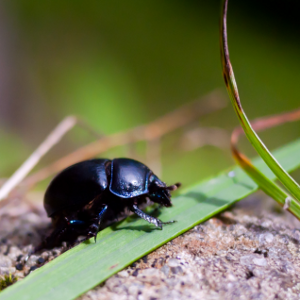
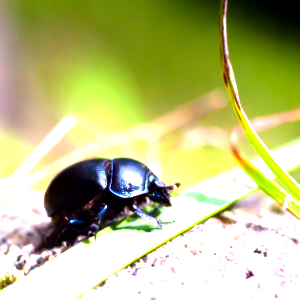
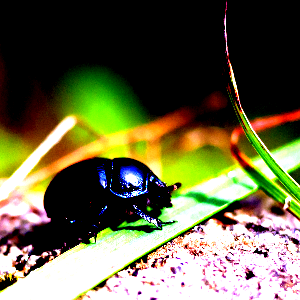
此效果用于调整源项的颜色。亮度调整会改变源项的感知亮度;对比度调整则会增大或减小颜色与亮度的差异。
| 来源 | 应用效果 |
|---|---|
|
|
示例
以下示例演示了如何应用该效果。
import QtQuick
import Qt5Compat.GraphicalEffects

Item {
    width: 300
    height: 300

    Image {
        id: bug
        source: "images/bug.jpg"
        sourceSize: Qt.size(parent.width, parent.height)
        smooth: true
        visible: false
    }

    BrightnessContrast {
        anchors.fill: bug
        source: bug
        brightness: 0.5
        contrast: 0.5
    }
}
属性文档
brightness : real
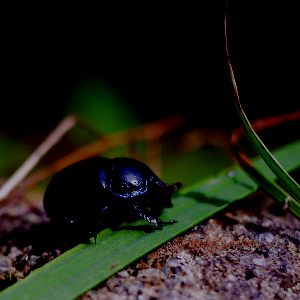
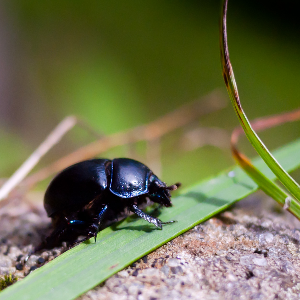
此属性定义了源亮度增加或减少的程度。
其取值范围为-1.0至1.0。默认情况下,该属性设置为0.0 (不作更改)。
cached : bool
此属性允许将效果输出像素缓存起来,以提升渲染性能。
每次更改源或效果属性时,缓存中的像素都必须更新。由于需要额外的内存缓冲区来存储效果输出,因此会增加内存消耗。
当源或效果属性进行动画处理时,建议禁用缓存。
默认情况下,该属性设置为false 。
contrast : real
此属性用于定义源图像的对比度增加或减少的程度。对比度的降低呈线性变化,但增加时则采用非线性曲线,以便在数值范围的高端实现极高的对比度调整。
| 对比度调整曲线 |
|---|
|
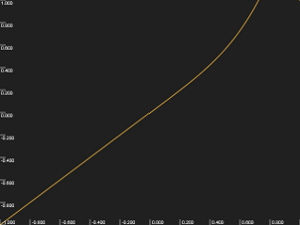
该值的取值范围为-1.0至1.0。默认情况下,该属性设置为0.0 (无变化)。
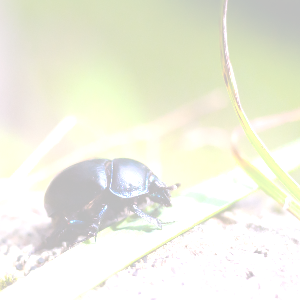
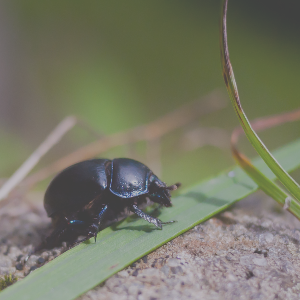
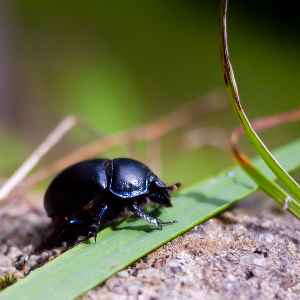
| 不同对比度值下的输出示例 | ||
|---|---|---|
|
|
|
| contrast: -0.5 | contrast: 0 | 对比度:0.5 |
| brightness: 0 | brightness: 0 | brightness: 0 |
source : variant
此属性定义了为该效果提供源像素的源项。
注意: 不支持让效果包含自身,例如将源设置为该效果的父级。
© 2026 The Qt Company Ltd. Documentation contributions included herein are the copyrights of their respective owners. The documentation provided herein is licensed under the terms of the GNU Free Documentation License version 1.3 as published by the Free Software Foundation. Qt and respective logos are trademarks of The Qt Company Ltd. in Finland and/or other countries worldwide. All other trademarks are property of their respective owners.
