
FolderDialog QML Type
原生文件夹对话框。更多...
| Import Statement: | import QtQuick.Dialogs |
| Since: | Qt 6.3 |
| Inherits: |
属性
- acceptLabel : string
- currentFolder : url
- options : flags
- rejectLabel : string
- selectedFolder : url
详细说明
FolderDialog 类型为原生平台的文件夹对话框提供了一个 QML API。
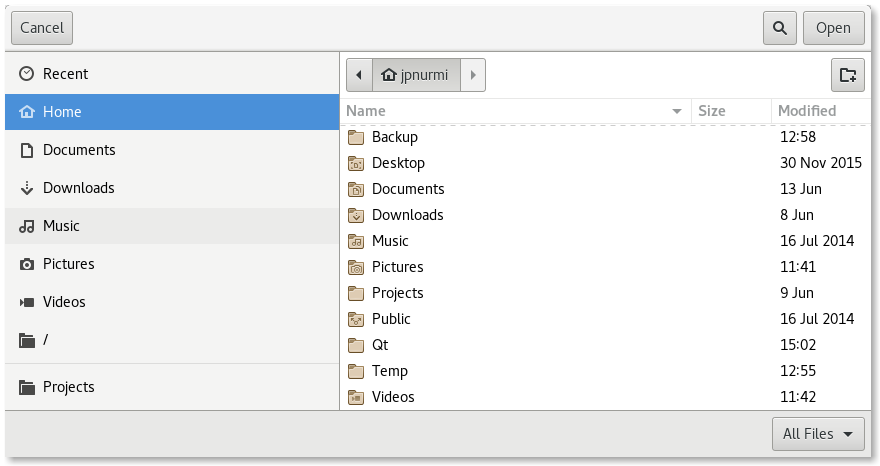
要显示文件夹对话框,请创建 FolderDialog 实例,设置所需属性,并调用 `open()` 方法。可通过 `currentFolder ` 属性获取当前在对话框中显示的文件夹,通过 `selectedFolder ` 属性获取对话框中上次选中的文件夹。
MenuItem {
    text: qsTr("Open...")
    onTriggered: folderDialog.open()
}

FolderDialog {
    id: folderDialog
    currentFolder: StandardPaths.standardLocations(StandardPaths.PicturesLocation)[0]
    selectedFolder: viewer.folder
}

MyViewer {
    id: viewer
    folder: folderDialog.selectedFolder
}
可用性
目前,以下平台支持原生平台文件夹对话框:
- Android
- iOS
- Linux(使用 GTK+ 平台主题运行时)
- macOS
- Windows
Qt Quick Dialogs 在没有原生实现的平台上,会使用Qt Quick 的实现作为备用方案。
另请参阅 FileDialog 和StandardPaths 。
属性文档
acceptLabel : string
此属性用于存储在确认对话框的按钮上显示的标签文本。
当设置为空字符串时,将使用底层平台的默认标签。默认标签通常为Open 。
默认值为空字符串。
另请参阅 rejectLabel 。
currentFolder : url
该属性存储当前在对话框中显示的文件夹。
另请参阅 selectedFolder 。
options : flags
该属性包含影响对话框外观和风格的各种选项。
默认情况下,所有选项均处于禁用状态。
应在显示对话框之前设置这些选项。在对话框可见时进行设置,不能保证会立即对对话框产生影响(具体取决于选项和平台)。
可用选项:
| 常量 | 描述 |
|---|---|
FolderDialog.DontResolveSymlinks | 不在文件夹对话框中解析符号链接。默认情况下会解析符号链接。 |
FolderDialog.ReadOnly | 表示该对话框不允许创建目录。 |
FolderDialog.DontUseNativeDialog | 强制对话框使用非原生的快速实现。 |
rejectLabel : string
该属性用于存储“拒绝对话框”按钮上显示的标签文本。
当设置为空字符串时,将使用底层平台的默认标签。默认标签通常为Cancel 。
默认值为空字符串。
另请参阅 acceptLabel 。
selectedFolder : url
该属性保存对话框中最后选中的文件夹。
每当用户在对话框中选择一个文件夹时,以及对话框被接受时,该属性的值都会更新。此外,还可以处理accepted() 信号来获取最终的选择结果。
另请参阅 currentFolder 和accepted()。
© 2026 The Qt Company Ltd. Documentation contributions included herein are the copyrights of their respective owners. The documentation provided herein is licensed under the terms of the GNU Free Documentation License version 1.3 as published by the Free Software Foundation. Qt and respective logos are trademarks of The Qt Company Ltd. in Finland and/or other countries worldwide. All other trademarks are property of their respective owners.
