
StyleKit 控件示例
演示如何通过 Qt Widgets 。
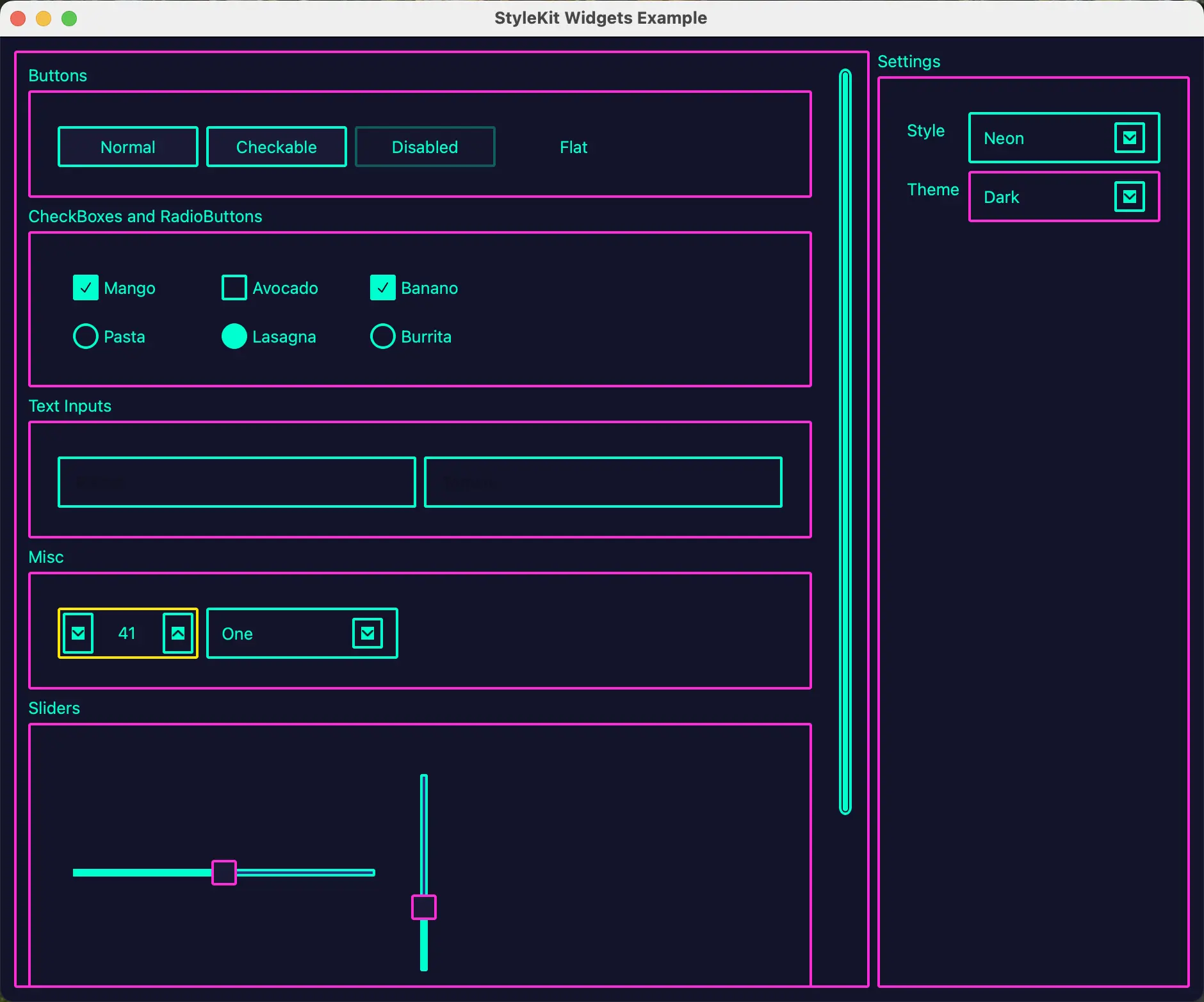
本示例演示了如何使用StyleKit为 Qt Widgets 应用程序设置样式。它展示了如何通过QStyleKitStyle 将QML定义的样式应用到标准的Qt Widgets 控件上,以及如何在运行时在不同样式和主题之间切换。
该示例包含三种样式:
- 经典(Classic)——一种基于渐变的样式,包含浅色、深色、高对比度和绿色等多种主题。
- Flat——一种受Material Design启发的扁平化风格,提供浅色和深色主题。
- 霓虹(Neon)——一种受赛博朋克风格启发的深色样式,带有霓虹色的点缀。
本示例演示了如何:
- 将QStyleKitStyle 应用于QApplication 。
- 在运行时使用 `setStylePath()` 在 QML 定义的样式之间切换。
- 使用 `setThemeName()` 在同一样式内切换主题。
- 使用QGroupBox 将小部件组织到带标签的区域中。
运行示例
您可以从以下位置运行示例:
- Qt Creator
打开Welcome 模式,并从Examples 中选择该示例。有关更多信息,请参阅Qt Creator :教程:构建和运行。
- Qt Extension for Visual Studio Code
在“Command Palette ”中运行Qt: Open Qt examples 命令,并从列表中选择该示例。有关更多信息,请参阅Qt Extension for Visual Studio Code :教程:构建和运行。
© 2026 The Qt Company Ltd. Documentation contributions included herein are the copyrights of their respective owners. The documentation provided herein is licensed under the terms of the GNU Free Documentation License version 1.3 as published by the Free Software Foundation. Qt and respective logos are trademarks of The Qt Company Ltd. in Finland and/or other countries worldwide. All other trademarks are property of their respective owners.
