
Qt Quick 3D - 变形示例
演示如何在Qt Quick 3D 中控制形态转换动画。
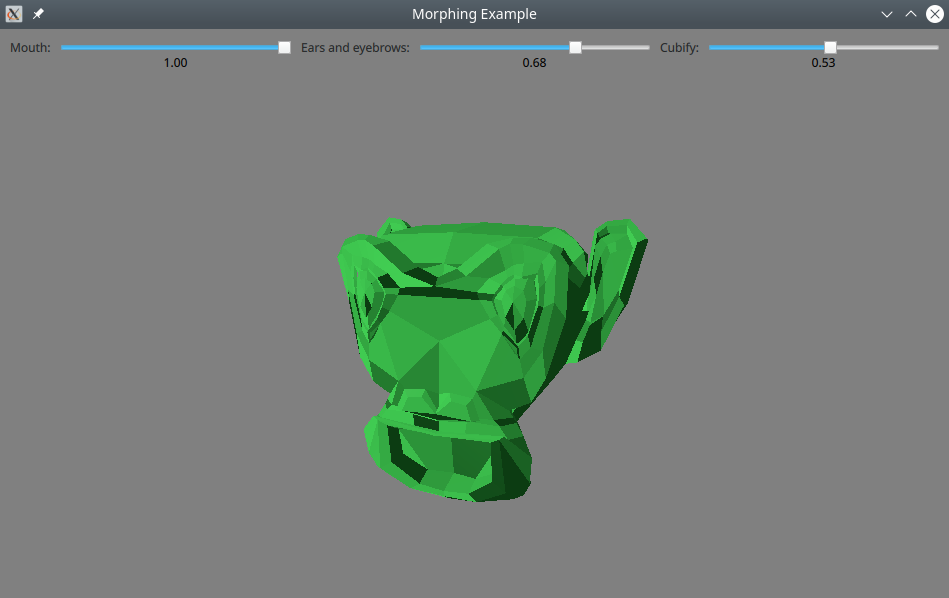
本示例演示了如何控制从外部工具导入的模型上的变形动画。
创建网格
该模型的网格是使用 Blender 3D 建模工具创建的。除了基本形状外,该网格还包含三个变形目标(在 Blender 中称为形状键)。
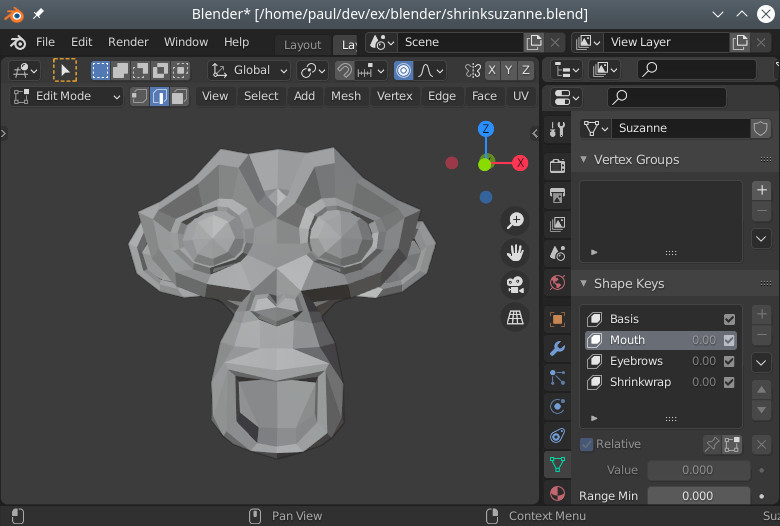
该模型从Blender导出为glTF文件,并使用balsam导入。
控制形态目标
通常,变形由时间线动画或属性动画控制。在本示例中,我们改用滑块,以便能够自由尝试组合不同的权重:
            Label { text: "Mouth:"; }
            RealSlider {
                id: mouthSlider
                from: 0.0
                to: 1.0
            }
            Label { text: "Ears and eyebrows:" }
            RealSlider {
                id: earSlider
                from: 0.0
                to: 1.0
            }
            Label { text: "Cubify:" }
            RealSlider {
                id: cubeSlider
                from: 0.0
                to: 1.0
}(RealSlider 是一个提供浮点数的简单滑块,该组件借鉴自特效示例。)
我们为网格中的每个目标分别定义一个MorphTarget 。变形目标是用于控制变形的绑定对象。通常,它们会进行动画处理,但在本示例中,我们直接将其绑定到滑块的数值上:
        MorphTarget {
            id: morphtarget0
            weight: mouthSlider.value
            attributes: MorphTarget.Position | MorphTarget.Normal
        }
        MorphTarget {
            id: morphtarget1
            weight: earSlider.value
            attributes: MorphTarget.Position | MorphTarget.Normal
        }
        MorphTarget {
            id: morphtarget2
            weight: cubeSlider.value
            attributes: MorphTarget.Position | MorphTarget.Normal
        }
最后,我们创建一个模型,并将变形目标绑定到网格中的目标上:
        Model {
            source: "suzanne.mesh"
            morphTargets: [
                morphtarget0,
                morphtarget1,
                morphtarget2
            ]
            materials: PrincipledMaterial {
                baseColor: "#41cd52"
                roughness: 0.1
            }
            SequentialAnimation on eulerRotation.y {
                NumberAnimation { from: -45; to: 45; duration: 10000 }
                NumberAnimation { from: 45; to: -45; duration: 10000 }
                loops: Animation.Infinite
            }
        }
请注意,目标是根据其在列表中的位置进行匹配的:名称并不重要。
© 2026 The Qt Company Ltd. Documentation contributions included herein are the copyrights of their respective owners. The documentation provided herein is licensed under the terms of the GNU Free Documentation License version 1.3 as published by the Free Software Foundation. Qt and respective logos are trademarks of The Qt Company Ltd. in Finland and/or other countries worldwide. All other trademarks are property of their respective owners.
