
Qt Quick 3D - 简单的雾效果示例
演示如何在 3D 场景中启用雾效。
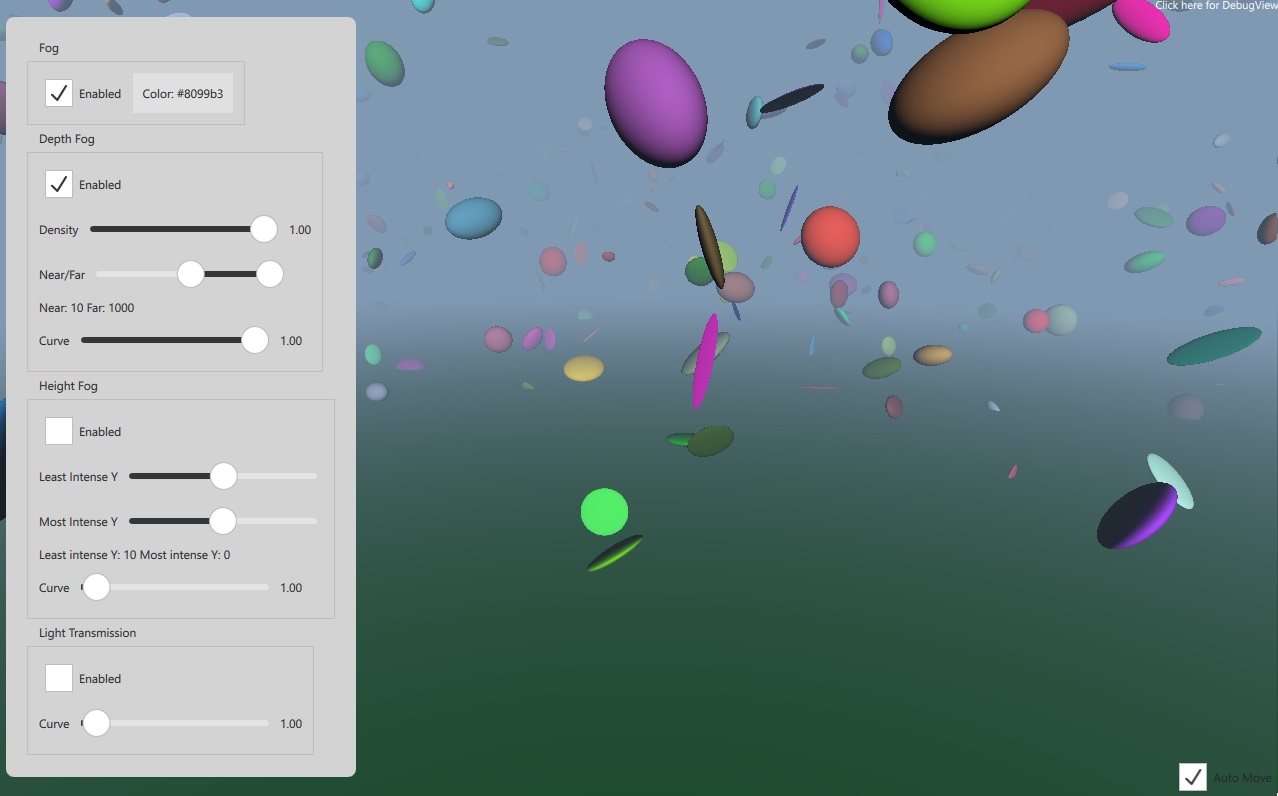
本示例演示了SceneEnvironment 的fog 属性的用法。场景中包含多个实例化的球体,并配有控制项,可用于调整Fog对象的各项属性。
Fog {
    id: theFog

    enabled: cbFogEnabled.checked
    depthEnabled: cbDepthEnabled.checked
    heightEnabled: cbHeightEnabled.checked
    transmitEnabled: cbTransmitEnabled.checked

    density: valDensity.value
    depthNear: valDepth.first.value
    depthFar: valDepth.second.value
    depthCurve: valDepthCurve.value
    leastIntenseY: valHeightMin.value
    mostIntenseY: valHeightMax.value
    heightCurve: valHeightCurve.value
    transmitCurve: valTransmitCurve.value
}© 2026 The Qt Company Ltd. Documentation contributions included herein are the copyrights of their respective owners. The documentation provided herein is licensed under the terms of the GNU Free Documentation License version 1.3 as published by the Free Software Foundation. Qt and respective logos are trademarks of The Qt Company Ltd. in Finland and/or other countries worldwide. All other trademarks are property of their respective owners.
