
从Maya导出
从Maya导出OpenCOLLADA
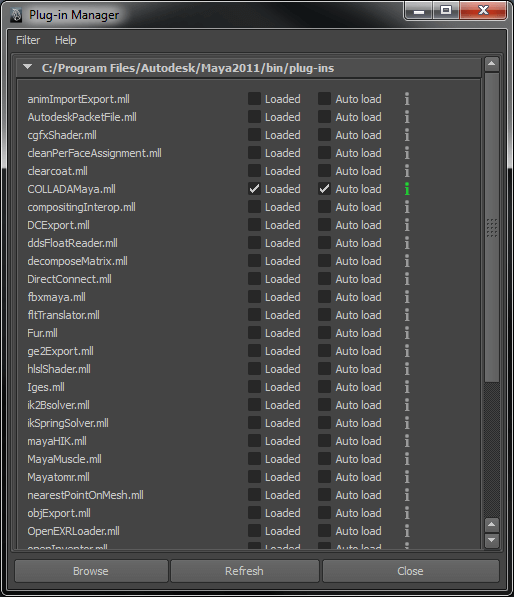
要使 OpenCOLLADA 导出器生效,必须在Plug-in Manager 中启用或禁用某些选项。要找到该选项,请前往Window > Settings/Preferences > Plug-in Manager 。
必须取消勾选fbxmaya.mll插件。必须同时勾选COLLADAMaya.mll作为“Loaded ”和“Auto Load ”。
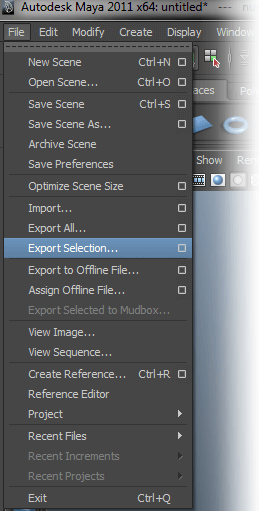
接下来,选择“File > Export Selection ”并打开对话框。
在“General Options ”下,请确保已选择“OpenCOLLADA导出器”并将其设为默认文件扩展名。在“General export options ”下,请确认以下选项已启用。
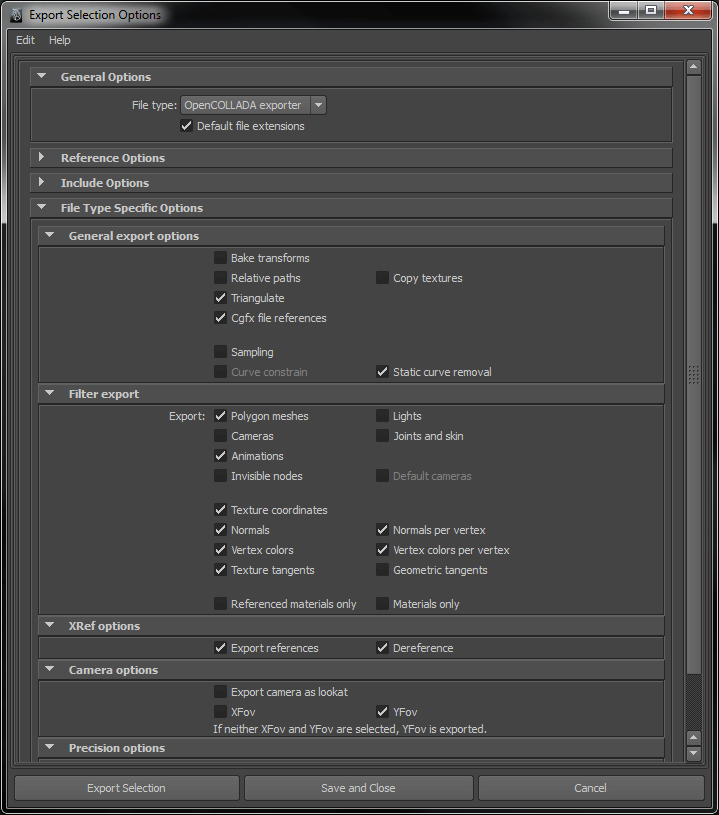
导出前必须勾选“三角化”选项。
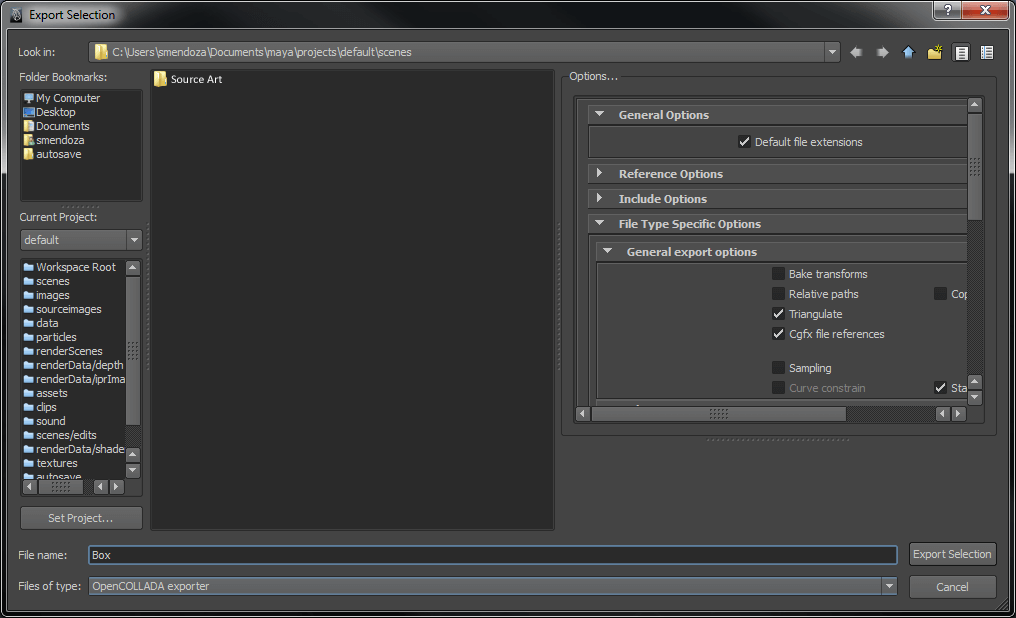
最后,选择要保存 COLLADA 文件的位置。建议将所有源素材(包括 COLLADA 文件)保存在项目文件夹之外的文件夹中。
© 2026 The Qt Company Ltd. Documentation contributions included herein are the copyrights of their respective owners. The documentation provided herein is licensed under the terms of the GNU Free Documentation License version 1.3 as published by the Free Software Foundation. Qt and respective logos are trademarks of The Qt Company Ltd. in Finland and/or other countries worldwide. All other trademarks are property of their respective owners.
