
Generic Highlighter
Qt Creator uses the KSyntaxHighlighting engine with Kate syntax definitions to highlight code in files that do not have dedicated support, such as Python or shell script files. To manage the highlight definitions that this engine uses, select Preferences > Text Editor > Generic Highlighter.
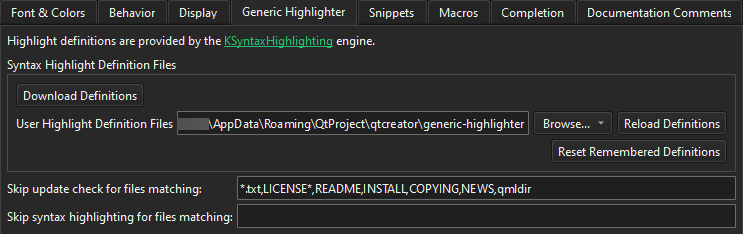
The following table describes the preferences you can set.
| Preference | Description |
|---|---|
| Download Definitions | Download missing and update existing syntax definition files. |
| User Highlight Definition Files | Set the folder where Qt Creator looks for your own highlight definition files, in addition to the downloaded ones. |
| Reload Definitions | Reload definition files that were modified outside Qt Creator. |
| Reset Remembered Definitions | Reset the highlight definitions that Qt Creator remembered for files that can be associated with more than one definition. See Download highlight definitions. |
| Skip update check for files matching | List wildcard-aware file patterns, separated by commas, for which Qt Creator does not prompt you to download a missing highlight definition. |
| Skip syntax highlighting for files matching | List wildcard-aware file patterns, separated by commas, for which Qt Creator does not apply generic syntax highlighting at all. |
See also How to: Configure editors, Configuring editors, and Download highlight definitions.
Copyright © The Qt Company Ltd. and other contributors. Documentation contributions included herein are the copyrights of their respective owners. The documentation provided herein is licensed under the terms of the GNU Free Documentation License version 1.3 as published by the Free Software Foundation. Qt and respective logos are trademarks of The Qt Company Ltd in Finland and/or other countries worldwide. All other trademarks are property of their respective owners.
