
「Zenモード」を使用する
デフォルトでは、Edit モードでは、モードセレクター (1) と、左右のサイドバー (2 および 3) が表示されます。
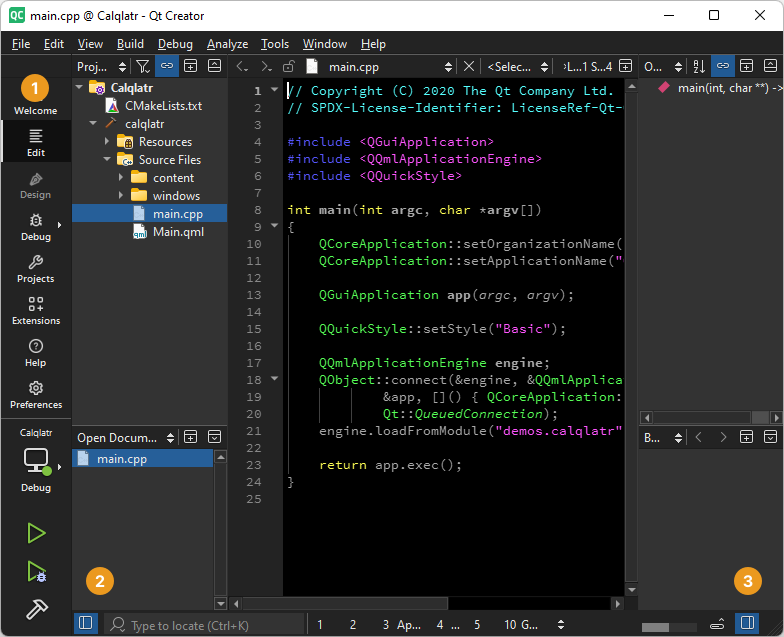
モードセレクターとサイドバーが表示された編集モード。
Zen Mode拡張機能は、UI要素を非表示にしてコードの編集に集中できるようにするモードを提供します。
「Extensions 」モードで「Zen Mode 」拡張機能を有効にします。拡張機能の詳細については、「拡張機能を有効にする」を参照してください。
ディストラクションフリーモードの切り替え
ディストラクションフリーモードでは、モードセレクター (1)、左右のサイドバー (2 および 3)、およびその他のビューが閉じられます。
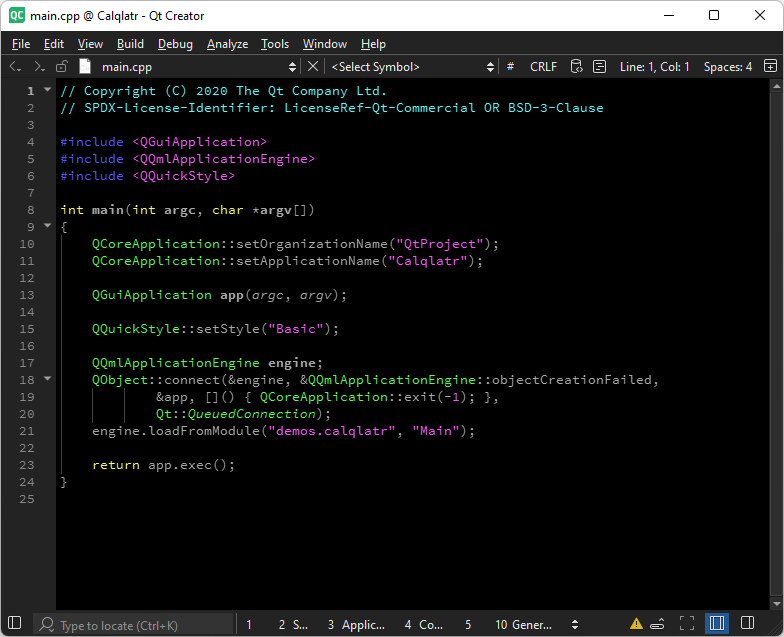
ディストラクションフリーモードがオンになっています。
「Distraction Free」モードを切り替えるには:
- 「
 」を選択します。
 - 「Tools 」>「Zen Mode 」に移動し、「Toggle Distraction Free Mode 」を選択します。
- Shift+Escキーを押します。
「Zenモード」の切り替え
Zenモードでは、モードセレクター(1)、左右のサイドバー(2および3)、その他のビューが閉じられ、Qt Creator が全画面表示になり、メインメニューバーが非表示になります。
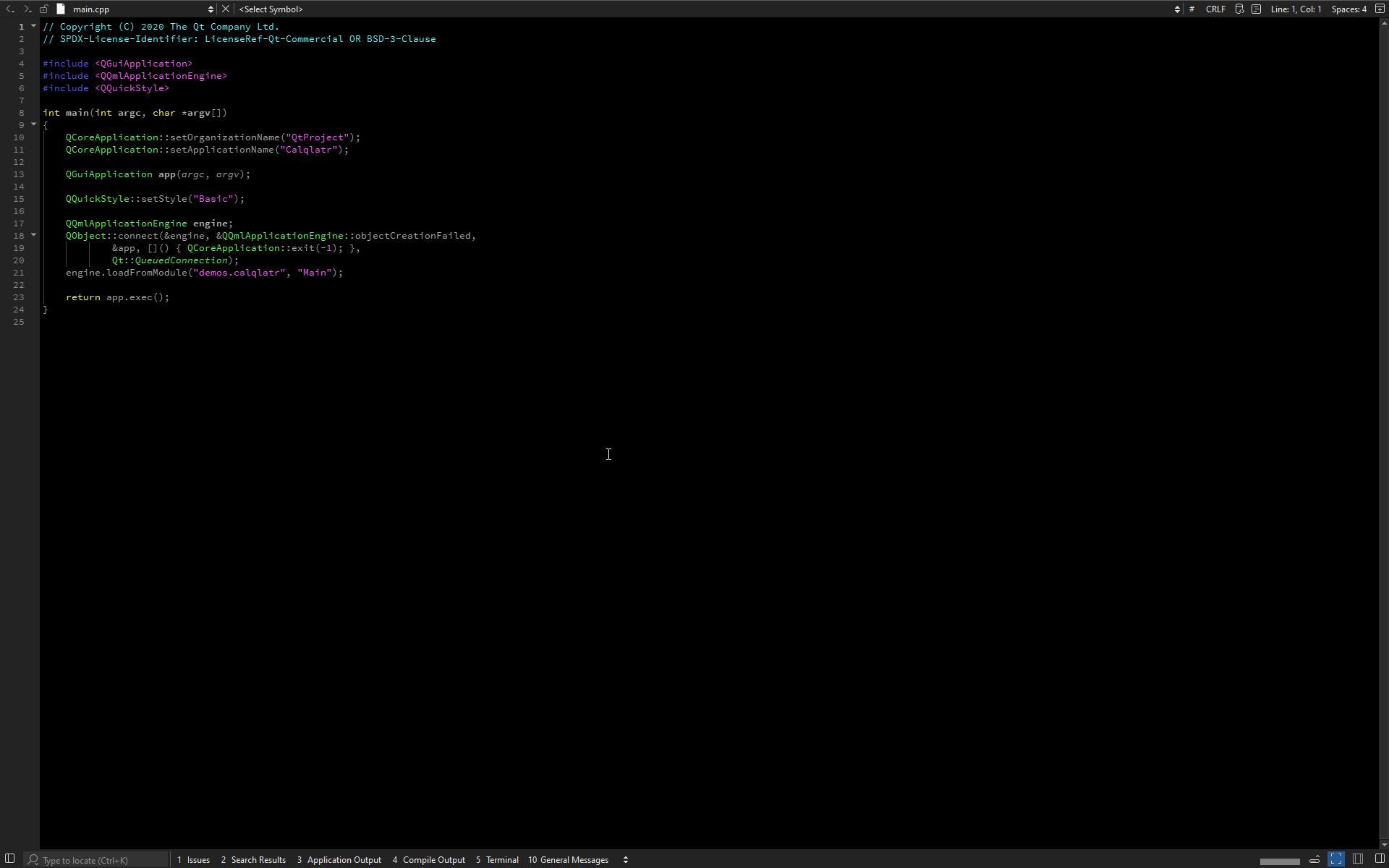
禅モードがオンになります。
Zenモードを切り替えるには:
- 「
 」を選択します。
 - 「Tools 」>「Zen Mode 」に移動し、「Toggle Zen Mode 」を選択します。
- Alt+Shift+Zを押します。
Zenモードの設定
Zen Mode拡張機能の設定を行うには、Preferences >Zen Mode に移動します。
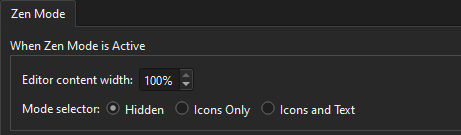
エディタのコンテンツ領域の幅を設定したり、モードがアクティブな間のモードセレクタの外観を構成したりできます。
「UI の調整方法」も参照してください 。
Copyright © The Qt Company Ltd. and other contributors. Documentation contributions included herein are the copyrights of their respective owners. The documentation provided herein is licensed under the terms of the GNU Free Documentation License version 1.3 as published by the Free Software Foundation. Qt and respective logos are trademarks of The Qt Company Ltd in Finland and/or other countries worldwide. All other trademarks are property of their respective owners.
