
アセットの追加
Assets では、外部アセットファイルをQt Quick Designerにドラッグするか、[ ] を選択することで、プロジェクトフォルダに追加された画像やその他のファイルが表示されます。
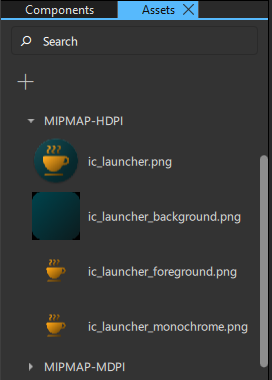
UI にアセットを追加するには、Assets から「Navigator 」または「2D 」ビューにアセットをドラッグします。
UIに複数のアセットを同時に追加するには、まずCtrlキーを押しながら選択したいアセットファイルをクリックして、複数選択します。
Assets からNavigator または2D ビューにアセットをドラッグすると、適切なタイプのコンポーネントインスタンスが自動的に作成されます。たとえば、グラフィックファイルに対してはImageコンポーネントのインスタンスが作成されます。
「Qt Quick UI の設計方法」、「 Qt Quick UI の設計」、「 Qt Quick UI の設計」も参照してください 。
Copyright © The Qt Company Ltd. and other contributors. Documentation contributions included herein are the copyrights of their respective owners. The documentation provided herein is licensed under the terms of the GNU Free Documentation License version 1.3 as published by the Free Software Foundation. Qt and respective logos are trademarks of The Qt Company Ltd in Finland and/or other countries worldwide. All other trademarks are property of their respective owners.
