
젠 모드 사용
기본적으로 ' Edit ' 모드에서는 모드 선택기(1)와 좌우 사이드바(2, 3)가 표시됩니다.
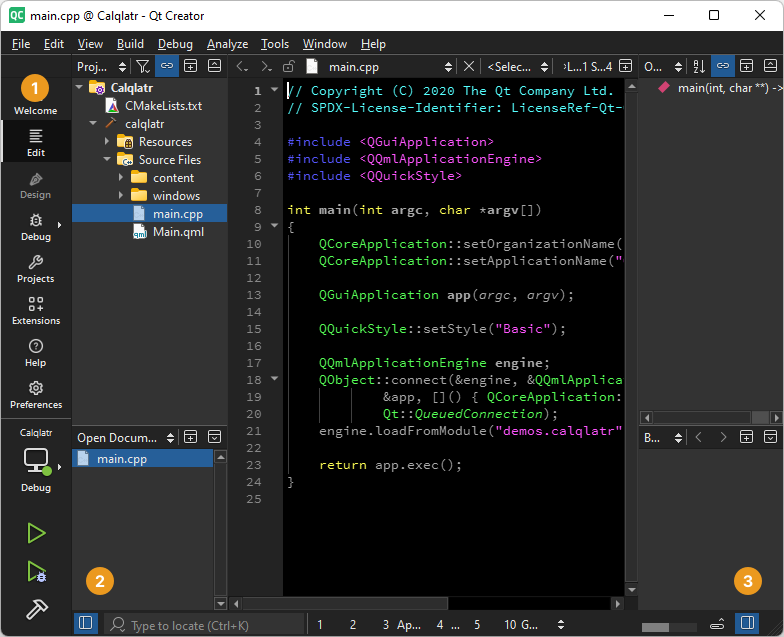
모드 선택기와 사이드바가 표시된 편집 모드.
Zen Mode 확장 프로그램은 UI 요소를 숨겨 코드 편집에 집중할 수 있도록 하는 모드를 제공합니다.
Extensions 모드에서 Zen Mode 확장 프로그램을 활성화하세요. 확장 프로그램에 대한 자세한 내용은 확장 프로그램 활성화를 참조하세요.
방해 없는 모드 전환
방해 방지 모드를 활성화하면 모드 선택기(1), 왼쪽 및 오른쪽 사이드바(2 및 3) 및 기타 보기가 닫힙니다.
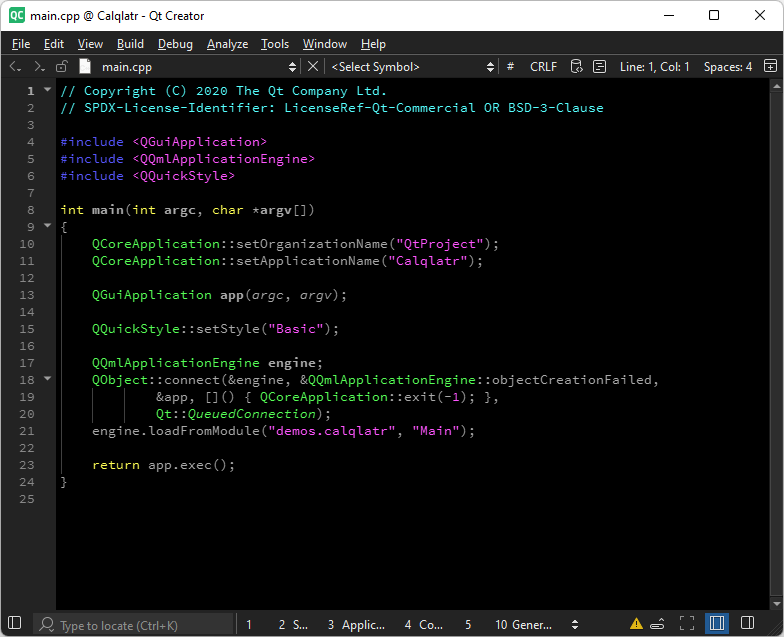
방해 없는 모드 켜기.
방해 없는 모드를 전환하려면:
- '
 '을 선택합니다.
 - Tools > Zen Mode 로 이동하여 ‘ Toggle Distraction Free Mode ’를 선택합니다.
- Shift+Esc를 누릅니다.
젠 모드 전환
젠 모드를 활성화하면 모드 선택기(1), 좌우 사이드바(2 및 3) 및 기타 보기가 닫히고, ‘ Qt Creator ’가 전체 화면으로 전환되며, 메인 메뉴 바가 숨겨집니다.
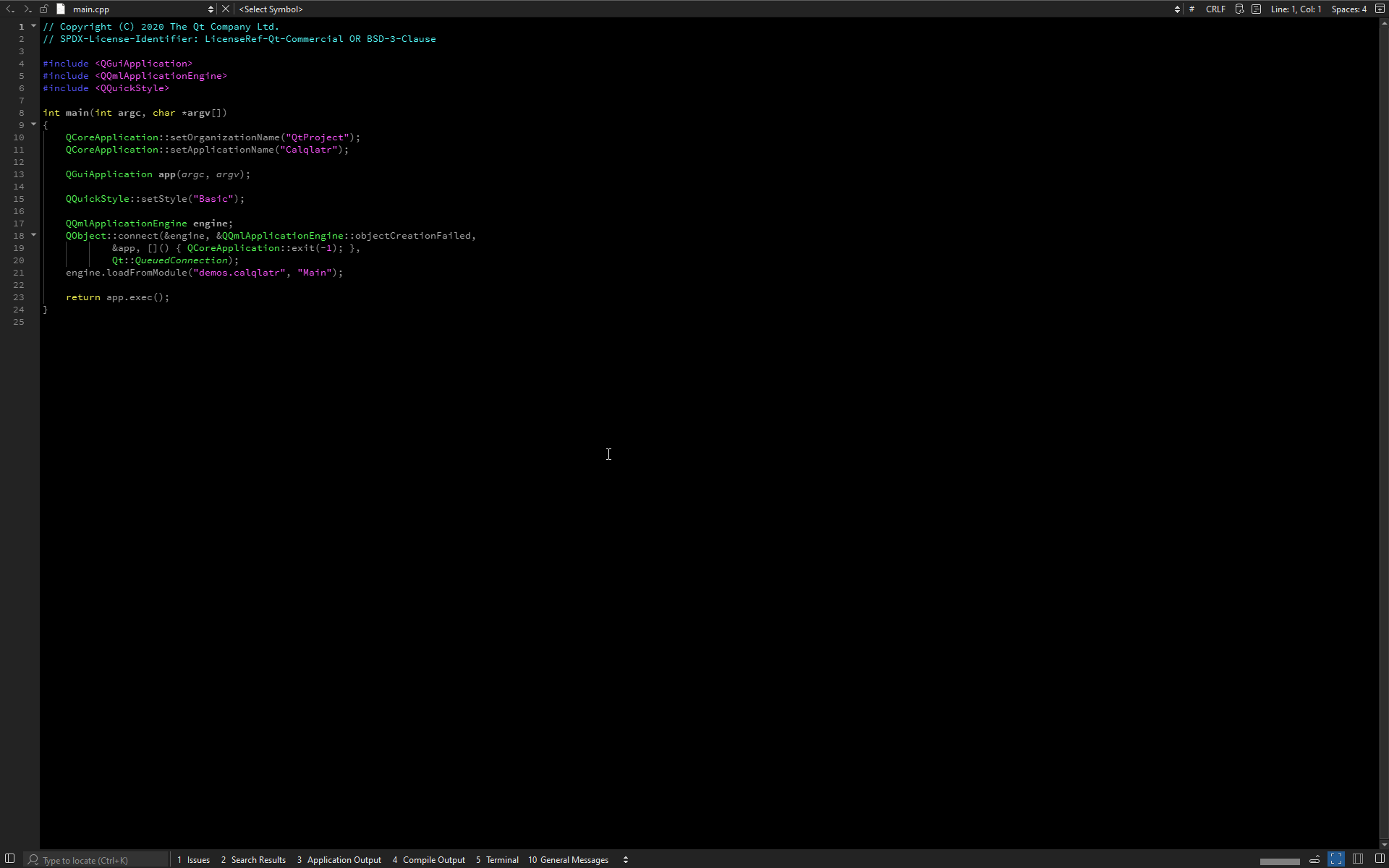
젠 모드 켜기.
젠 모드를 전환하려면:
 를 선택합니다.
- Tools > ‘ Zen Mode ’로 이동하여 ‘ Toggle Zen Mode ’를 선택합니다.
- Alt+Shift+Z를 누릅니다.
젠 모드 환경 설정
Zen Mode 확장 프로그램의 환경 설정을 지정하려면 ‘ Preferences ’ > ‘ Zen Mode ’로 이동합니다.
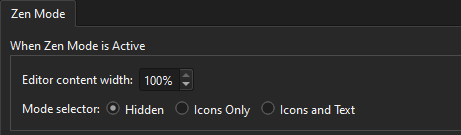
에디터 콘텐츠 영역의 너비를 설정하고, 모드가 활성화된 동안 모드 선택기의 모양을 구성할 수 있습니다.
참조 : UI 조정 방법.
Copyright © The Qt Company Ltd. and other contributors. Documentation contributions included herein are the copyrights of their respective owners. The documentation provided herein is licensed under the terms of the GNU Free Documentation License version 1.3 as published by the Free Software Foundation. Qt and respective logos are trademarks of The Qt Company Ltd in Finland and/or other countries worldwide. All other trademarks are property of their respective owners.
