
메모 작성하기
나중에 파일을 삭제할지 걱정하지 않고 메모를 작성하려면, 새로운 빈 텍스트 파일을 생성하여 컴퓨터의 임시 디렉터리에 저장하십시오.
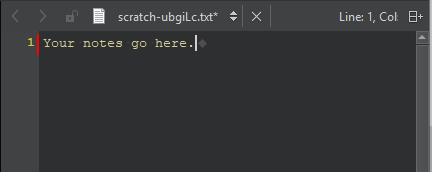
임시 파일을 생성하여 텍스트 편집기에서 열려면:
- File > New File > General > Scratch Buffer 을 선택합니다.
- Ctrl+N을 누릅니다.
편집기 내에서 이동하려면 위쪽 및 아래쪽 화살표 키와 탭 키를 사용하십시오.
운영 체제는 결국 이 파일을 자동으로 삭제합니다. 파일을 보관하려면 다른 위치에 새 파일로 저장하십시오. 실수로 파일을 닫은 경우, ‘ File > Recent Files ’에서 파일을 찾으십시오.
Copyright © The Qt Company Ltd. and other contributors. Documentation contributions included herein are the copyrights of their respective owners. The documentation provided herein is licensed under the terms of the GNU Free Documentation License version 1.3 as published by the Free Software Foundation. Qt and respective logos are trademarks of The Qt Company Ltd in Finland and/or other countries worldwide. All other trademarks are property of their respective owners.
