
为帮助页面添加书签
将有用的帮助页面添加为书签,以便日后在Bookmarks 视图中轻松找到它们。您可以使用页面标题作为书签名称,也可以将其更改为任意文本。您可以在该视图中将书签整理到文件夹中。
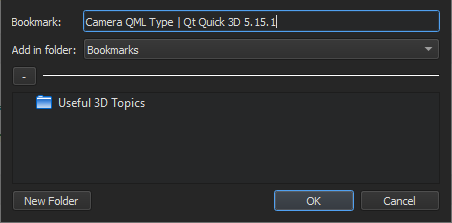
要为当前打开的帮助页面添加书签:
- 在工具栏上选择“
 ”(Add Bookmark )。
 - 在“Add Bookmark ”对话框中,选择“OK ”,将页面标题作为书签保存到所选文件夹中。
导入和导出书签
要导入或导出书签,请转至“Preferences ” > “Help ” > “General ”,然后选择“Import Bookmarks ”或“Export Bookmarks ”。
另请参阅 《操作指南:阅读文档》。
Copyright © The Qt Company Ltd. and other contributors. Documentation contributions included herein are the copyrights of their respective owners. The documentation provided herein is licensed under the terms of the GNU Free Documentation License version 1.3 as published by the Free Software Foundation. Qt and respective logos are trademarks of The Qt Company Ltd in Finland and/or other countries worldwide. All other trademarks are property of their respective owners.
