
将测试添加到现有测试项目中
要将包含测试用例的新文件添加到包含测试项目的项目中:
- 转到“File ” > “New File ”。
- 选择“Test Case ”>“Choose ”。
- 在“Test framework ”中,选择正在使用的测试框架。此框架必须与您要添加该文件的项目中使用的测试框架相匹配。
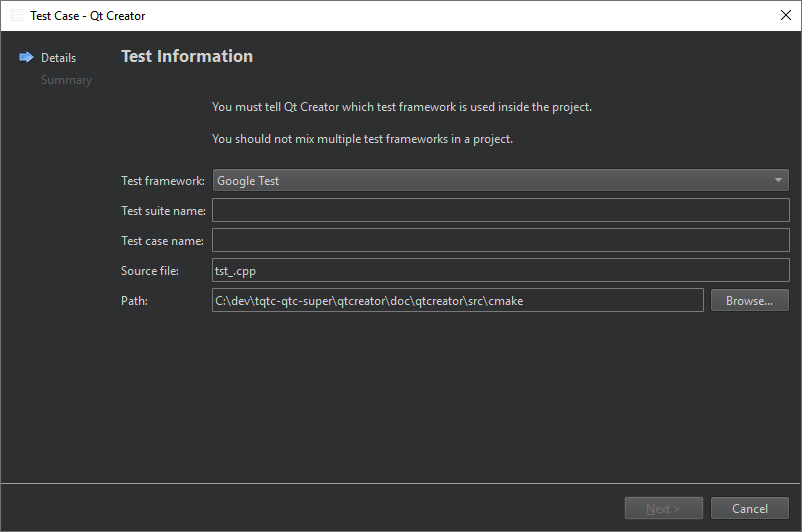
需要指定的设置取决于所选的测试框架。
注意: 除 Qt Test 外,此功能 仅支持基于代码的测试框架。单个 Qt 测试应用程序内不支持包含多个测试用例,建议为每个测试用例创建单独的测试子项目。
Copyright © The Qt Company Ltd. and other contributors. Documentation contributions included herein are the copyrights of their respective owners. The documentation provided herein is licensed under the terms of the GNU Free Documentation License version 1.3 as published by the Free Software Foundation. Qt and respective logos are trademarks of The Qt Company Ltd in Finland and/or other countries worldwide. All other trademarks are property of their respective owners.
