
调试 CMake 项目文件
借助Qt Creator 对调试适配器协议(DAP)的实现,您可以调试CMake项目文件。
注意: 使用 DAP需要 CMake 3.27 或更高版本。
要调试 CMake 项目文件:
- 在Edit 模式下,在CMake文件中设置断点。
- 转到“Debug ” > “Start Debugging ” > “Start CMake Debugging ”。
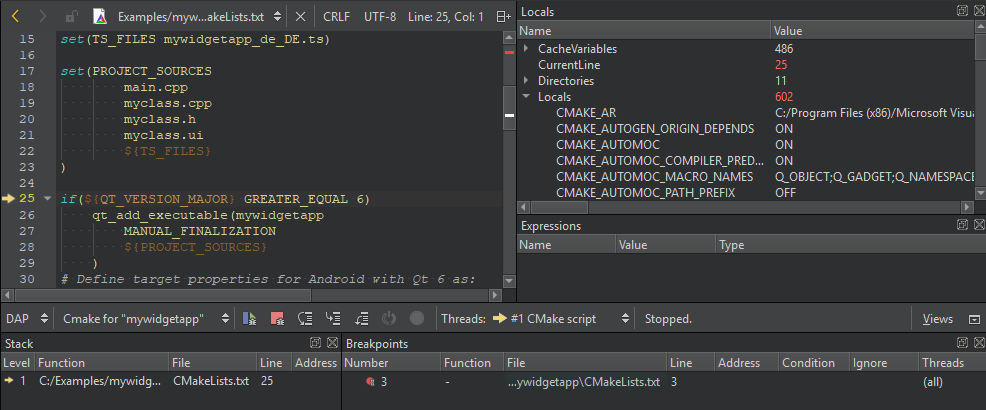
当应用程序在断点处暂停时,您可以在“Debug ”模式的视图中检查数据。
Copyright © The Qt Company Ltd. and other contributors. Documentation contributions included herein are the copyrights of their respective owners. The documentation provided herein is licensed under the terms of the GNU Free Documentation License version 1.3 as published by the Free Software Foundation. Qt and respective logos are trademarks of The Qt Company Ltd in Finland and/or other countries worldwide. All other trademarks are property of their respective owners.
